Tally Dascom 1145/1125+
13
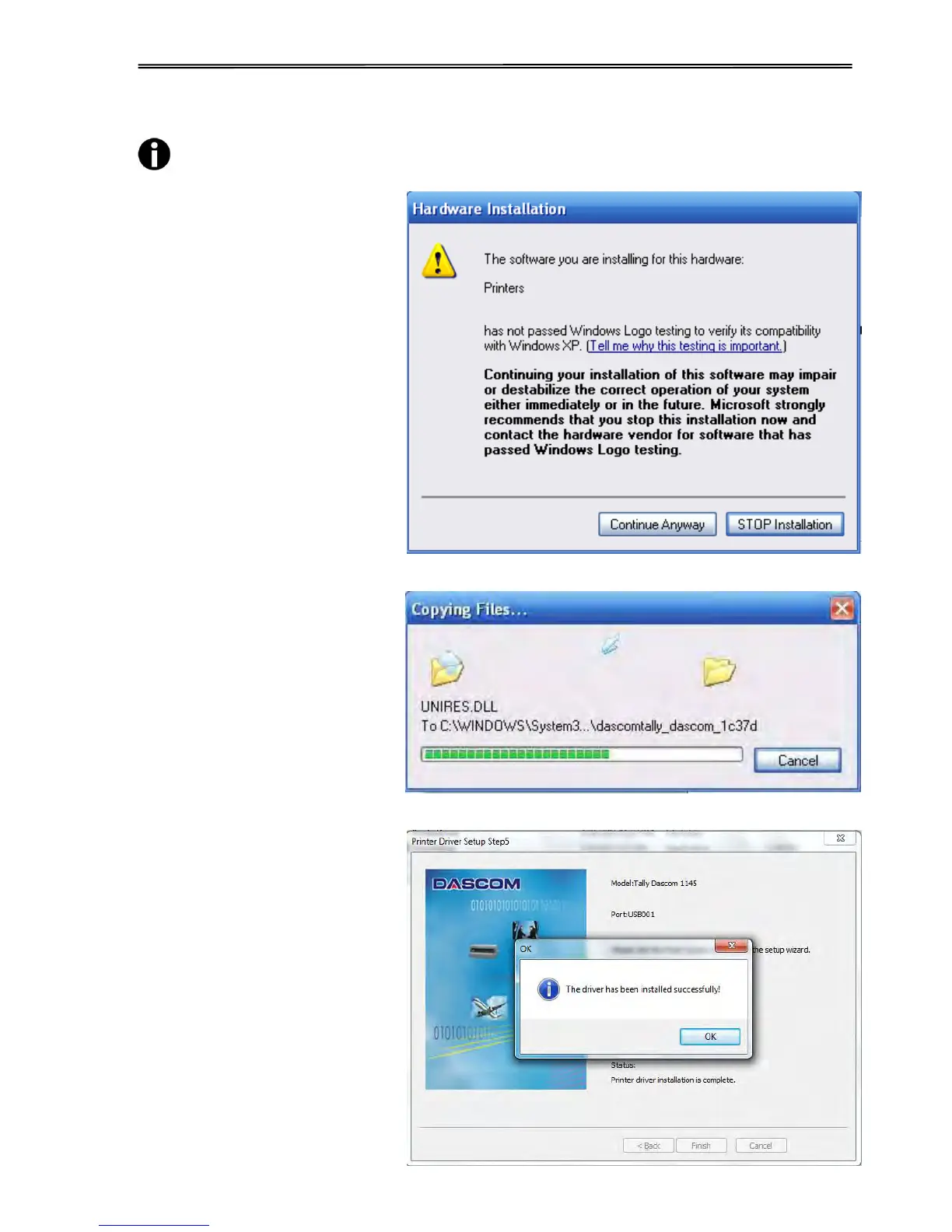
For XP system, the following situation may appear after you click “Finish” in
above step:
1) If the driver is not yet
Microsoft Certified, the
message on the right would
appear. Click “Continue
Anyway”. (As we continue to
expand our product portfolio,
not all of our drivers may be
certified yet. Please check our
website www.dascom.com for
the latest certified drivers.)
2) Installation in progress.
6. After installation is completed
successfully, you will see the
message on the right.



 To Next Page