Tally Dascom 1140
5
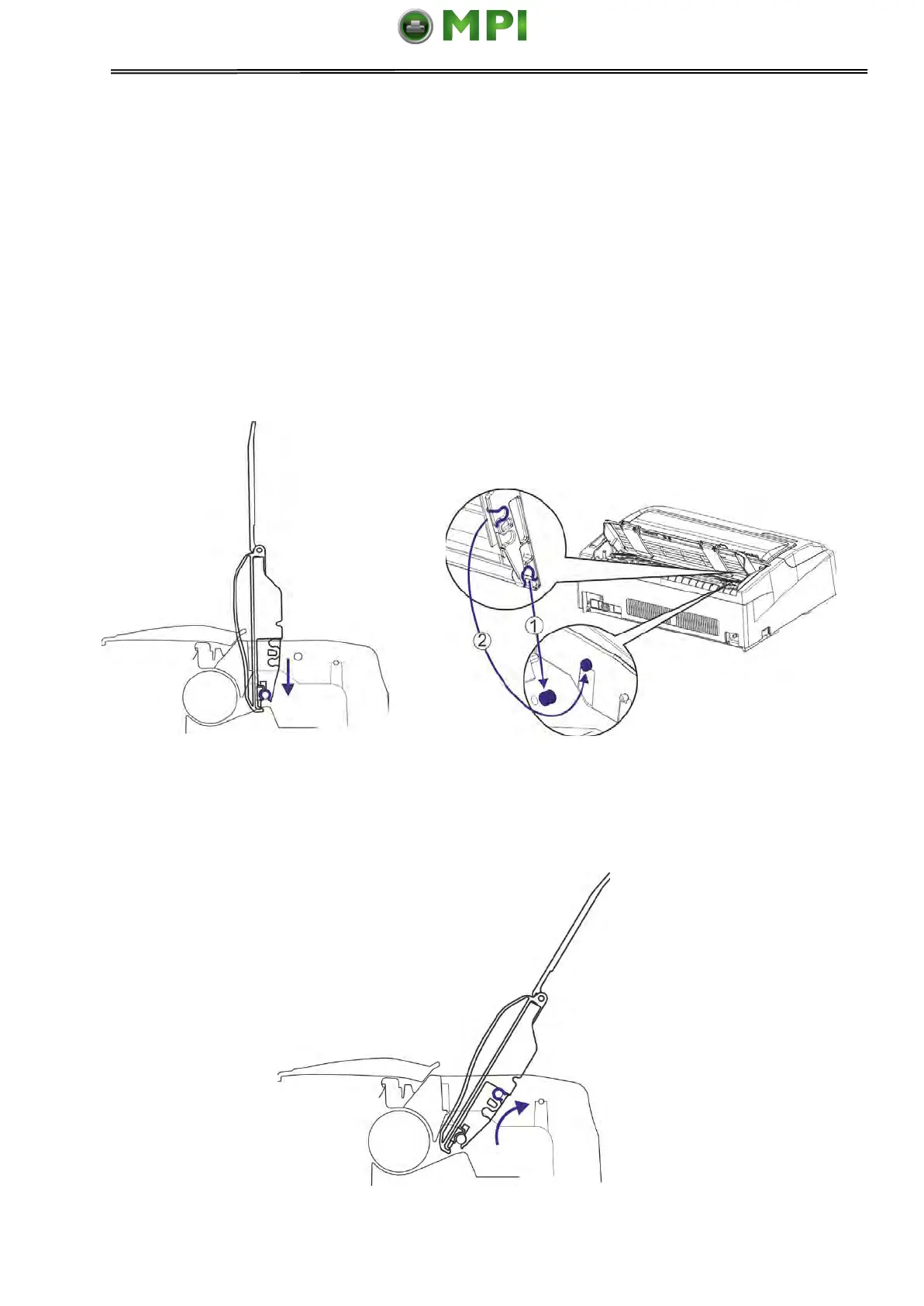
2.2 Install the Single Sheet Feeder
Install the single sheet feeder into the rear of the printer. If you intend to use this paper way,
assure having removed the fanfold paper out of the rear tractor paper way by pressing
Eject way.
Then switch the paper feed lever to Single.
1. As shown in the picture below, unfold the Paper Guides first.Then put the Single Sheet
Feeder into its installation position and push it down to latch.
2. Push the Single Sheet Feeder backward to make it latch again.
Mantenimiento Periféricos Informáticos SL C/Canteras, 15 28860 Paracuellos de Jarama Tel: 00 34 917481604 WEB: https://mpi.com.es



 To Next Page