Tally Dascom 1140
16
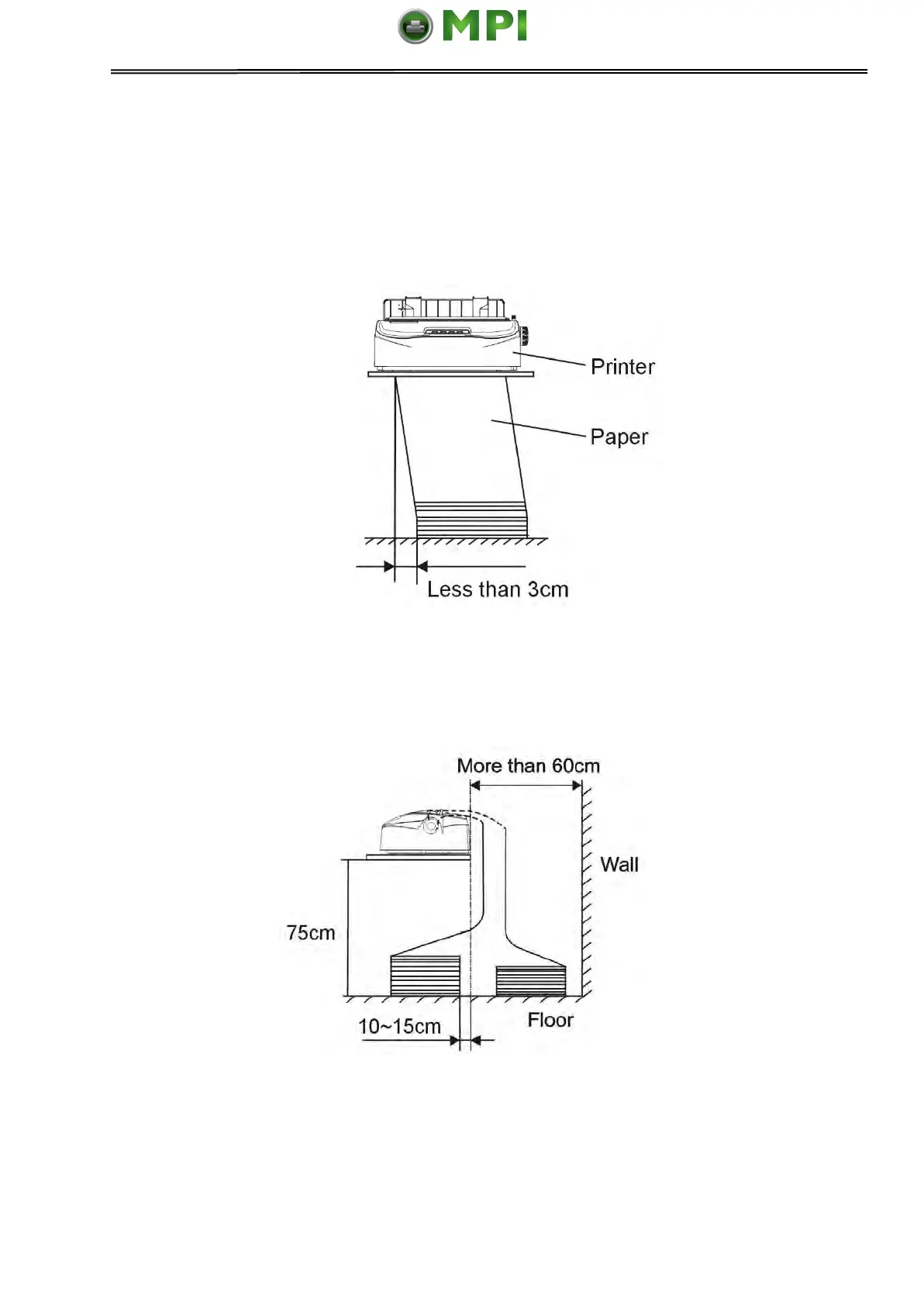
3.4 Continuous Paper Placement
1. Place the printer on a solid base. The minimum suitable height of the solid base is
75 cm.
2. Left and right positioning: The direction of continuous paper should be parallel with the
paper guide. The tolerance should be less than 3 cm.
3. Front and back positioning: The distance between the rear of printer and the wall
should be more than 60cm. To avoid paper jam, the distance between the continuous
paper and the edge of desk should be 10~15 cm.
Mantenimiento Periféricos Informáticos SL C/Canteras, 15 28860 Paracuellos de Jarama Tel: 00 34 917481604 WEB: https://mpi.com.es



 To Next Page