Tally Dascom 1140
7
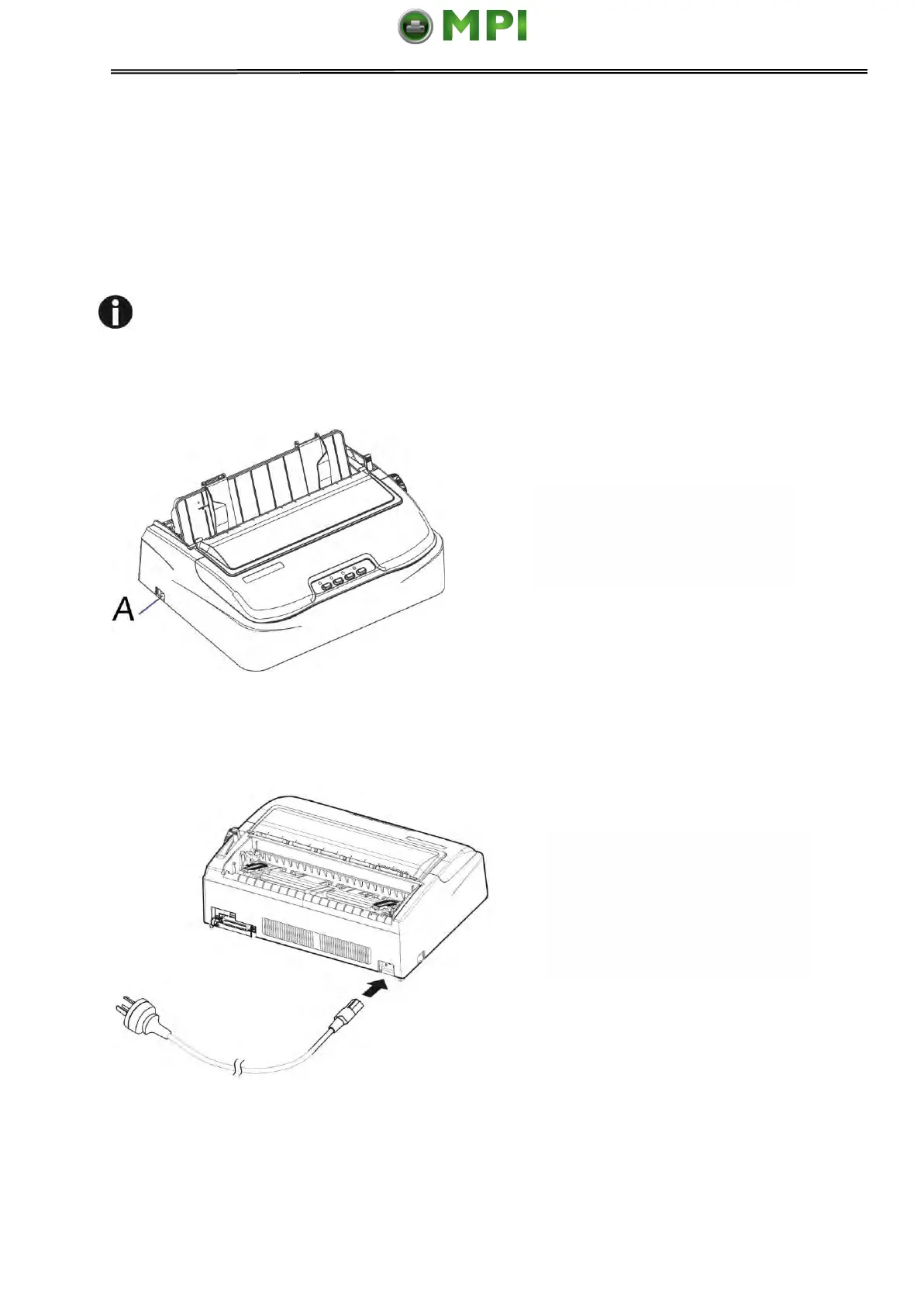
Make sure that the power
switch “A”, located to the left
side of the printer, is in the
“O” (off) position.
Connect the power cord to
the power inlet of the printer.
Connect the power cord plug
to a mains socket. Switch on
the printer.
2.4 Connecting the Power Supply
Checking the printer voltage
Make sure that the device has been set according to your country’s power supply voltage. To
do this, check the rating plate at the back of the printer. Contact your dealer if the setting is
incorrect.
Never switch on the printer if the voltage setting is incorrect; This may result in
electrical damage to the printer.
Mantenimiento Periféricos Informáticos SL C/Canteras, 15 28860 Paracuellos de Jarama Tel: 00 34 917481604 WEB: https://mpi.com.es



 To Next Page