Tally Dascom 1140
11
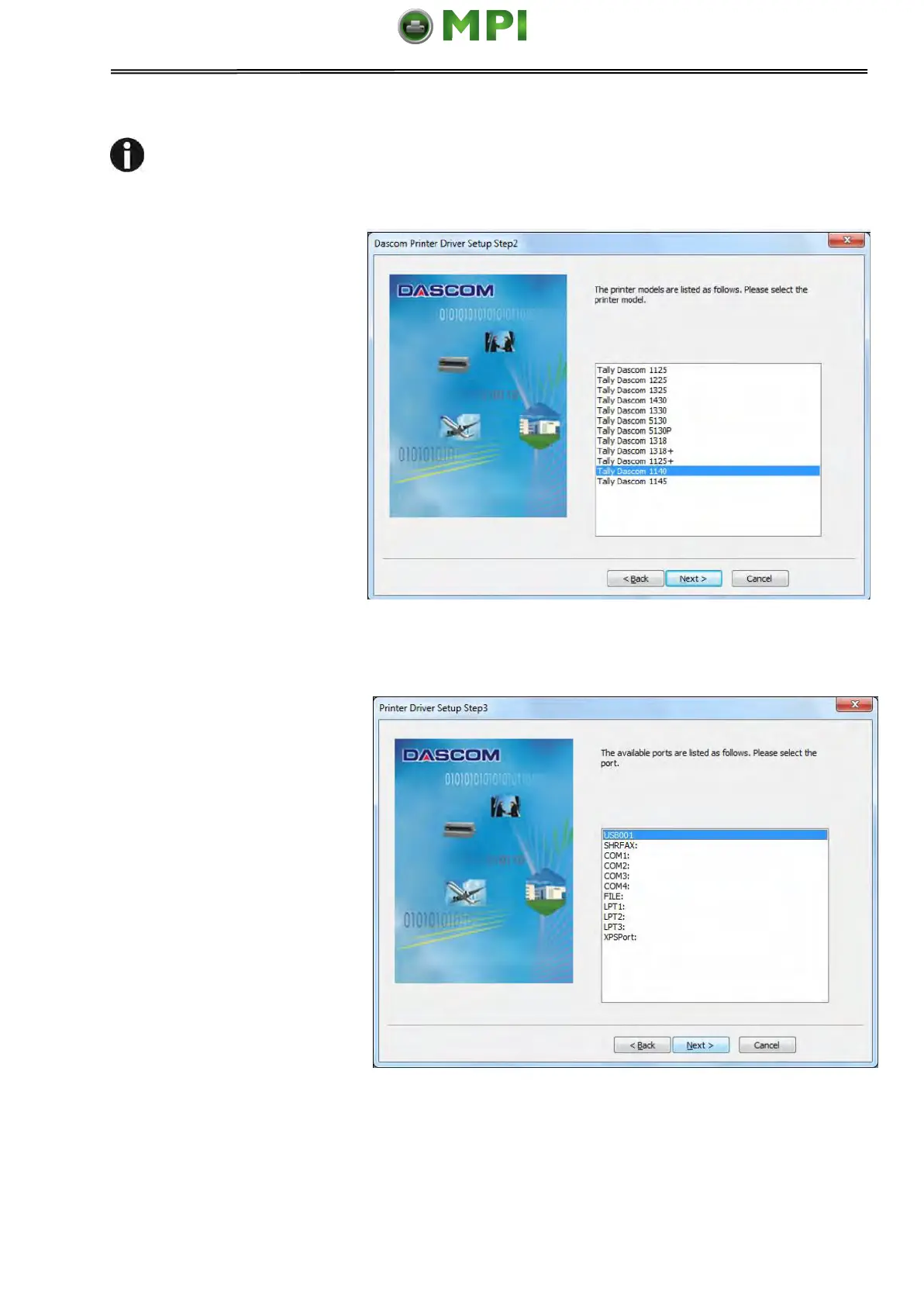
If you have selected manual installation in the third step, please refer to
following two steps:
1) If manual installation is
selected, picture on right
side will appear after you
click “Cancel”. Select the
desired printer model and
click “Next” to continue.
2) Picture on the right side will
appear after you click “Next”.
Select installation port and
click “Next” to continue.
Mantenimiento Periféricos Informáticos SL C/Canteras, 15 28860 Paracuellos de Jarama Tel: 00 34 917481604 WEB: https://mpi.com.es



 To Next Page