IT
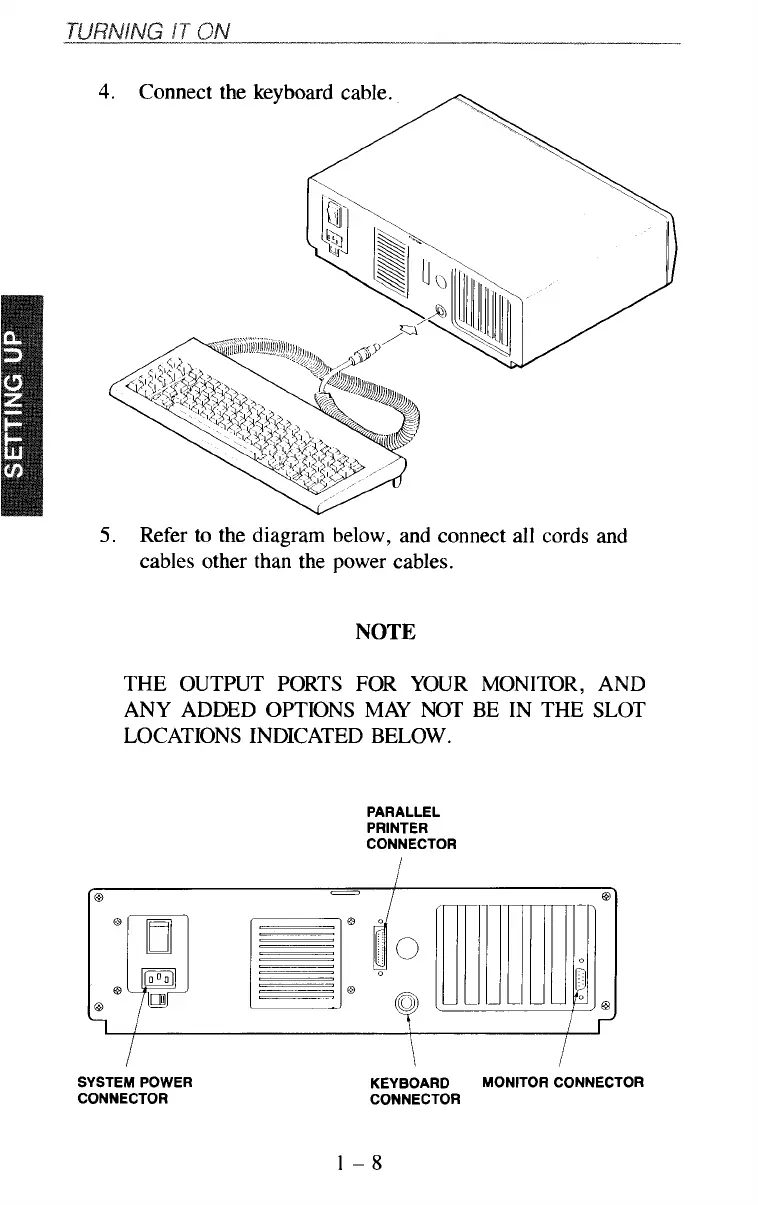
4.
Connect the keyboard cable.
5.
Refer
to
the diagram below, and connect all cords and
cables other than the power cables.
NOTE
THE OUTPUT PORTS FOR YOUR MONITOR, AND
ANY ADDED OPTIONS MAY NOT BE IN THE SLOT
LOCATIONS INDICATED BELOW.
PARALLEL
PRINTER
CONNECTOR
SYSTEM POWER
CONNECTOR
KEYBOARD MONITOR CONNECTOR
CONNECTOR
1-8



 To Next Page