1.4
HOW
TO HANDLE AND INSERT
A
DISKETTE
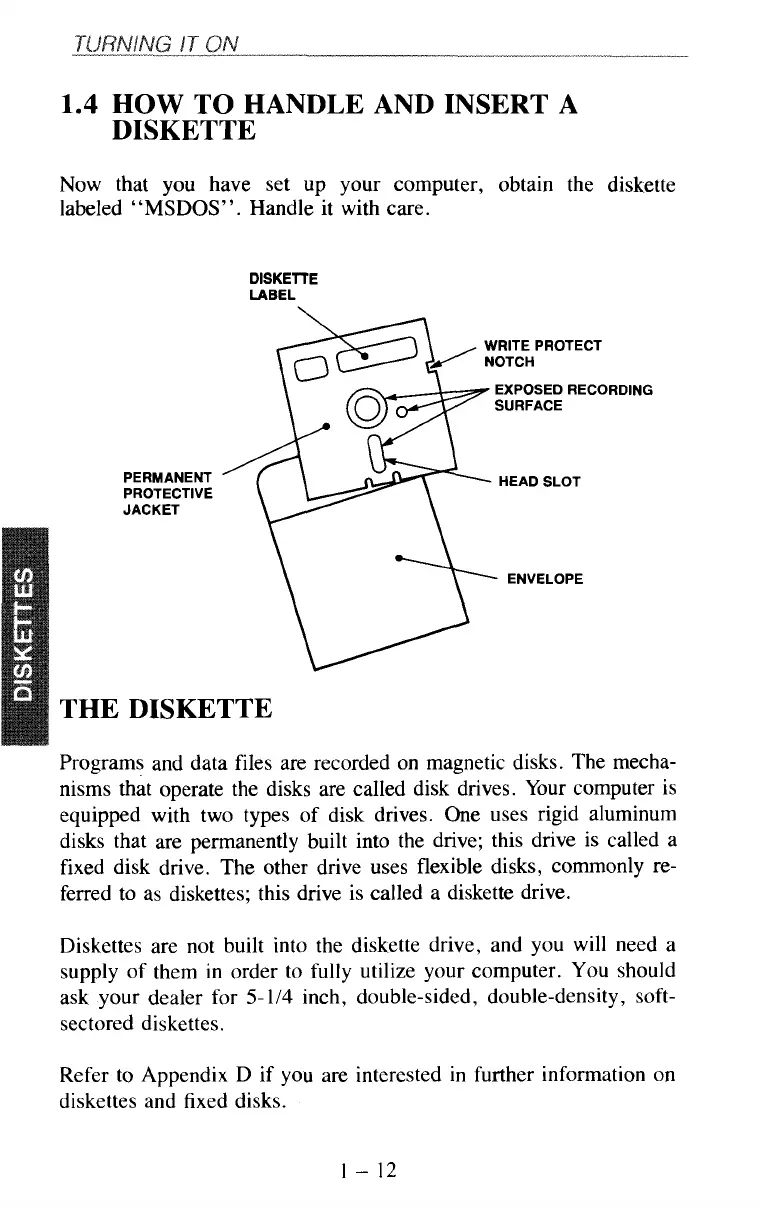
Now that you have set up your computer, obtain the diskette
labeled
“MSDOS”.
Handle it with care.
DISK
E TT E
LABEL
PERMANENT
PROTECTIVE
JACKET
EXPOSED RECORDING
THE DISKETTE
Programs and data files are recorded on magnetic disks. The mecha-
nisms that operate the disks are called disk drives. Your computer is
equipped with two types of disk drives. One uses rigid aluminum
disks that are permanently built into the drive; this drive is called a
fixed disk drive. The other drive uses flexible disks, commonly re-
ferred to
as
diskettes; this drive is called a diskette drive.
Diskettes are not built into the diskette drive, and you will need a
supply of them in order to
fully
utilize your computer. You should
ask your dealer for
5-
1/4
inch, double-sided, double-density, soft-
sectored diskettes.
Refer to Appendix D if you are interested in further information on
diskettes and fixed disks.
1
-
12



 To Next Page