NOTE
THE FORMAT
IS
MONTH, DATE, YEAR (WITH
A DASH BETWEEN EACH SEGMENT). THE
MONTH MUST BE GIVEN IN DIGITS, NOT
LETTERS. IT
IS
ALSO ACCEPTABLE TO USE A
SLASH
(/)
RATHER THAN A DASH BETWEEN
EACH SEGMENT.
Press:
(Return)
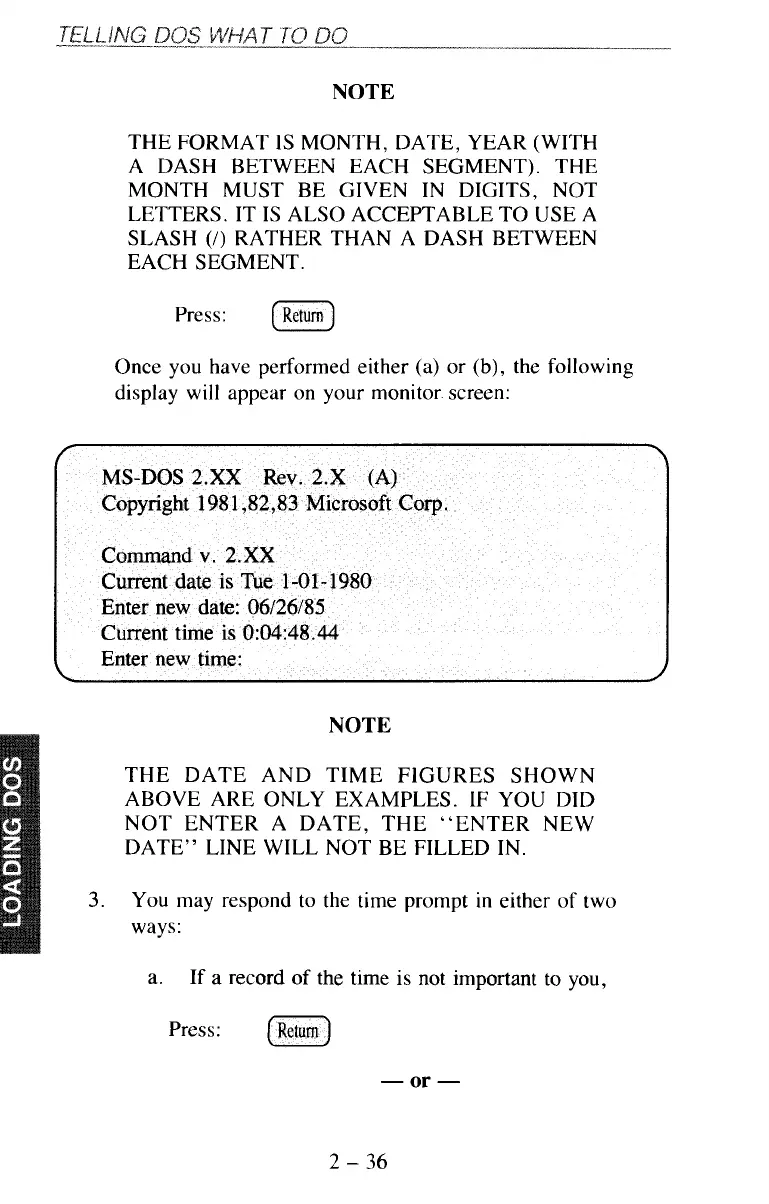
Once you have performed either (a) or
(b),
the following
display will appear on your monitor screen:
NOTE
THE DATE AND TIME FIGURES SHOWN
ABOVE ARE ONLY EXAMPLES.
IF
YOU DID
NOT ENTER A DATE, THE “ENTER NEW
DATE” LINE WILL NOT BE FILLED IN.
3.
You
may respond to the time prompt
in
either of two
ways:
a.
If a record of the time
is
not important to you,
Press:
(Return)
-
or
-
2
-
36



 To Next Page