User’s
Guide
ON
to reverse the
CTRL
and
CAPS LOCK
keys.
OFF
to restore the standard
CTRL
and
CAPS
LOCK
keys.
4.
Close the compartment.
5.
Remove the keytops by carefully prying up on
the bottom edge of the keys. Then, exchange
the keytops.
6.
Turn on your computer.
Numeric Keypad Area
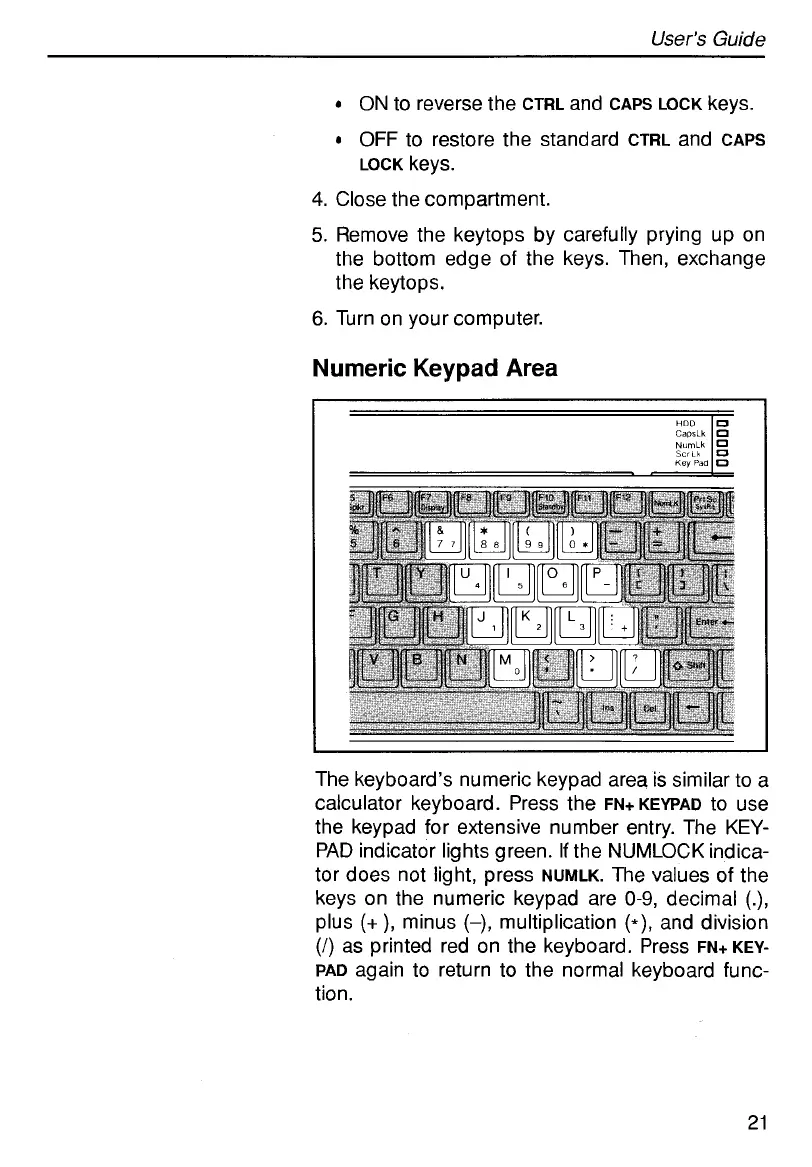
The keyboard’s numeric keypad area is similar to a
calculator keyboard. Press the
FN+KEYPAD
to use
the keypad for extensive number entry. The
KEY-
PAD
indicator lights green.
If
the NUMLOCK indica-
tor does not light, press
NUMLK.
The values of the
keys on the numeric keypad are
0-9,
decimal
(.),
plus
(+
),
minus
(-),
multiplication
(*),
and division
(1)
as printed red on the keyboard. Press
FN+KEY-
PAD
again to return to the normal keyboard func-
tion.
21
HOD
CapsLh
NumLh
Scrtk
Key
Pad
0
0
0
D
0



 To Next Page