User's
Guide
J
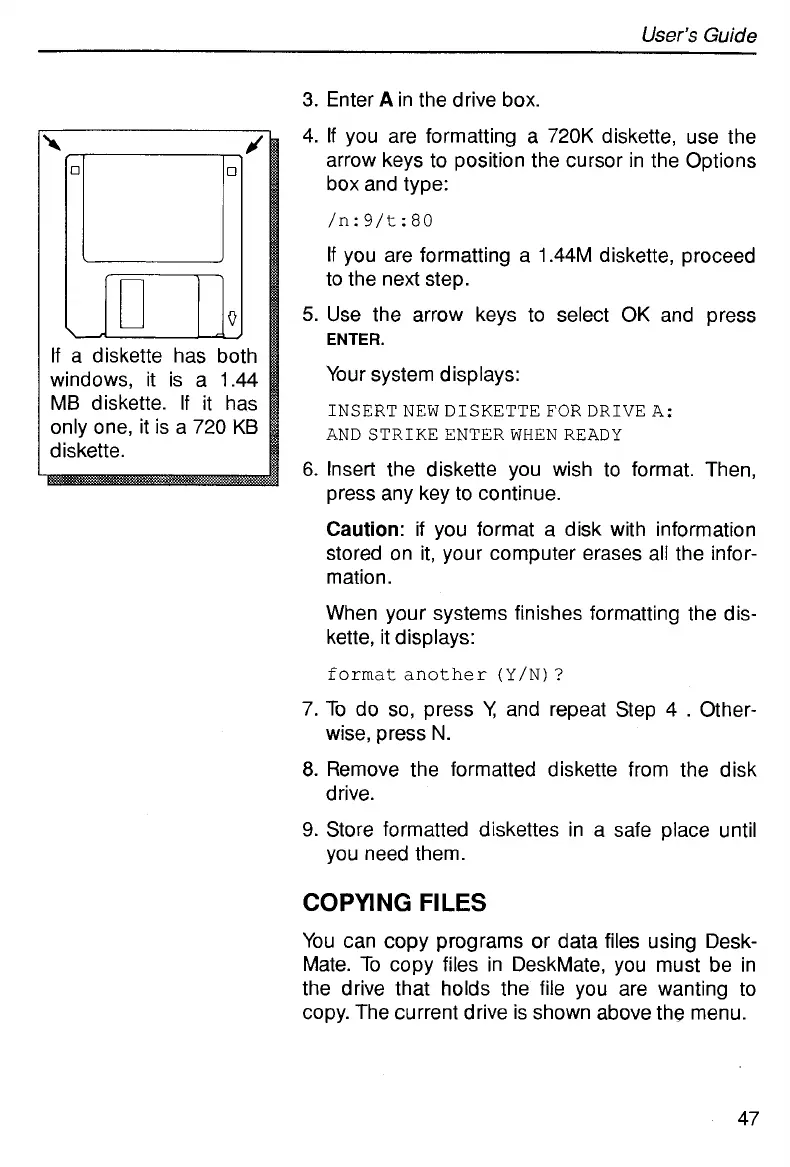
If
a diskette has both
windows, it is a 1.44
MB diskette. If it has
only one, it is a
720
KB
diskette.
3.
Enter
A
in the drive box.
4.
If
you are formatting a
720K
diskette, use the
arrow keys to position the cursor in the Options
box and type:
/n: 9/t:
80
If
you are formatting a 1.44M diskette, proceed
to the next step.
5.
Use the arrow keys to select
OK
and press
ENTER.
Your system displays:
INSERTNEWDISKETTEFORDRIVEA:
ANDSTRIKEENTERWHENREADY
6.
Insert the diskette you wish to format. Then,
press any key to continue.
Caution:
if you format a disk with information
stored on it, your computer erases all the infor-
mation.
When your systems finishes formatting the dis-
kette, it displays:
format
another
(Y/N)
?
7.
To
do
so,
press
V;
and repeat Step 4
.
Other-
8.
Remove the formatted diskette from the disk
9.
Store formatted diskettes in a safe place until
wise, press
N.
drive.
you need them.
COPYING
FILES
You can copy programs or data files using Desk-
Mate.
To
copy files in DeskMate, you must be in
the drive that holds the file you are wanting to
copy. The current drive is shown above the menu.
47



 To Next Page