1500
HD
Laptop Computer
ADDING
A
MOUSE
OR OTHER SERIAL DEVICE
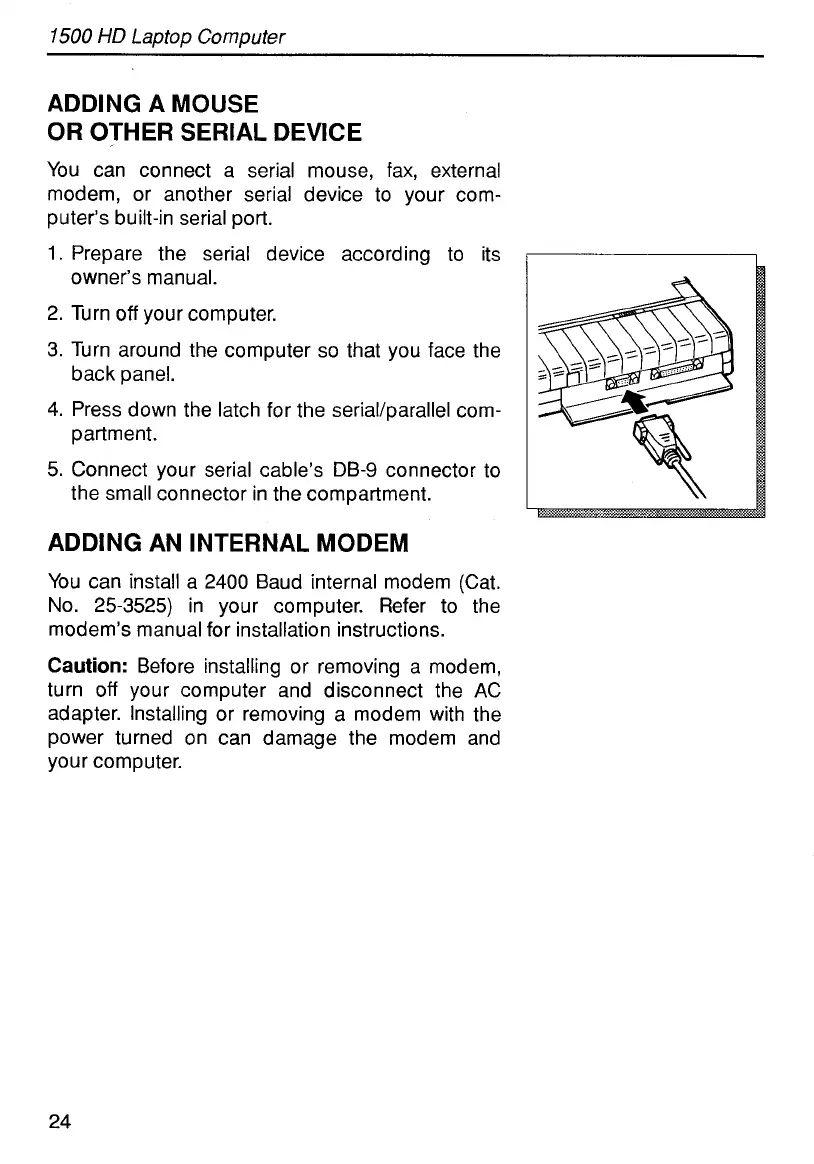
You can connect a serial mouse, fax, external
modem, or another serial device to your com-
puter’s built-in serial port.
1.
Prepare the serial device according to its
2. Turn
off
your computer.
3. Turn around the computer
so
that you face the
4. Press down the latch for the serial/parallel com-
5.
Connect your serial cable’s
DB-9
connector to
owner’s manual.
back panel.
partment.
the small connector in the compartment.
ADDING AN INTERNAL MODEM
You can install a 2400 Baud internal modem (Cat.
No. 25-3525) in your computer. Refer to the
modem’s manual for installation instructions.
Caution:
Before installing or removing a modem,
turn
off
your computer and disconnect the AC
adapter. Installing or removing a modem with the
power turned on can damage the modem and
your computer.
24



 To Next Page