1500
HD
Laptop Computer
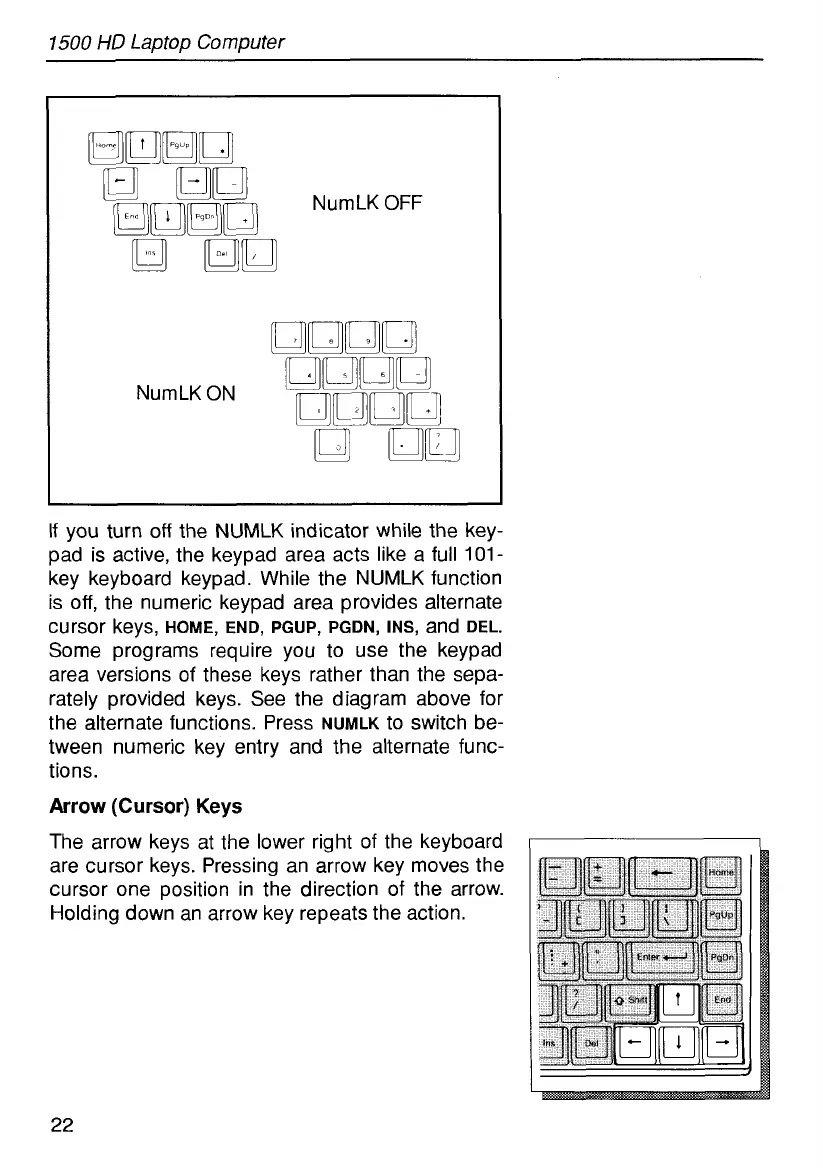
NumLK
OFF
NumLK ON
If
you turn
off
the NUMLK indicator while the key-
pad is active, the keypad area acts like a full
101-
key keyboard keypad. While the NUMLK function
is
off,
the numeric keypad area provides alternate
Some programs require you to use the keypad
area versions of these keys rather than the sepa-
rately provided keys. See the diagram above for
the alternate functions. Press
NuMLK
to switch be-
tween numeric key entry and the alternate func-
tions.
Arrow
(Cursor)
Keys
The arrow keys at the lower right of the keyboard
are cursor keys. Pressing an arrow key moves the
cursor one position in the direction of the arrow.
Holding down an arrow key repeats the action.
cursor keys,
HOME,
END, PGUP, PGDN, INS,
and
DEL.
I
22



 To Next Page