User’s
Guide
ADDING AN INTERNAL
1
MB
EMS RAM CARD
The
EMS
RAM
card (Cat.
No.
25-3507)
expands
the computer memory by using a single inline
memory module
(SIMM).
To install this card, use
the following procedure:
1. Turn
off
your computer.
2.
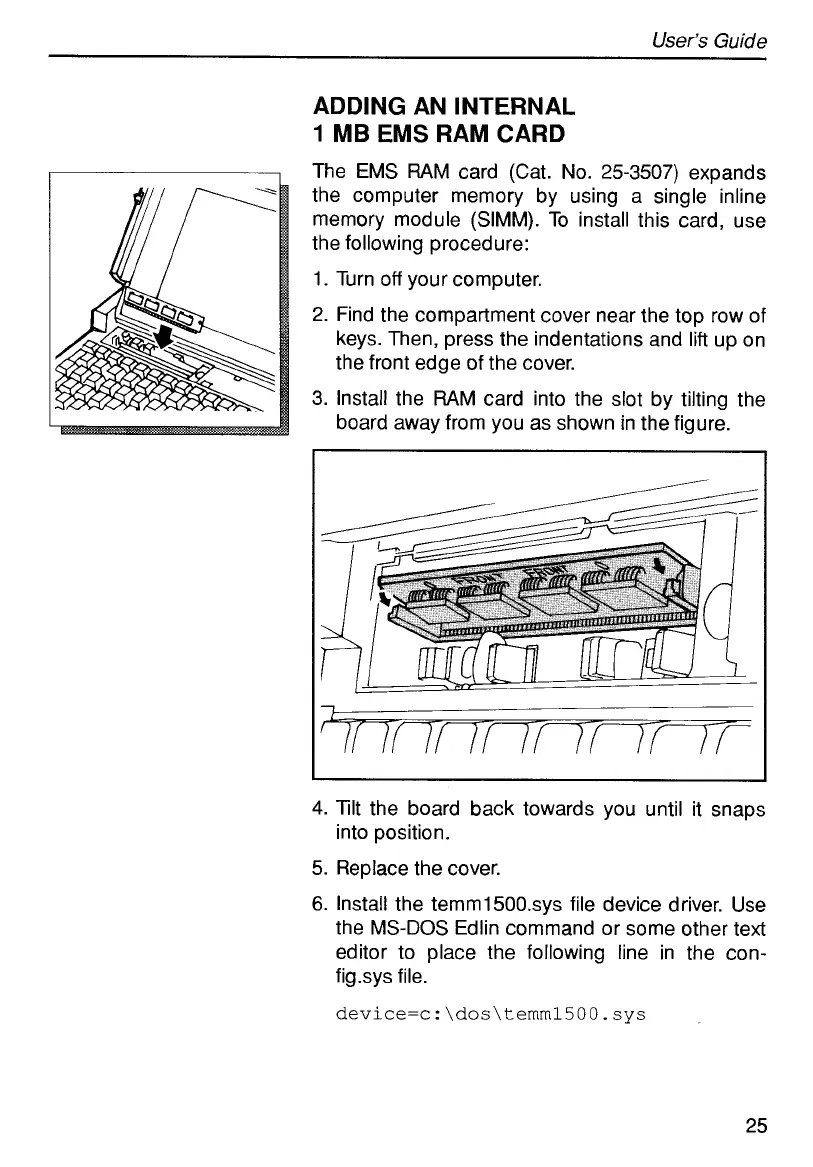
Find the compartment cover near the top row of
keys. Then, press the indentations and lift up on
the front edge of the cover.
3.
Install the
RAM
card into the slot by tilting the
board away from you as shown in the figure.
~~
4.
Tilt the board back towards you until it snaps
5.
Replace the cover.
6.
Install the temm1500.sys file device driver. Use
the
MS-DOS
Edlin command or some other text
editor to place the following line in the con-
figsys file.
device=c:\dos\temml5OO.sys
into position.
25



 To Next Page