1500
HD Laptop Computer
For example, if your current drive is the floppy disk
drive, the system would display:
DeskMate
-
A:
\
If
the file to be copied is in a separate drive, you
should first change the current drive and directory
by following “Changing the Current Drive” in this
manual. This allows you to access the file you want
to copy.
To
copy a file, follow these steps:
1.
Use the arrow keys to select the file you wish to
copy. The file will be displayed in a application
box.
2.
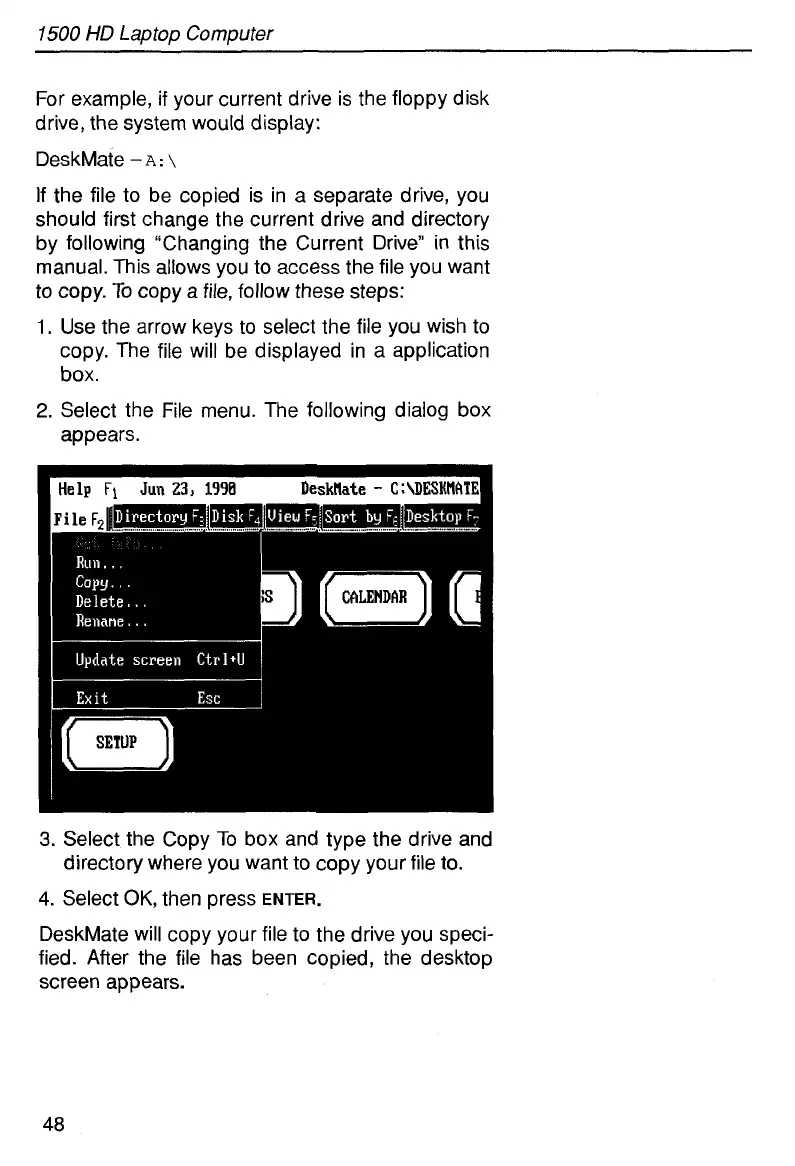
Select the File menu. The following dialog box
appears.
3.
Select the Copy
To
box and type the drive and
directory where you want to copy your file to.
4.
Select
OK,
then press
ENTER.
DeskMate will copy your file to the drive you speci-
fied. After the file has been copied, the desktop
screen appears.
48



 To Next Page