ATP Operator Instructions
How to Clean the Tablet Canister Drawer
[Step 1]
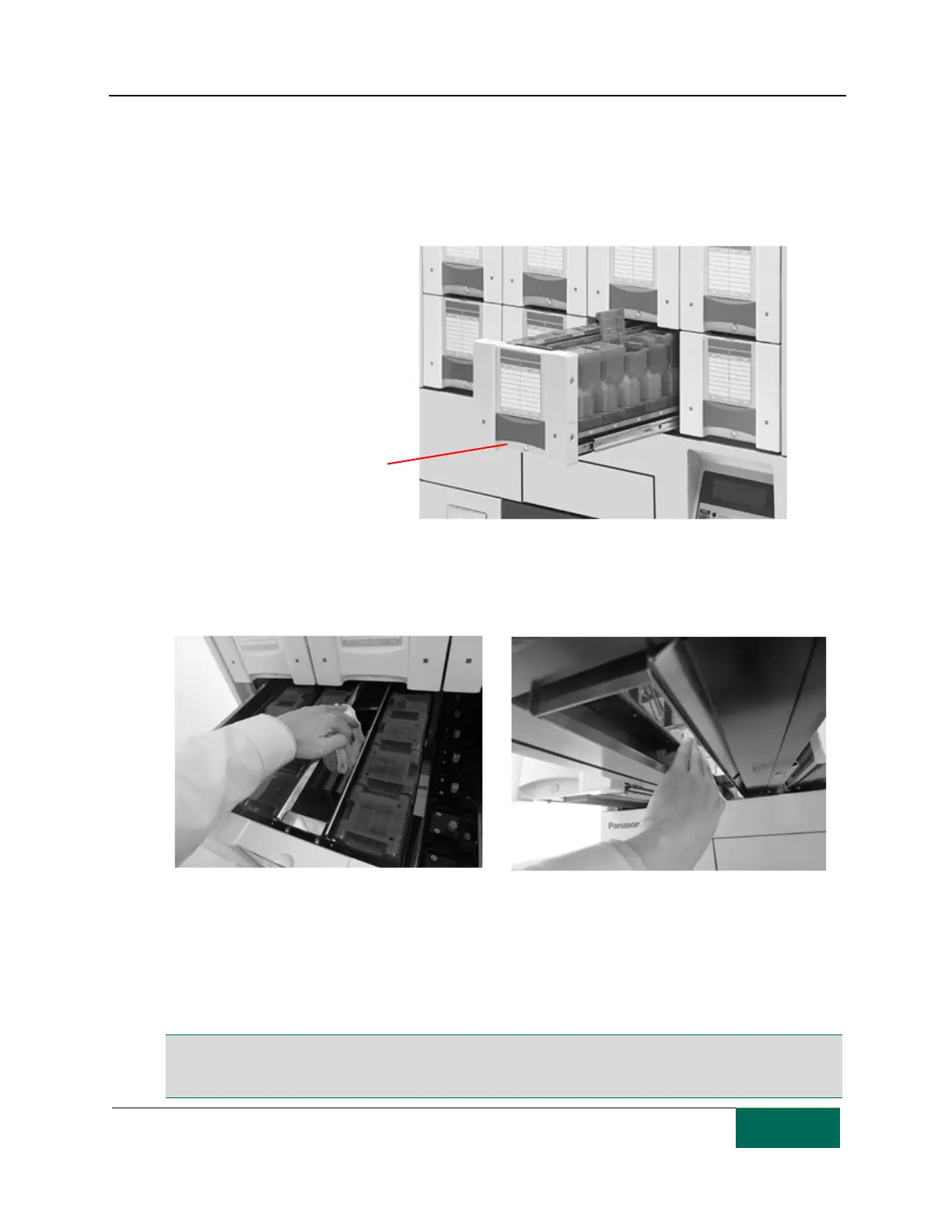
Press the Drawer Open switch to release the TC drawer lock.
[Step 2]
Pull out the TC drawer to clean it.
[Step 3]
Wipe off pill dust from the pill path at the center of the TC drawer using a dry, lint free cloth.
[Step 4]
Wipe pill dust from all other areas of the TC drawer.
[Step 5]
Push the TC drawer back in and continue cleaning all of the other TC drawers.
Note: The ATP must be cleaned before use and daily to ensure proper operation. If the unit is not cleaned,
packaging precision and product performance may decrease. It is the operator’s responsibility to keep the
ATP clean.



 To Next Page