ATP Operator Instructions
Chapter 7 | MAINTENANCE
Cleaning the Tablet Canister and Motor Base
[Step 1]
Pull out the TC drawer and remove the tablet
canister.
[Step 2]
Take the pills out of the tablet canister.
[Step 3]
Vacuum out the inside of the canister, or
wipe it with a dry, lint free cloth.
[Step 4]
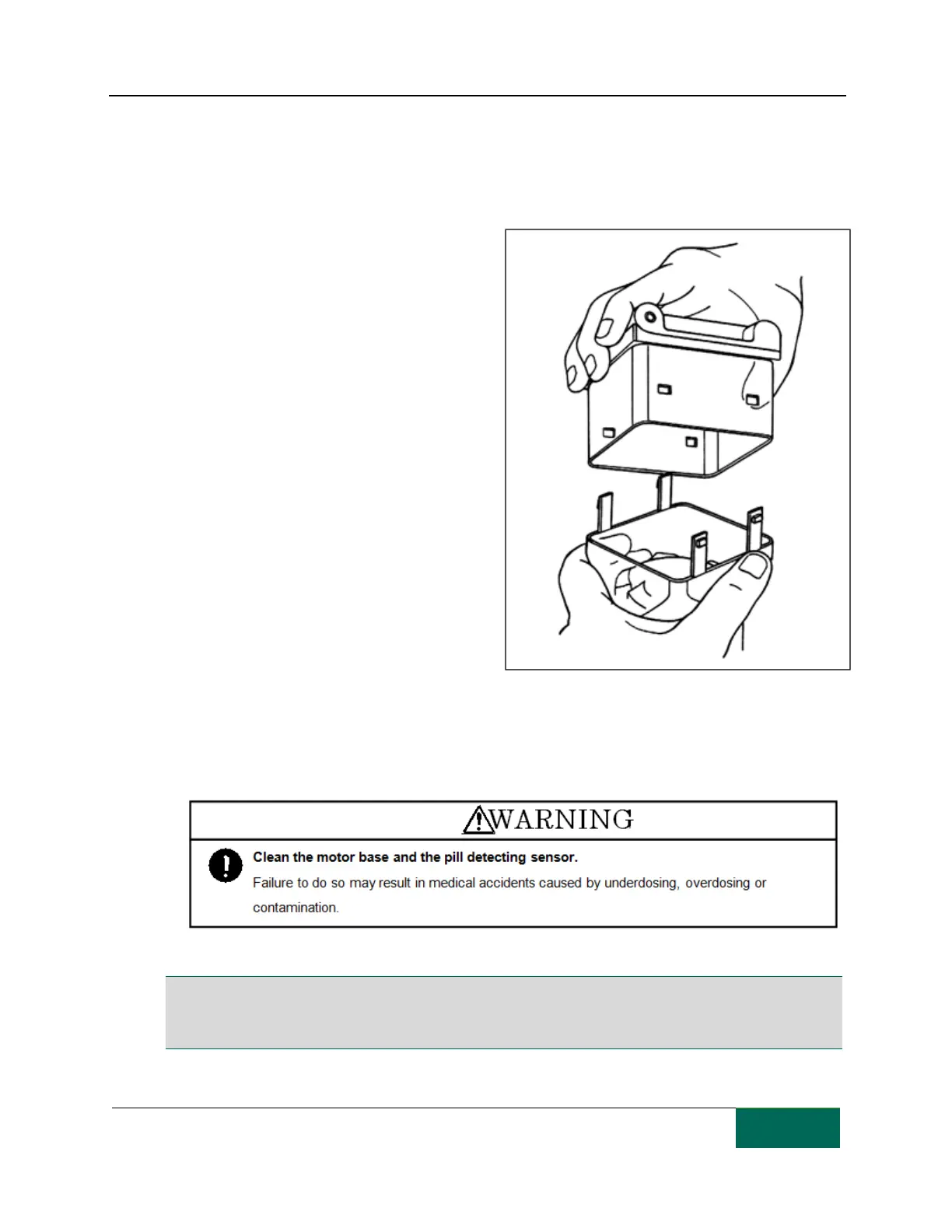
In the case of large amounts of pill dust, take
apart the top and bottom halves of the
canister and wipe off the pill dust. Press the
right and left sides of the lower part to free
the clips that secure it.
[Step 5]
Use a dry cloth or foam brush to remove pill
dust that adheres to the motor base. and the
pill detecting sensor.
[Step 6]
Repeat steps 1 to 5 to clean all tablet cases and motor bases.
Note: The separator in the tablet canister is a consumable part. Contact TCGRx in the unlikely event of a
malfunction.
Note: Do not use disinfectants to clean the canisters as this may cause cracking or breaking.



 To Next Page