EasyManua.ls Logo

Teac AG-V2050 - Playing Tapes

Teac AG-V2050
47 pages
Print Icon
To Next Page IconTo Next Page
To Previous Page IconTo Previous Page
Loading...
ie
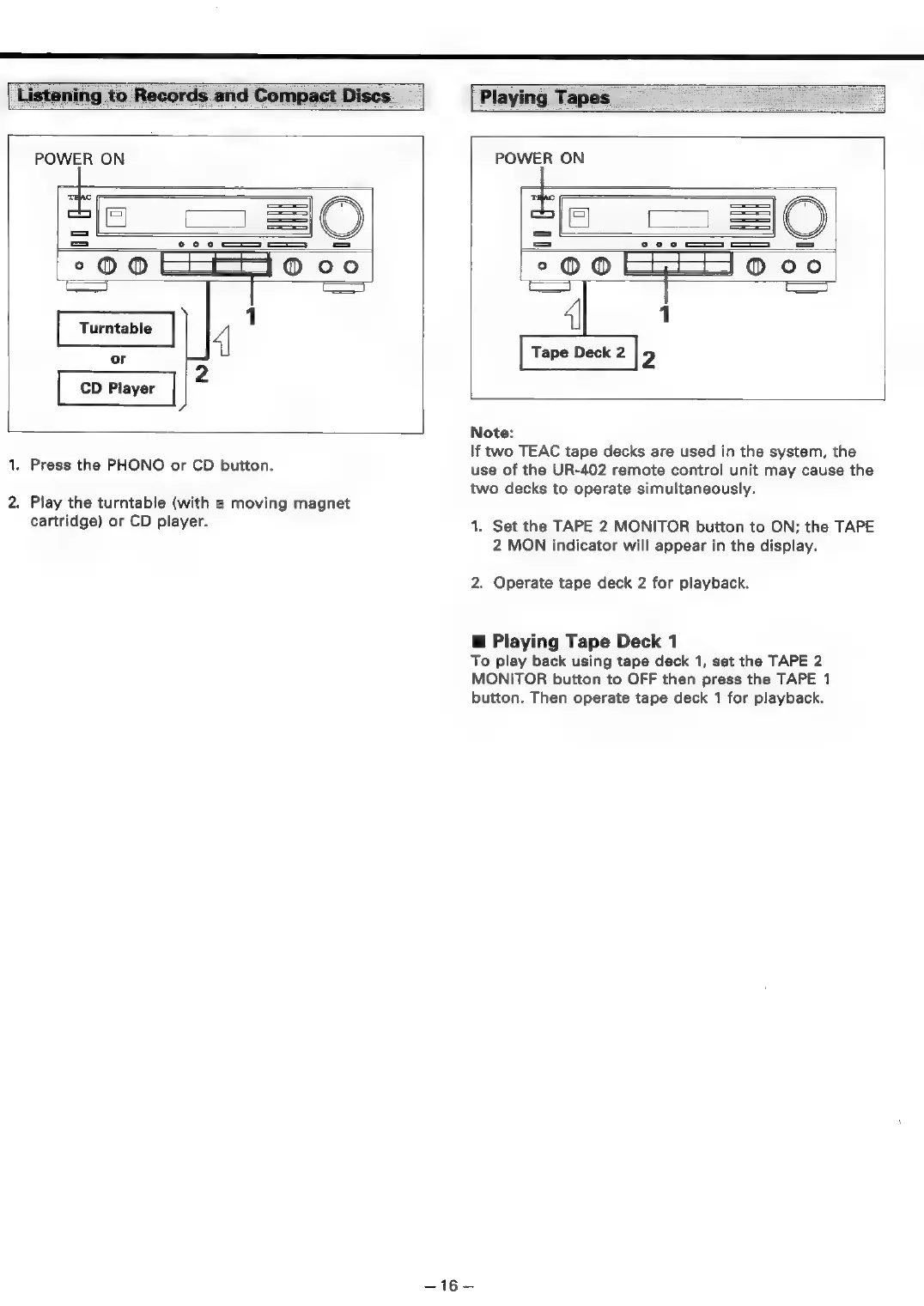
Turntable
4
CD
Player
2
it
1.
Press
the
PHONO
or
CD
button.
2.
Play
the
turntable
(with
a
moving
magnet
cartridge)
or
CD
player.
Listening
to
Records
and
Compact
Discs.
Playing
Tapes
POWER
ON
POWER
ON
=|E
=|
°O00
jo
ee
OS
aca
|
Co
4
1
[Treo
|p
Note:
If
two
TEAC
tape
decks
are
used
in
the
system,
the
use
of
the
UR-402
remote
control
unit
may
cause
the
two
decks
to
operate
simultaneously.
1.
Set
the
TAPE
2
MONITOR
button
to
ON;
the
TAPE
2
MON
indicator
will
appear
in
the
display.
2.
Operate
tape
deck
2
for
playback.
@
Playing
Tape
Deck
1
To
play
back
using
tape
deck
1,
set
the
TAPE
2
MONITOR
button
to
OFF
then
press
the
TAPE
1
button.
Then
operate
tape
deck
1
for
playback.
—16—

Table of Contents

Related product manuals