EasyManua.ls Logo

Teac AG-V2050 - Playing DOLBY SURROUND Sound; Memory Backup Function

Teac AG-V2050
47 pages
Print Icon
To Next Page IconTo Next Page
To Previous Page IconTo Previous Page
Loading...
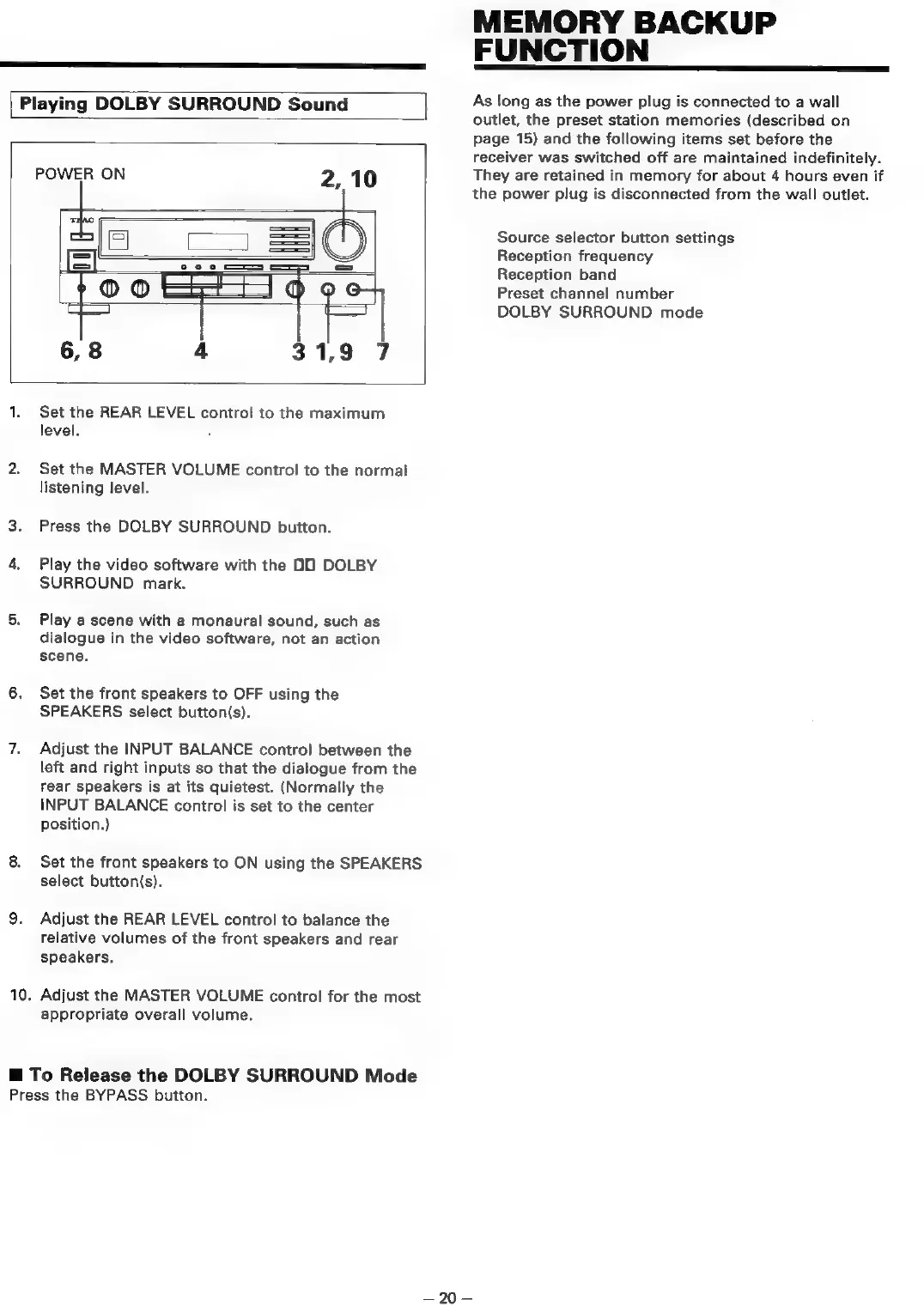
Playing
DOLBY
SURROUND
Sound
POWER
ON
10.
Set the
REAR
LEVEL
control
to
the
maximum
level.
Set
the
MASTER
VOLUME
control
to
the
normal
listening
level.
Press
the
DOLBY
SURROUND
button.
Play
the
video
software
with
the
OO
DOLBY
SURROUND
mark.
Play
a
scene
with
a
monaural
sound,
such
as
dialogue
in
the
video
software,
not
an
action
scene.
Set
the
front
speakers
to
OFF
using
the
SPEAKERS
select
button(s).
Adjust
the
INPUT
BALANCE
control
between
the
left
and
right
inputs
so
that
the
dialogue
from
the
rear
speakers
is
at
its
quietest.
(Normally
the
INPUT
BALANCE
control
is
set
to
the
center
position.)
Set
the
front
speakers
to
ON
using
the
SPEAKERS
select
button(s).
Adjust
the
REAR
LEVEL
control
to
balance
the
relative
volumes
of
the
front
speakers
and
rear
speakers.
Adjust
the
MASTER
VOLUME
control
for
the
most
appropriate
overall
volume.
@
To
Release
the
DOLBY
SURROUND
Mode
Press
the
BYPASS
button.
—20-—
MEMORY
BACKUP
FUNCTION
As
long
as
the
power
plug
is
connected
to
a
wall
outlet,
the
preset
station
memories
(described
on
page
15)
and
the
following
items
set
before
the
receiver
was
switched
off
are
maintained
indefinitely.
They
are
retained
in
memory
for
about
4
hours
even
if
the
power
plug
is
disconnected
from
the
wall
outlet.
Source
selector
button
settings
Reception
frequency
Reception
band
Preset
channel
number
DOLBY
SURROUND
mode

Table of Contents

Related product manuals