PAGE 11
ENGLISH
PAGE 11
INTRODUCTION
Identification of Controls
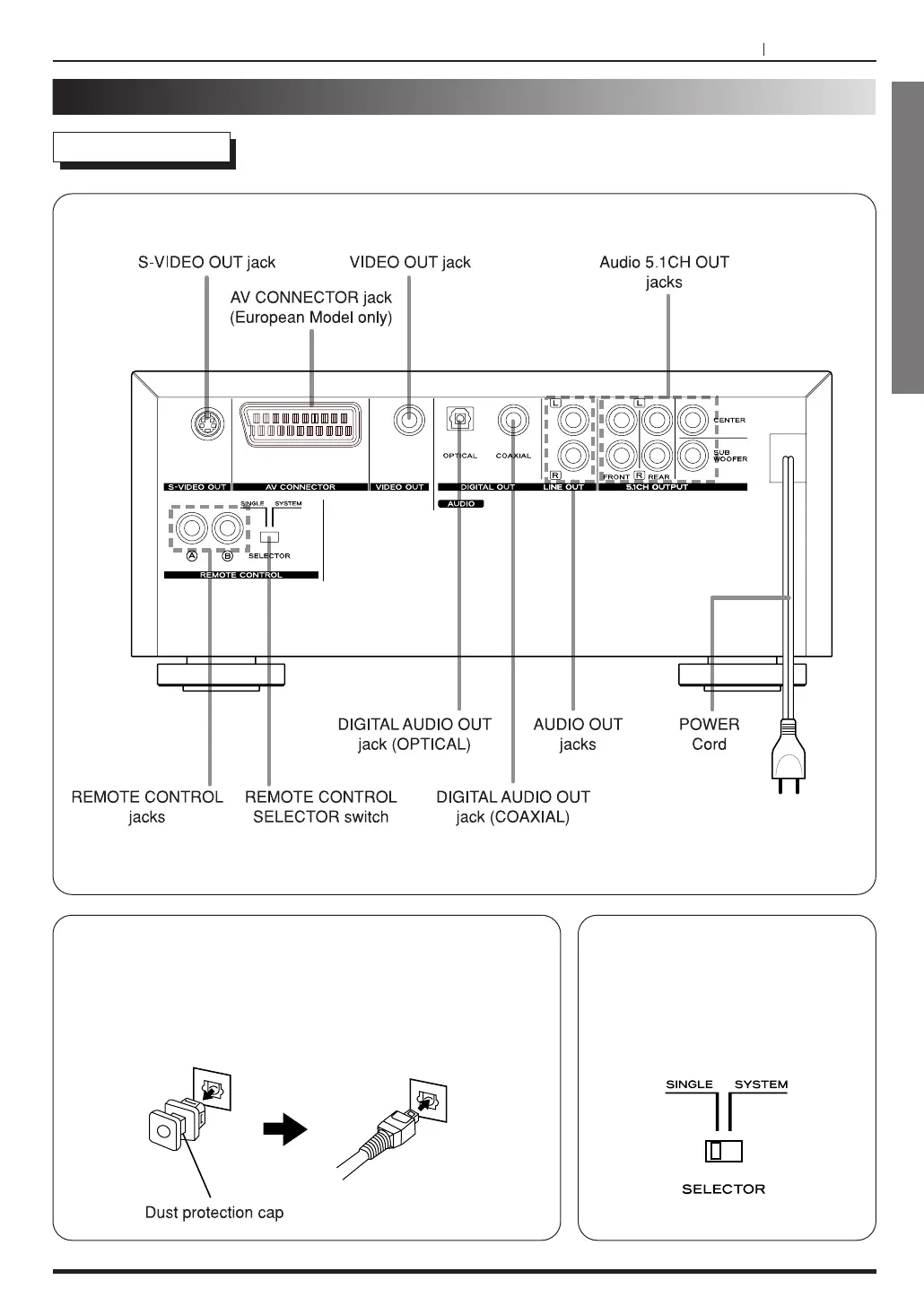
Rear Panel
OPTICAL DIGITAL AUDIO OUT jack
Remove the dust protection cap from the connector and connect
the optical digital cable (not supplied) firmly so that the
configurations of both the cable and the connector match. Keep
the dust protection cap and always reattach the cap when not
using the connector to project against dust.
Remote Control Selector switch
Single : To use remote control unit of
DV-H500, select Signal.
System : When connected to the
TEAC AV-H500D Amplifier with
remote control cord, select SYSTEM.



 To Next Page