PAGE 34
ENGLISH
Selecting Digital Audio Output
Selecting Audio Output
If you have a audio system that has 2 speakers L/R
input. You must change the setting of speaker
output, from Multichannel to Two channel.
PAGE 34
INITIAL SETUP OPERATION
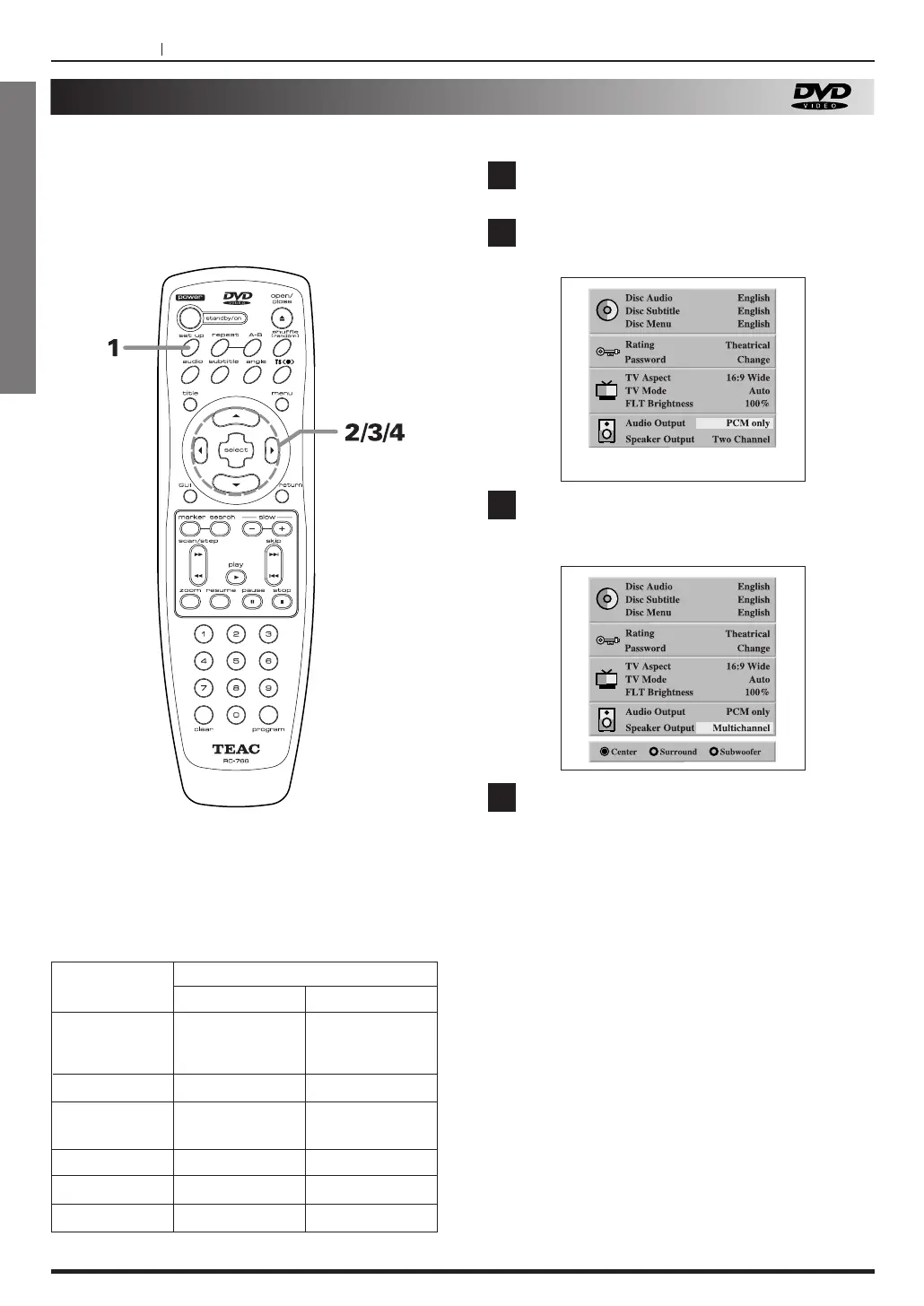
Press the SET UP button, in stop mode.
Press 5
/b to select Audio Output and press
g
/tto select “ PCM only” or “Stream/PCM”.
Press 5
/b to select speaker output and
press g
/t to select “ Multi channel” on to
channel.
When you select the “Multichannel”, select
ON or OFF of Center speaker, Surround
speakers, and Subwoofer.
Press g
/t to move the cursor to the desired
speaker and press “SELECT” to toggle the
speaker output.
<
To exit SET UP menu
Press RETURN or SETUP button.
1
3
4
2
At the SET UP screen
Each DVD disc has a variety of audio output options.
Set the player’s DIGITAL AUDIO output according to
the type of audio system you use.
OUTPUT
Stream/PCM PCM
PLAYBACK
DISC
96 kHz
LINEAR PCM
DVD
DTS DVD
DOLBY
DIGITAL DVD
MPEG DVD
Audio CD
DTS Audio CD
PCM
DTS bit Stream
DOLBY DIGITAL
bit Stream
MPEG bit Stream
PCM
DTS bit Stream
PCM
DTS bit Stream
PCM
PCM
PCM
DTS bit Stream



 To Next Page