PAGE 33
ENGLISH
PAGE 33
INITIAL SETUP OPERATION
Selecting Display Mode
Selecting Display mode
Select the appropriate screen type according to your
TV set; conventional size screen (4:3) or wide-screen
(16:9), and PAL/NTSC or Multi TV.
Selecting FLD Brightness
Select the FLD Brightness in front panel to your
desired level.
Note : TV mode
TV mode has only the AUTO position.
The player will
select the mode in accordance with the Disc.
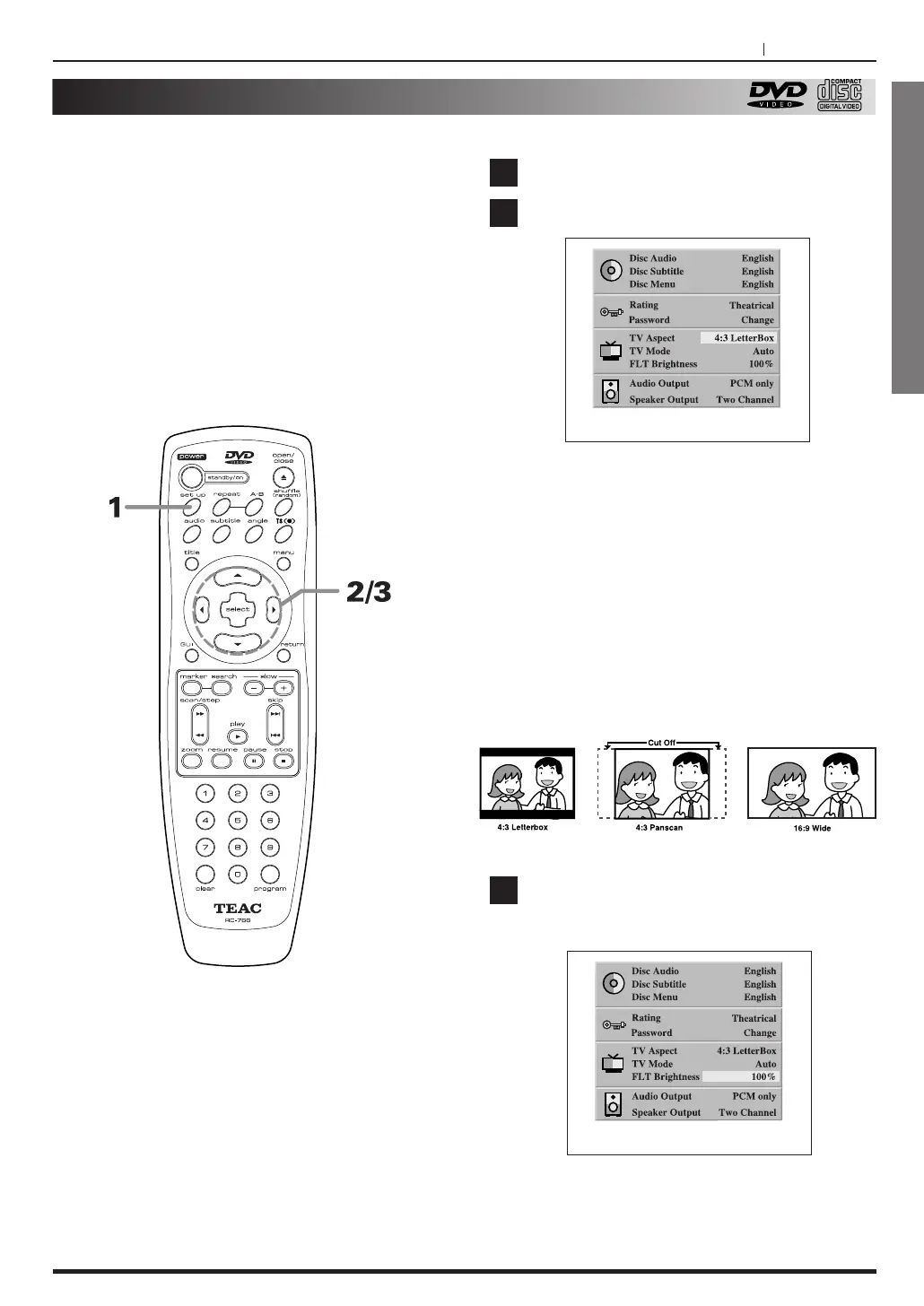
Press the SET UP button, in stop mode.
Press 5
/b to select TV Aspect mode.
4:3 LetterBox :
The video material not formatted in
the Pan & Scan style is played back in the letterbox
style (black bands appear at top and bottom on
screen).
4:3 PanScan : Select when a conventional TV set is
connected. The video material formatted in the Pan-
Scan style is played back in that style (the left and
right edges are cut off).
16:9 Wide : Select when a wide-screen TV set is
connected. Played in “FULL” size. (Setting the wide-
screen TV to “FULL” mode is also necessary.)
Press 5/b to select FLD brightness and
press g
/t to select
the desired value and
press SELECT button
.
<
To exit SETUP menu
Press RETURN or SETUP button.
3
1
2
At the SET UP screen



 To Next Page