Press L button to open the tray.
Press the buttons on remote control, in order
of “CLEARw
2w5w8w0wCLEAR”.
Be sure that the intervals to press each buttons
must be no longer than 1 second.
“CFG INIT” sign will appear on FLD.
Please repeat if “CFG INIT” sign doesn’t
appear.
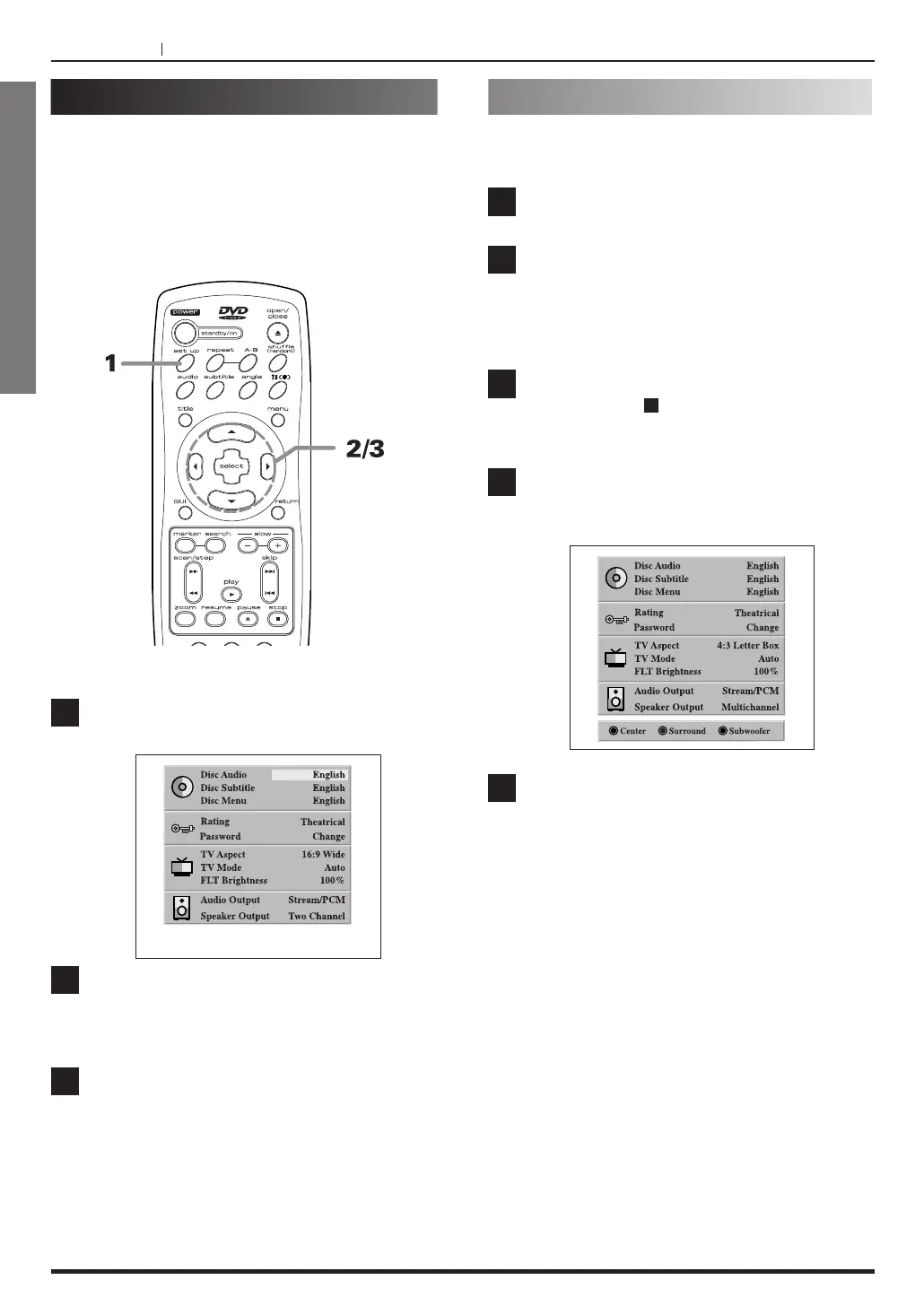
The SET UP mode in the initial mode is as
below.
The password No. is “1, 2, 3, 4” in the initial
mode.
2
PAGE 32
ENGLISH
Common procedures of initial settings
Once the initial settings have been completed, the
player can always be operated under the same
conditions (especially with DVD discs).
The settings will be retained in the memory until they
are changed, even if the power is switched off.
PAGE 32
INITIAL SETUP OPERATION
Press SET UP in the stop mode.
The SET UP menu is displayed.
Press 5/b to select the desired item.
The screen will show the current setting for the
selected item.
Press g/t to select the desired setting.
Some items require additional steps. (See the
relevant page.)
<
To exit SET UP menu
Press SET UP again or RETURN. (Return to the
stop mode.)
1
2
3
1
2
3
4
5
SET UP Menu CLEAR
Please do as follows, to return to the initial
configuration before set up menu.



 To Next Page