PAGE 36
ENGLISH
PAGE 36
INITIAL SETUP OPERATION
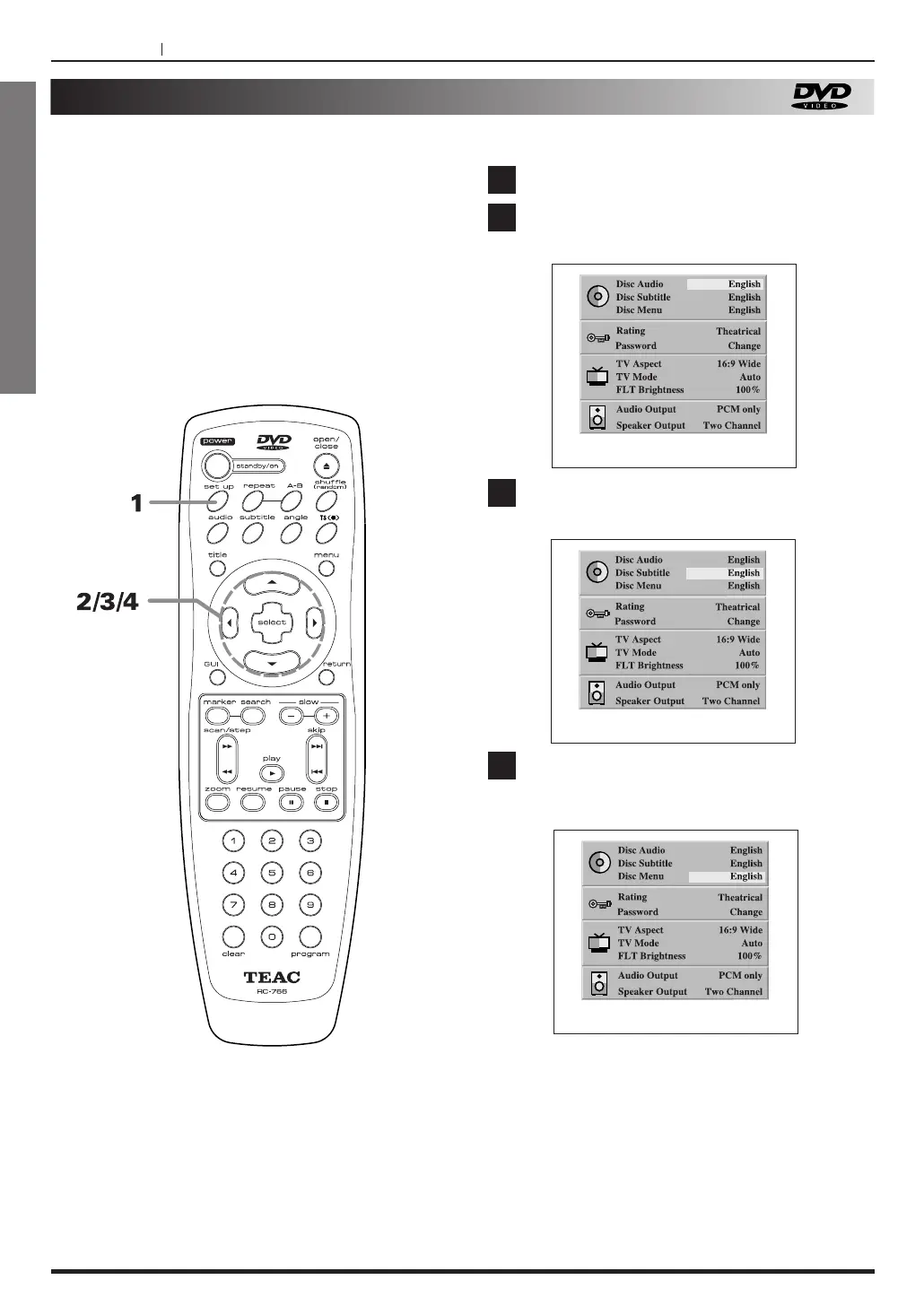
Selecting disc language (DVD only)
This is to select the audio soundtrack language,
subtitle language and the language used in title
menus or DVD menus which will always be used for
every disc to be played back.
When you play back a DVD video disc, the DVD
player automatically displays the pre-selected subtitle
language if it is included on the disc.
If the disc do not include the multi language, the
function cannot operate.
Press the SET UP button, in the stop mode.
Press 5
/b to select DISC AUDIO and press
g
/t to select Language.
Press 5
/b to select Disc Subtitle and press
g
/t to select language.
Press 5
/b to select Disc menu language
and press g
/t to select Disc menu
language.
1
2
3
4
At the SET UP screen



 To Next Page