PAGE 27
ENGLISH
PAGE 27
ADVANCED OPERATION
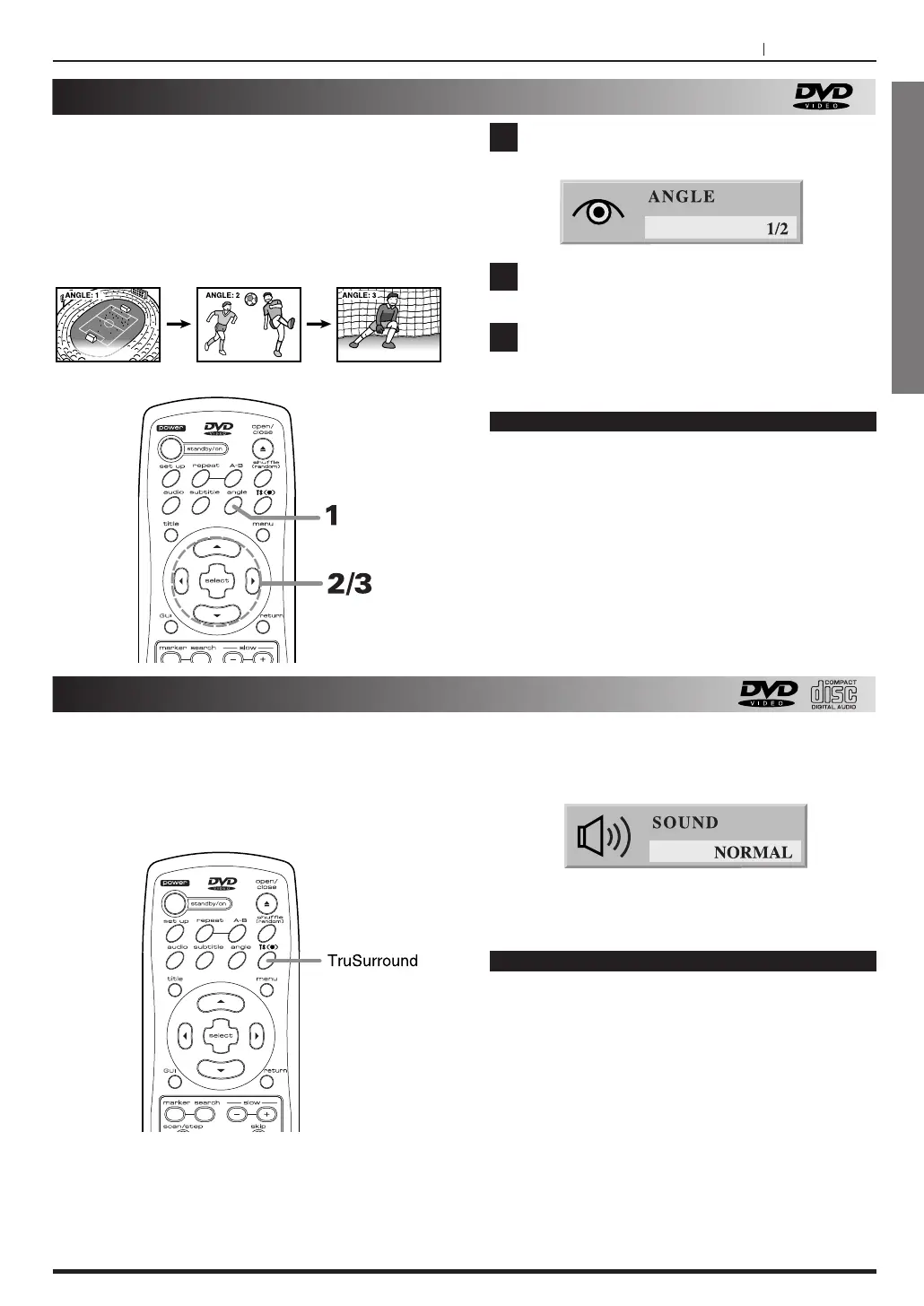
Viewing from another angle
Some DVDs may contain scenes which have been
shot simultaneously from a number of different angles.
For these discs, the same scene can be viewed from
each of these different angles using the ANGLE
button.
(The recorded angles differ depending on the disc
used.)
Reproducing a TruSurround effect
This unit can produce a TruSurround effect, using
SRS technology.
Press ANGLE during playback.
Press g
/t , ANGLE repeatedly until the
desired angle is selected.
Press SELECT button.
1
2
3
Notes
< This function only works for discs having scenes
recorded at different angles.
<
The angle number can be programmed
beforehand; the angle will be switched to the
selected number when the ANGLE indicator lights
up.
Press TS during playback.
Each time this button is pressed, the TV screen
display changes NORMAL or TruSurround.
When you select the TruSurround,
"TruSURROUND" will be displayed on the
indicator.
Notes
< TruSurround effect may be little or not available
on some discs, such as those recorded with
mono or two channel.
TruSurround only functions for disc which was
recorded with multi-channel.
For the best result, at least three channel should
be recorded on the disc.
<
Turn off the TV surround sound and other surround
effects when using this Tru surround effect.
<
For best Tru Surround effect using only two
speakers it is recommended that the two speakers
be positioned approximately 6' to 8' apart, and the
listening position should be 6' to 8' away from the
speakers.



 To Next Page