PAGE 29
ENGLISH
PAGE 29
ADVANCED OPERATION
Storing markers in memory to be viewed (listened to) again
Storing a MARKER in the DVD memory is similar to
marking your page in a book. It allows you to quickly
return to any point on the disc.
Notes
< These operations work only with discs for which
the elapsed playing time appears in the DVD
display window during playback.
<
Some subtitles recorded around the marker may fail
to appear (DVD).
<
All the markers are cleared when the power is
turned off or the disc is removed.
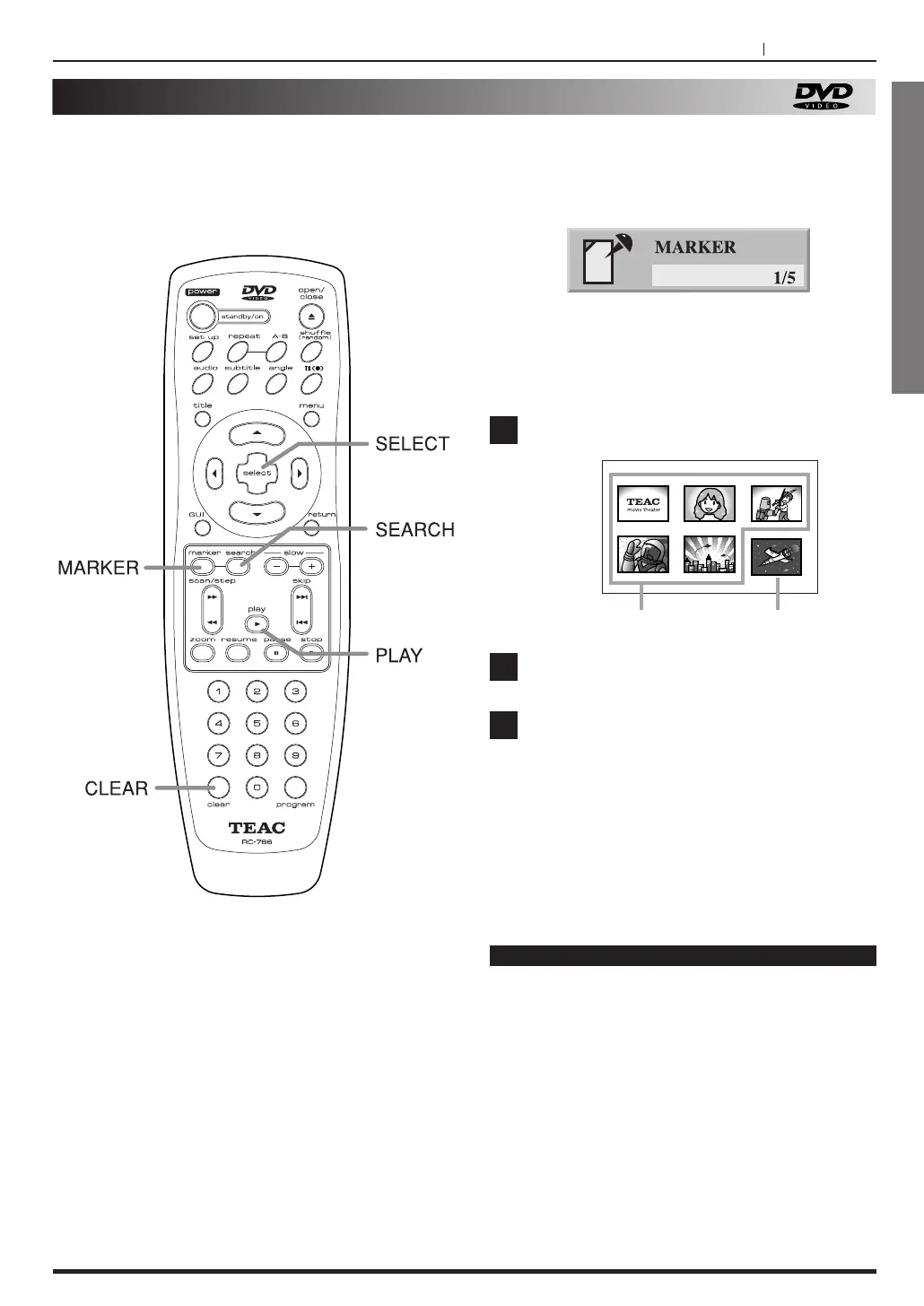
Press SEARCH during playback.
Press g
/5/t/b to select the marker to be
recalled/cleared.
Press PLAY or SELECT button to play from
the marker.
Press CLEAR button to clear a marker.
Play resumes from the point corresponding to the
selected marker, or the selected marker is cleared.
<
The “PRESENT PICTURE” is not cleared.
1
2
3
Storing a marker in the memory
Press MARKER during play at the starting point
to be viewed (listened to) again.
Indicates “MARKER 1/5” is stored in the memory.
Up to 5 markers can be stored in the memory.
Recalling/Clearing a marker
MARKER PICTURE PRESENT PICTURE



 To Next Page