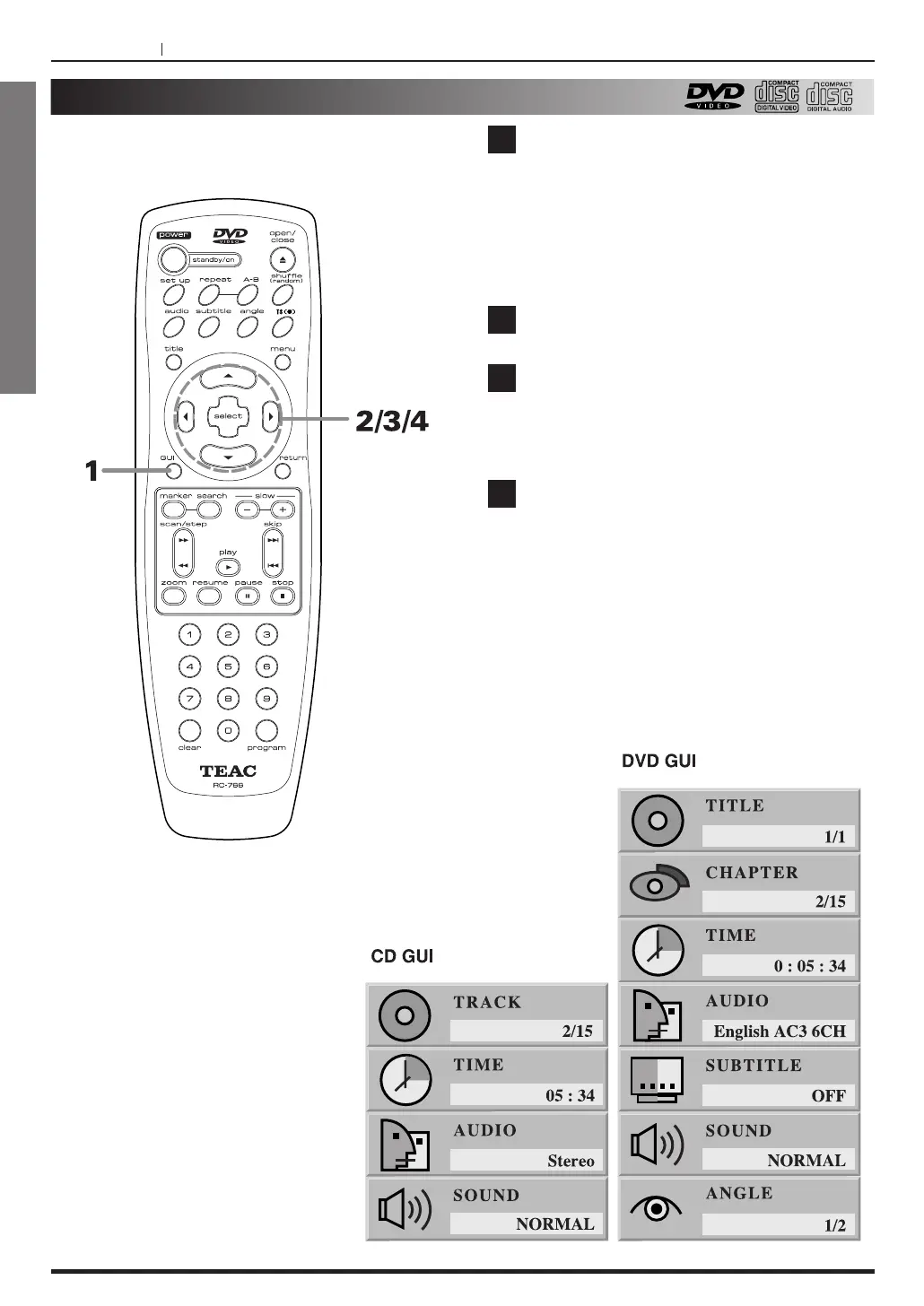
Press GUI during playback.
< Title, Chapter, Track : Total numbers of Title,
Chapter and Track that are recorded in the disc.
<
Time, Audio, Subtitle, Sound, Angle : the
information of the current playback location and
mode.
Select the position using the 5/b buttons.
Select items using the g
/t buttons or
numeric buttons.
<
Time Search (DVD/VCD) : input the time using
numeric buttons.
Press the SELECT button.
To clear the display window of disc information,
press RETURN or GUI.
GUI window would be cleared automatically, if no
key is pressed for 5 seconds.
1
2
3
4



 To Next Page