PAGE 35
ENGLISH
PAGE 35
INITIAL SETUP OPERATION
Selecting rating level and Password-Parental Control (DVD only)
This is to prohibit the playing of specified DVDs
which are unsuitable for children.
<
Some DVD discs contain a restriction level which
enables parents to remove scenes or prevent
playback of discs by children. DVD players are
equipped with a password designed to prevent
children changing the level.
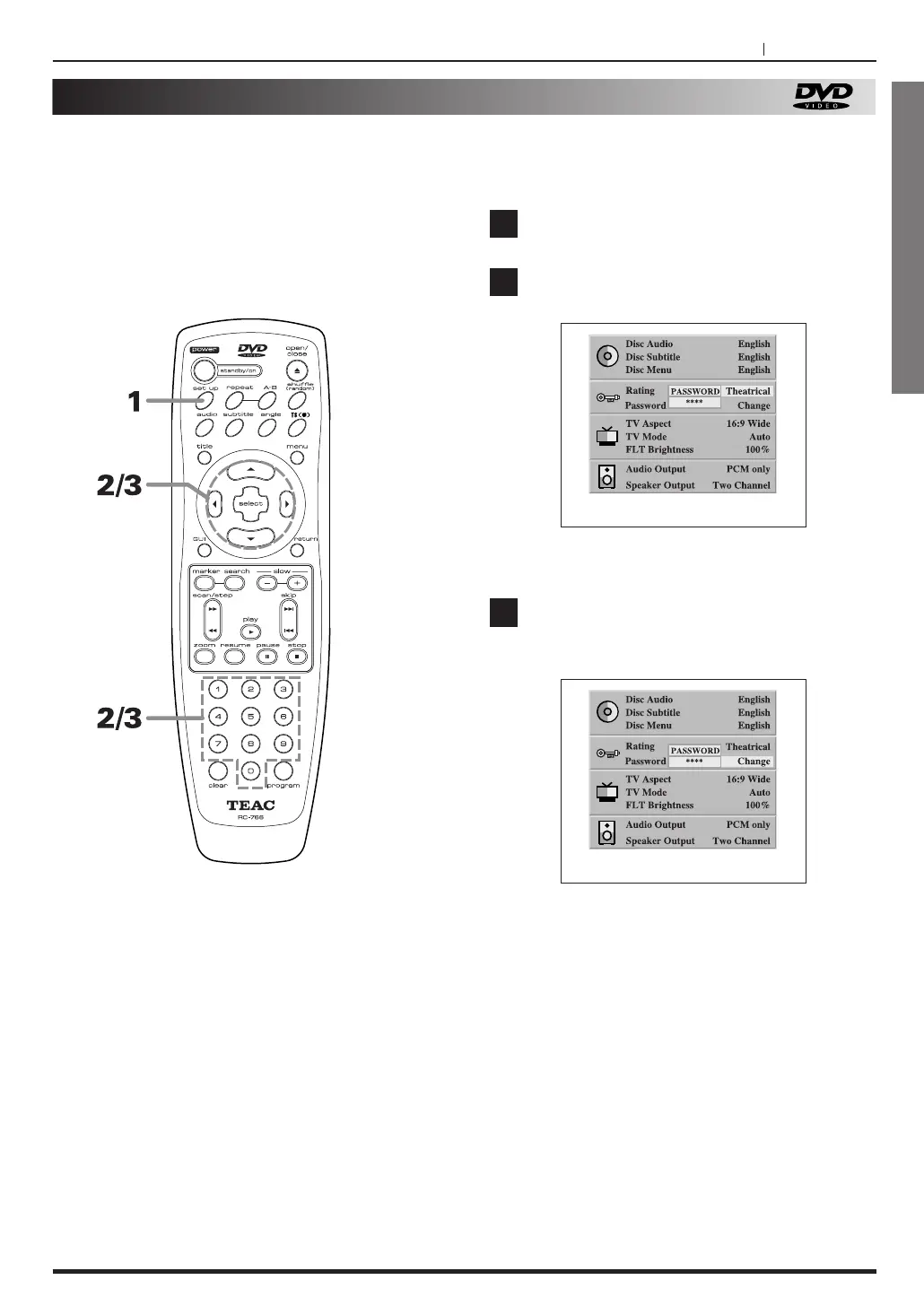
Press the SET UP button, in stop mode.
Press 5
/b to select Rating and press g/t
to select the Adult
, Kids or Theatrical.
If password is locked, press the password and
SELECT button.
Press
5/b
to select “password”, and press
g/t
to select “Change” or “Clear”, and press
SELECT button.
<
To change the password, press the old password and
SELECT button, then press the new password and
SELECT button.
<
To clear the password. press the password and
SELECT button.
<
The rating is locked. Any discs whose rating is
higher than the setting cannot be played back
unless the correct password is entered.
<
Be sure not to forget your password.
If you do forget it, please set SET UP Menu
CLEAR. (see page 32)
1
3
2
Selecting rating level (DVD only)
At the SET UP screen
<
DVD Video discs has the rating level with 8 steps,
from 1 to 8.
If the setting is “Adult”, the player could play all
rating discs.
If the setting is “Kids”, the player could only play a
disc whose rating is 1.
If the setting is “
Theatrical”, the player could play a
disc which has the rating level from 1 to 5.
You cannot play DVD video discs rated higher than the
level you selected unless you cancel the rating level
(parental lock function).
For example, when you select kids, discs rated higher
than kids are blocked and cannot be played.
If you change the level and enter a password, playback
of all DVDs with ratings higher than you selection will be
blocked, unless the correct password is entered again.



 To Next Page