PAGE 22
ENGLISH
BASIC OPERATION
Basic Playback
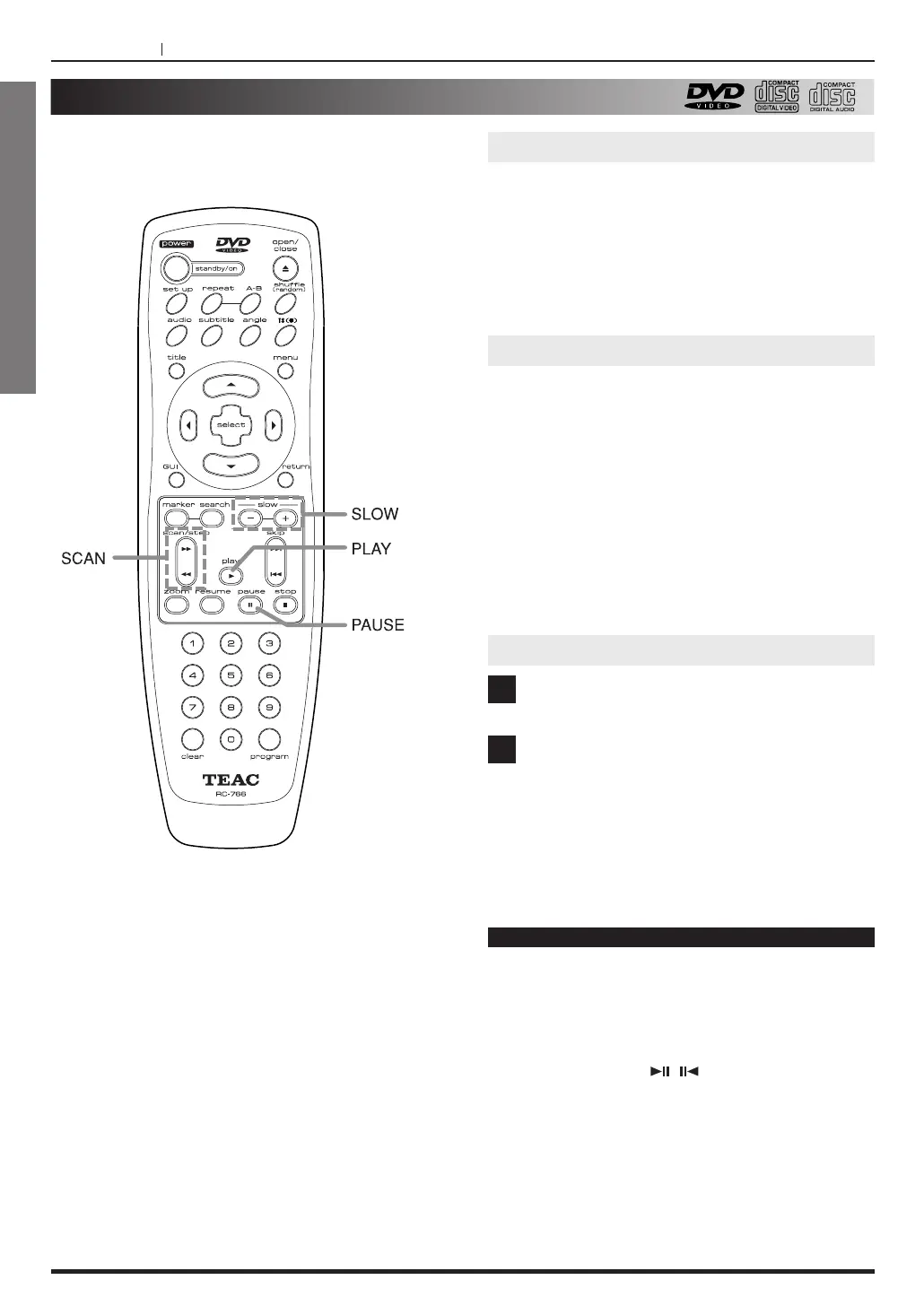
Press PAUSE(J ) button.
To return to normal playback, press PLAY(G
) or
PAUSE(J
) button.
Viewing a still frame
Press or hold SLOW
-
or SLOW + during playback.
< During slow playback, the playback speed and
direction can be selected with SLOW - or SLOW +.
<
To increase the playback speed, press the one
button as the playback direction.
<
To reverse the playback direction, press the other
button opposite to the playback direction.
<
With Video CD, reverse play is not possible.
To return to normal playback, press PLAY button.
Slow playback-Viewing a slow picture
Press the PAUSE button.
Press the SCAN m
or SCAN , button.
<,
: The picture will be advanced by one frame
each time the button is pressed.
<m
: The picture will be backed up frame by
frame each time the button is pressed. (DVD
only)
1
2
Playing Frame by Frame
Notes
< There is no sound when viewing still frames or
slow playback, or when advancing one frame at a
time.
<
Pause, slow playback, or frame advance
playback may not be possible with certain titles.
In this case, the “ , ” mark is displayed.



 To Next Page