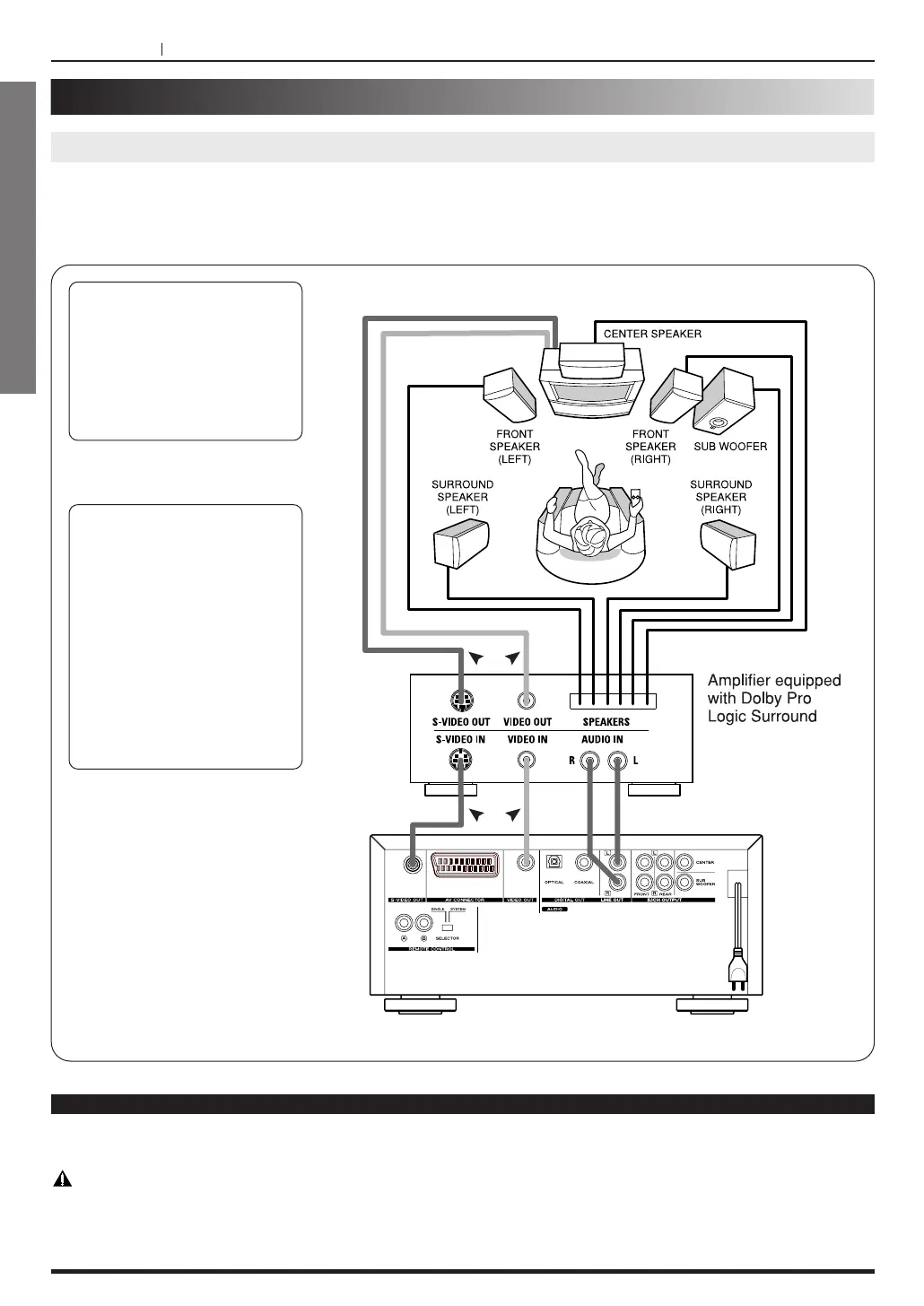
Dolby Pro Logic Surround
You can still enjoy the excitement of Surround Sound even if your A/V receiver does not offer Dolby Digital (AC-3)
decoding. If you A/V receiver has a Dolby Pro Logic decoder. Refer to the following connecting diagram.
Connect one or two rear
speakers.
The output sound from the
rear speakers will be
monaural even if you connect
two rear speakers.
< With a receiver equipped
with Dolby Digital (AC-3)
Connect the equipment the
same way as described in
“Enjoying Dolby Digital (AC-3)
Sound” on the previous page.
Refer to that receiver’s
owner’s manual and set the
receiver so you can enjoy
Dolby Pro Logic Surround
sound.
If the TV has a S-Video Input,
and the AV Amplifer has S-
Video input/output, you can
connect them with S-Video
cables to get more clear
picture.
If you connect with S-Video
cables, it is not necessary to
connect Video input jack
(yellow).
Notes
<
Change the setting of speaker output in Initial Setup, from Multichannel to Two channel. (Refer to page 34)
Warning
Do not set the Digital Audio Output of this DVD player to “Dolby Digital” unless you are connecting the optical
digital audio jack of this DVD player to an AV decoder that has the Dolby Digital (AC-3) decoding function. High
volume sound may damage your hearing as well as the speakers.



 To Next Page