I Hardware Installation Manual 2. Safety Functions and Interface
22
2.8.2 Collaborative Space Configuration for Safety
TM Robot offers two ways of configuring the safety space attributes: Planar and Cubic. If the
robot enters the safety space during operation, it will switch to collaborative mode. Planar
attributes allow the user to set either safety plane or stop plane. Cubic can only be used to define
safety spaces.
Except for defining the safety space setting as all safety space setting as all safety space, the
TM Robot safety space cannot be utilized as a safety device solely. User must conduct a full
risk assessment based on the robot’s operating environment and conditions before use. User
can utilize the qualified safety light curtain, safety laser scanner or other safety devices
accompanied with the instructions in section 2.5 & 5.3.1 about the pause or collaboration
actions triggered by external device via safety IO for correct setup. Other proper design or
setup of safety working environment can also be conducted to prevent people from entering
the full speed area. Please note that the functions described in this chapter are only intended
to provide user a clear view of the safety space setting in 3D space during teaching mode and
programming. Also, the safety planes and spaces setup for collaboration are only intended to
assist user recognizing the setup of collaboration area and full speed area. The safety planes
and spaces cannot be utilized as a safety function to switch between collaboration mode and
full speed mode solely. When applying the stop planes and spaces in teaching mode, points
and motion in forbidden area are not allowed. The stop planes and spaces cannot be utilized
as a safety function to constrain the robots work space solely. TM Robot explicitly states that
serious residual risk may exist in the following scenarios: Improper configuration of safety
space or running incorrect project may lead to the risk of the robot colliding with the human
body at full speed.
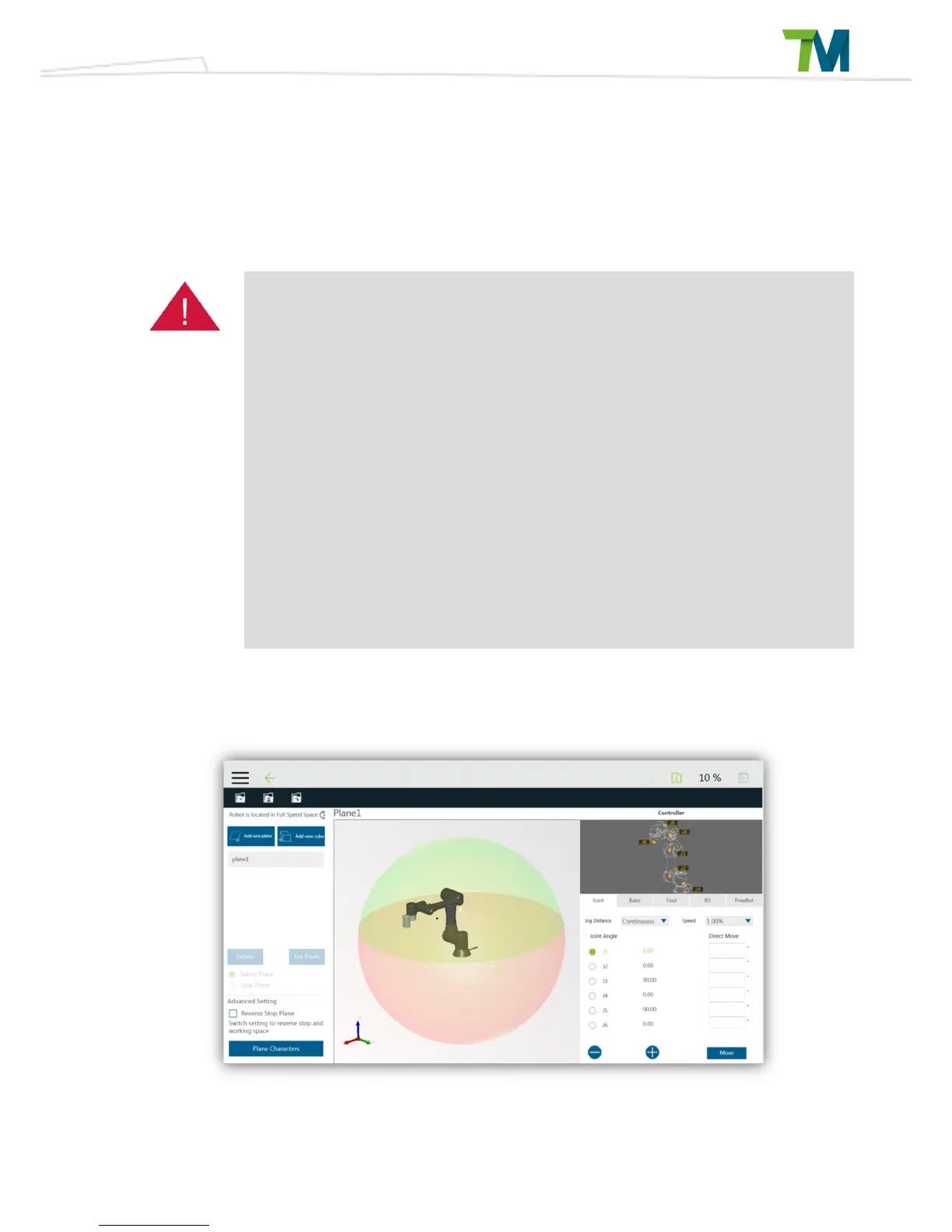
Safety Space Configuration Tab:
Click on the safety space to enter this safety space setting page in robot setting page.
The left side of this page is used for collaborative space configuration. The 3D simulator is in the
middle and the controller interface is on the right side.



 To Next Page