RUN PERSONAL: Service & maintenance manual - rev. 3.1
Page 7.14
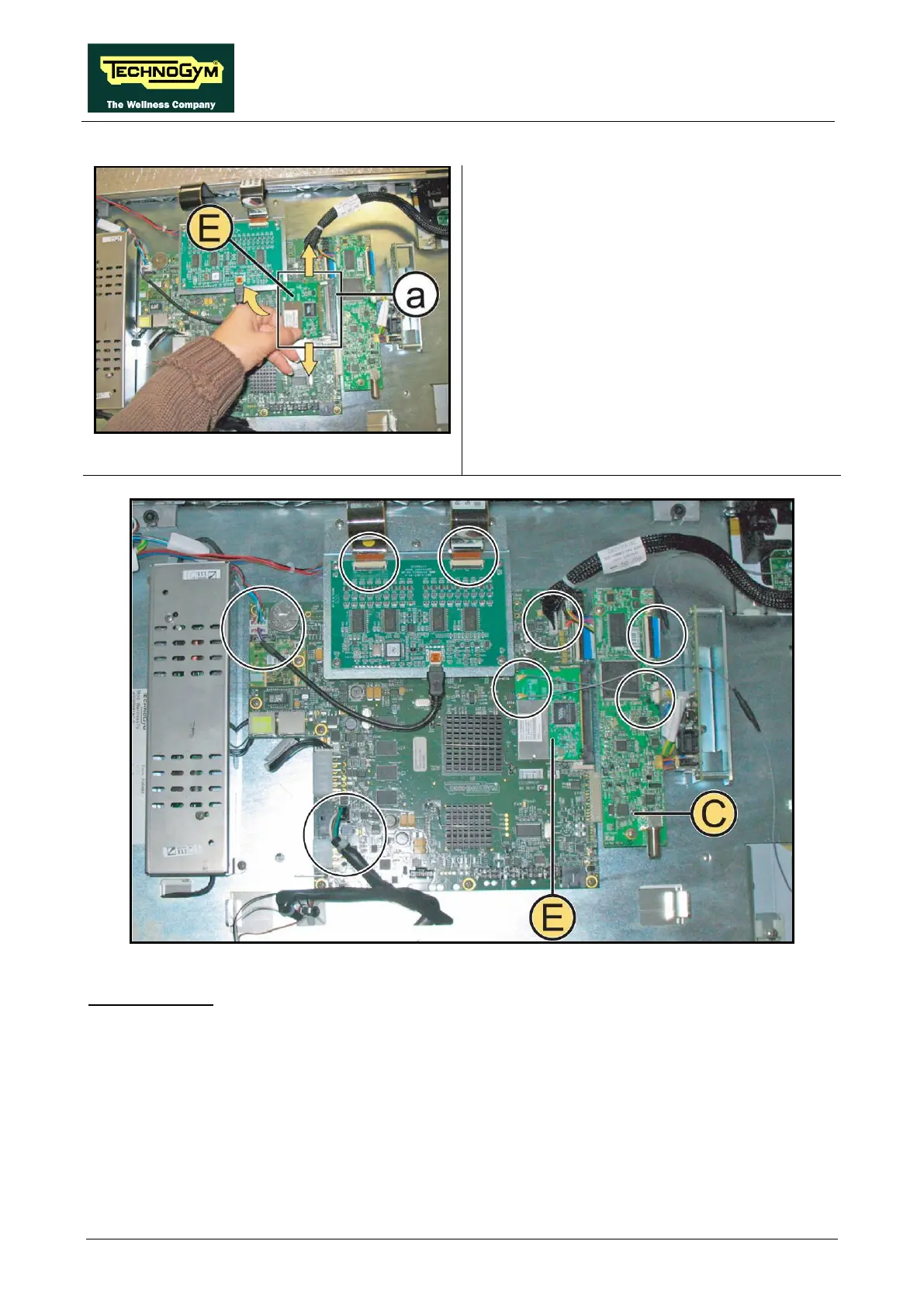
Figure 7.5-8
2.
Push the 2 side tabs simultaneously outward,
in the direction of the arrows.
3. The Wireless Board (E)
lift up.
4. Remove it from its connector (a)
in the figure.
Figure 7.5-9
1. Unplug all the connectors from the CPU board indicated in the figure.
2. Remove the TUNER board (C) as illustrated in Figure 7.5-5 onward.
3. Remove the Wireless Board (E) as indicated in Figure 7.5-7 onward.
Continued on following page…












 To Next Page