SPIN TRAINER: Service & Maintenance Manual - rev. 2.0
Page 6.16
6.7. THE MACHINE DOES NOT PRINT
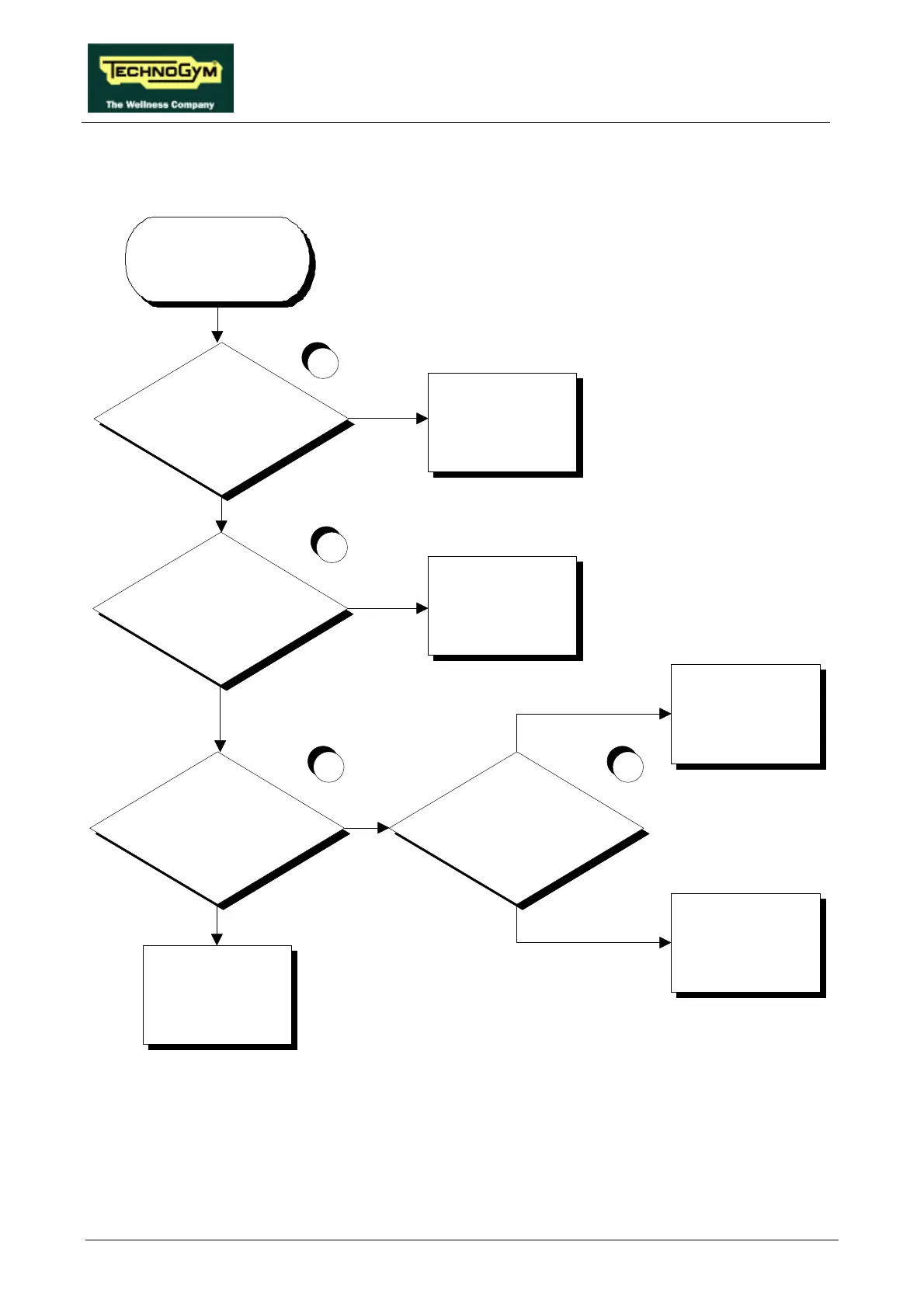
Is the machine correctly configured for
printing?
Is the printer cable OK?
Does the signal reach the output of
the printer cable correctly?
Correctly configure the
machine: see paragraph 9.1.
Replace or rewire the printer
cable
Replace the CPU board: see
paragraph 7.4.
There is a problem with the
printer or the PC serial port
or their respective
configurations
YES
NO
YES
NO
YES
Is cable SP-8 between the serial
connector and the CPU board OK?
Replace or rewire cable SP-8
NO
YES
NO
1
2
3 4
THE MACHINE
DOES NOT
PRINT
Follow the procedure step by step to correctly diagnose the problem. Take particular care with the
checks highlighted by the circled numbers, which are described in detail below:
(1) Open the display and configure the 4 dip-switches as detailed in paragraph 9.1. .
(2) To perform this check, use the RS-232 tester:













 To Next Page