TECHNICAL AND MAINTENANCE MANUAL
Graph VENTILATOR
Review : 04
Date:
Procedure for Initial Calibration and Setup
Neumovent Graph Ventilator
“Menú” and the next message will be displayed on the screen:
SAVE option with the “Selection” key and press “Enter”.
“Reset”to return to initial menu.
Place the expiratory valve and patient’s circuit..
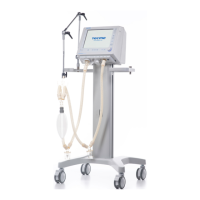
Cap the patient’s circuit.Fig.:2(end of chapter)
Press “Menú” and the next message will be displayed on the screen
INICIAR option with the “Selection” key and press “Enter”.
-calibration is conclude :
“Menú” and the next message will be displayed on the screen:
SAVE option with the “Selection” key and press “Enter”.
“Reset”to return to initial menu.
Analog Inputs
Check up the sensors f


 To Next Page