6
Getting Started - Powering Your S-2200x
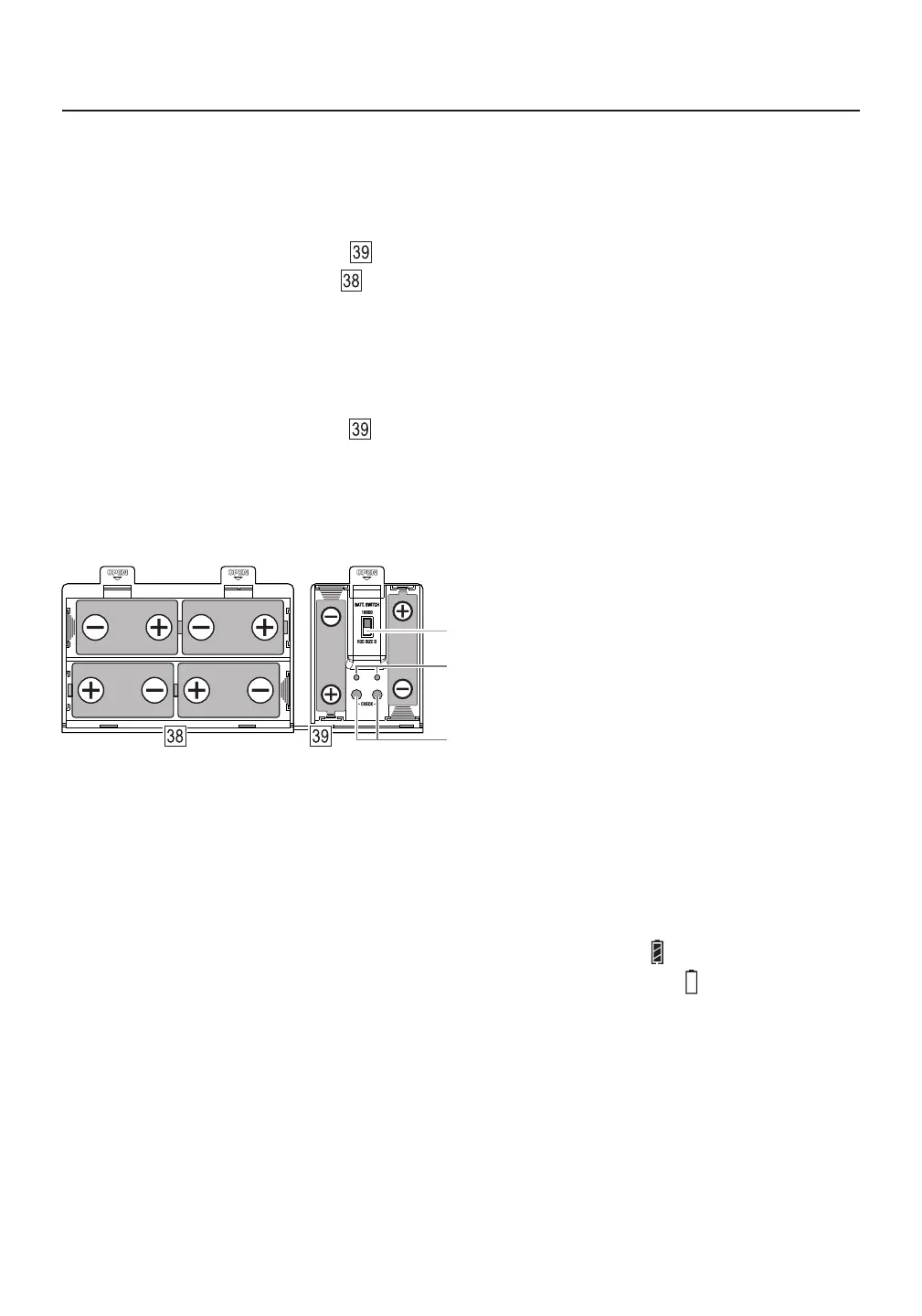
Battery selector switch: 18650 (up) or D (down)
18650 lithium battery detection indicator lights
18650 lithium battery detection buttons
Power the TECSUN S-2200x by installing 4 D (R20/UM1) 1.5V alkaline, lithium or NiMH batteries, or by
inserting 18650 lithium (Li-ion) batteries. two 4.2V (nominal 3.7V)
USING 4 D BATTERIES
1) Open the right battery compartment and push the battery selector switch into the “R20 Size D” position.
2) Open the left battery compartment and install 4 D 1.5V alkaline, lithium or NiMH batteries according to
the correct positive and negative polarity directions. The spring end of the battery compartment is for the
negative terminal of the battery.
USING 2 18650 BATTERIES
1) Open the right battery compartment and push the battery selector switch into the “18650” position.
2) Install two 4.2V (nominal 3.7V) 18650 lithium batteries into the battery compartment according to the
correct positive and negative polarity directions. The spring end of the battery compartment is for the
negative terminal of the battery.
Tips:
This device has 18650 battery detection circuits, supplied with detection buttons and indicator lights ●
(as shown in the image above). After inserting a 18650 battery, press the detection button. When the
indicator light is on, this indicates that the battery is suitable for use. If the light is dim, the battery is
low on power and should be charged. If the light is off, the battery is depleted or damaged.
When battery power is sufficient, the display shows the battery power as:●
When the battery is almost exhausted, the display shows the battery level as:●
If the radio will not be used for an extended period of time, please remove the batteries. ●



 To Next Page