26
FM STEREO/MONO SELECTION
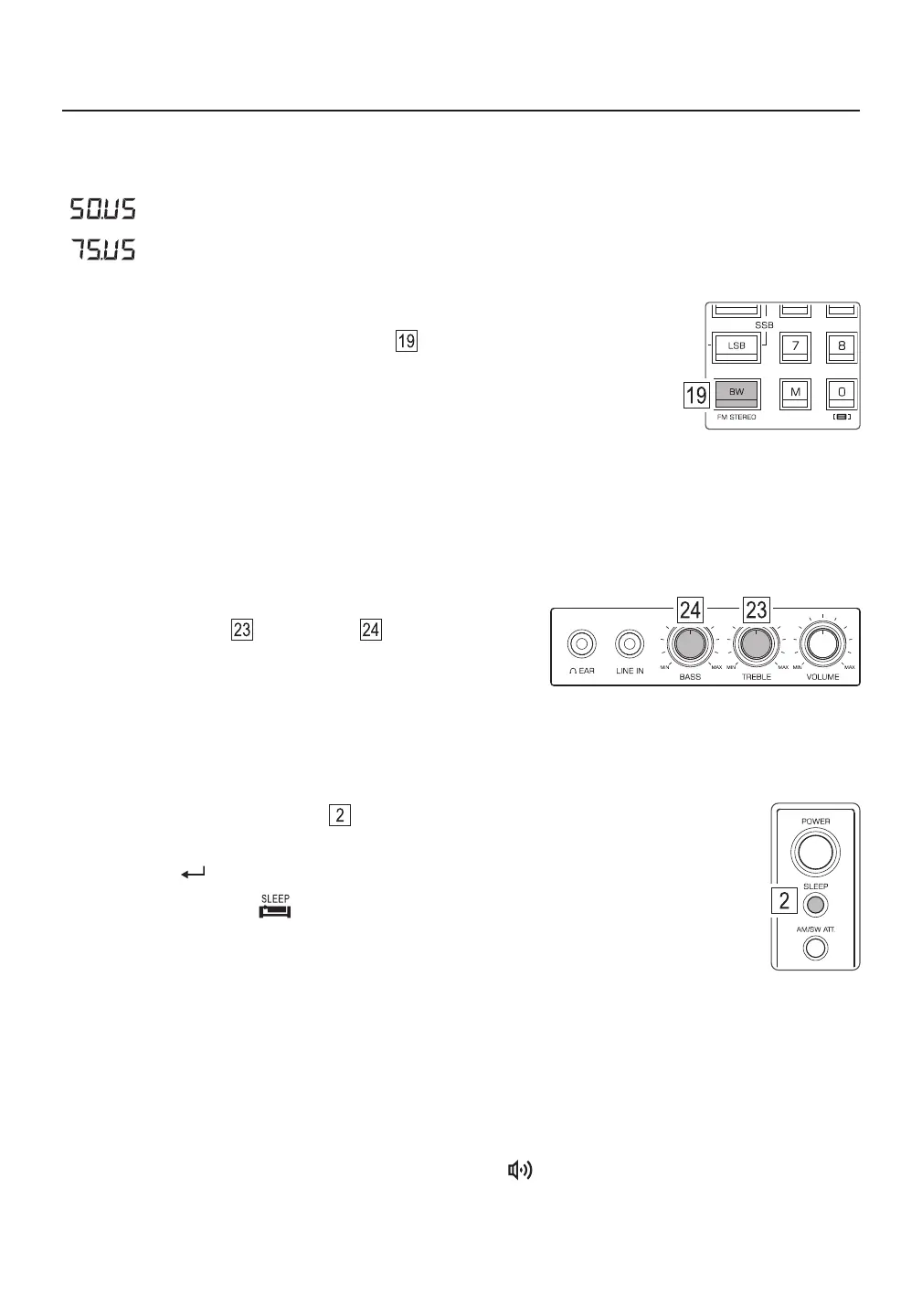
Quick press the [ BW ] (FM STEREO) button . If the device detects that the
FM signal is in stereo the display shows “ Stereo ” behind the FM band indicator.
Quick press the [ BW ] (FM STEREO) button again to return to mono listening.
Tips:
● When the FM signal is broadcasted in mono, or broadcasted in stereo but the signal received is weak, the
audio output is in mono and “ Stereo ” is not displayed.
● When listening to FM from the built-in speaker, or when listening to FM broadcasts with a weak signal, it is
recommended to listen in mono.
TREBLE & BASS CONTROL
Rotate the [ TREBLE ] and [ BASS ] knobs to adjust
the treble (higher frequencies) and bass (lower frequencies)
of the speaker sound.
ADD SECONDS TO THE CLOCK
With the device turned off, press and hold the [ 8 ] button to add seconds to the clock. Press and hold the
button again to hide the seconds from the clock.
ACTIVATING / DEACTIVATING THE ALARM
There are two independently programmable alarms to turn on the device at a specific time. Quick press
[ TIMER A ] or [ TIMER B ] to activate the alarm. The alarm “ ” icon is shown on the display to indicate
that the device will turn on at the preset time. Quick press again to deactivate the alarm setting.
FM DE-EMPHASIS TIME CONSTANT
While receiving FM broadcasts, long press [ 4 ] to adjust the de-emphasis setting to 50μs or 75μs.
“ ”: For Europe, Australia, Japan (and most other locations).
“ ”: For the Americas and South Korea.
1) Quick press the [ SLEEP ] button .
2) Rotate the main tuning knob to select a power-off timer of 1 – 120 minutes.
3) Quick press [ ] to confirm, or wait for 2 seconds for the system to auto confirm.
SETTING THE SLEEP TIMER
The sleep timer enables the device to play any length of time from 1 – 120 minutes and then turn off.
When the display shows “ ”, this indicates that the sleep timer has been activated.
When the preset time limit is reached, the radio automatically turns off.



 To Next Page