13
Auto Scan
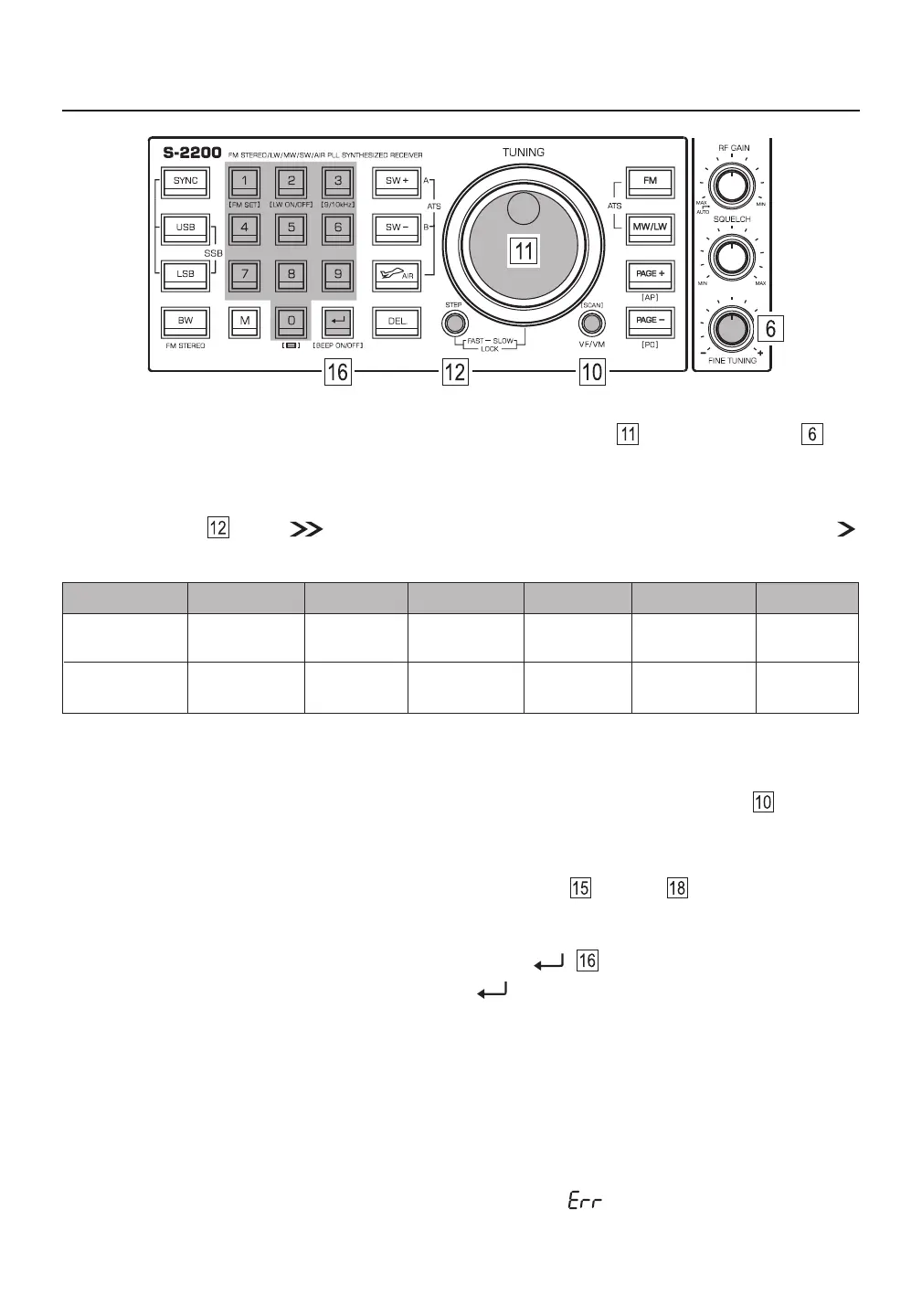
In VF mode, select the frequency band and then press and hold the [ VF/VM ] (SCAN) button . The
device will automatically scan the entire frequency band for available stations. When a station is found it will
stay there for about 5 seconds before continuing the search. When you find a station of your liking and wish
to stop the auto scan feature, quick press any button except [ DEL. ] and [ M ] .
Manual Tuning
In VF mode, select the frequency band and then use the main tuning knob and fine tuning knob to
search for your desired stations.
Tip: When tuning for FM, MW/LW and SW broadcasts, adjust the tuning speed of the main tuning knob with
the [ STEP ] button . When is displayed, this indicates that fast tuning has been selected. When
is displayed, slow tuning has been selected. *This option is not available for AIR and SSB tuning.
FAST
SLOW / FINE
FM
MW (AM)
SW
AIR*
SSB*
0.1 **MHz
0.01 MHz
9 / 10 kHz
1 kHz
5 kHz
1 kHz
0.025 MHz
0.001 MHz
1 kHz
0.01 kHz
LW
9 kHz
1 kHz
**0.05 in 87.5-108 range when MW step is set to 9kHz. MHz MHz
Direct Keypad Entry
In VF mode, quick press the numeric keys [ 0 - 9 ] (followed by [ ] if necessary) to directly enter a
station frequency. For example, enter [ 2 ] [ 7 ] [ 5 ] [ 0 ] [ ] in sequence for listening to shortwave
frequency 2750 kHz, or press [ 1 ] [ 8 ] [ 5 ] [ 5 ] [ 7 ] for listening to shortwave frequency 18557 kHz.
Notes:
Shortwave (SW), medium wave (MW) and longwave (LW) frequencies are entered in kilohertz (kHz), for ●
example, 16875 kHz, 850 kHz, or 189 kHz.
FM and AIR frequencies are entered in megahertz (MHz), for example 101.5 MHz or 123.580 MHz. Ignore ●
the decimal point when inputting frequency numbers. For example, enter [ 1 ] [ 0 ] [ 1 ] [ 5 ] for 101.5 MH .z
● If the entered frequency is not within the covering range, the error “ ” symbol will be displayed.



 To Next Page