15
Storing Frequencies Manually
1) In VF mode, tune into a frequency.
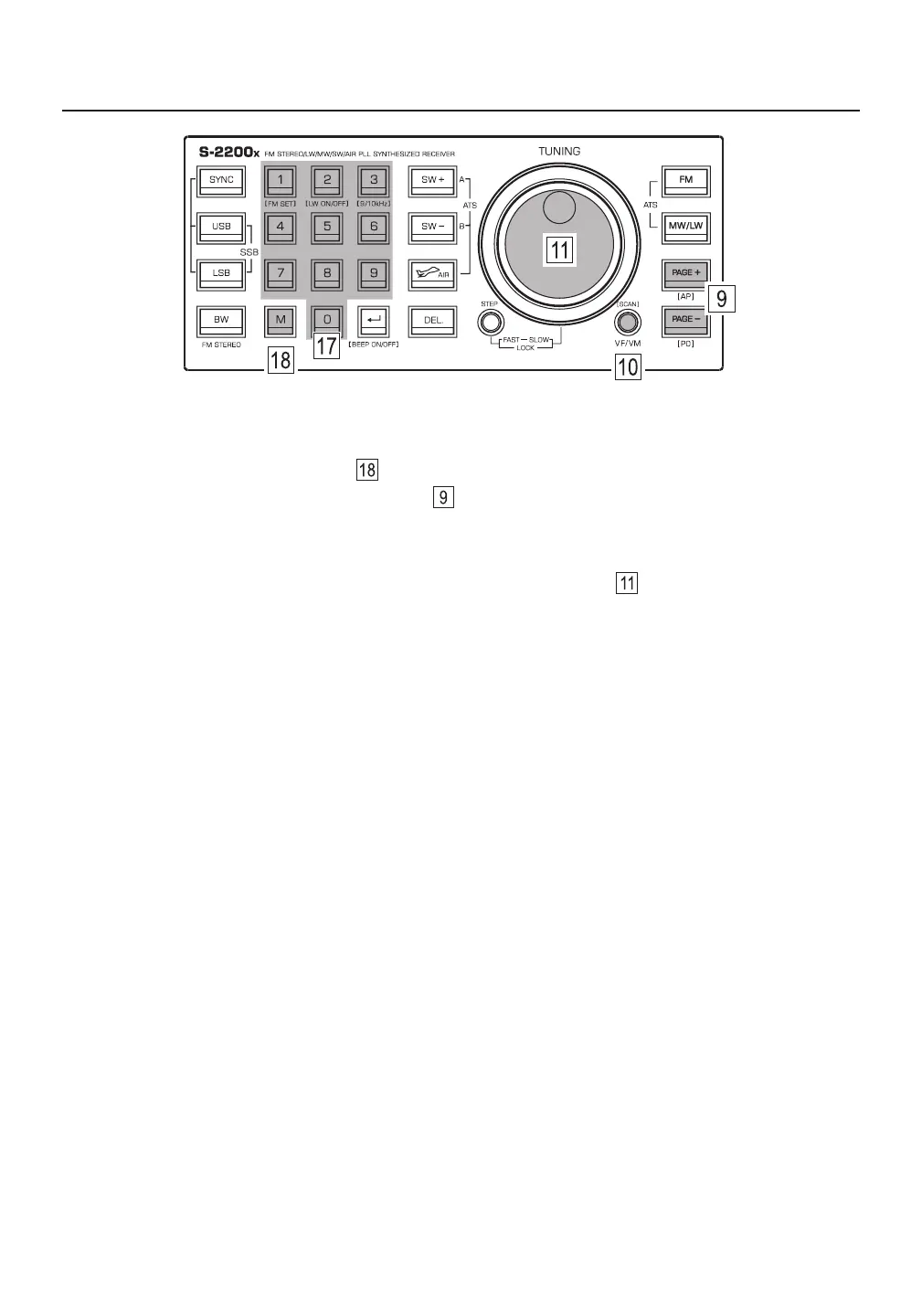
2) Quick press the memory [ M ] button , “ PRESET ” flashes in the top right corner of the display.
3) Quick press the [ PAGE ] or [ PAGE ] button to select a memory page.
4) Quick press the [ M ] button to confirm the memory page, “ PRESET ” flashes in the top right corner of the
display and indicates the first available storage location in the selected memory page.
5) If desired, change the memory location by rotating the main tuning knob .
6) Quick press the [ M ] button to confirm the memory location.
Notes:
● Use this method to store SSB frequencies into memory. Stored SSB details include USB/LSB and
frequency information, but no frequency details smaller than 1 kHz.
● Steps 3 and 4 can be omitted for SSB and AIR frequencies, which are only available for storage in Page 00.
● When storing an MW (AM) frequency into memory pages 01-24, it will be stored in all other pages that
belong to the same time period, as indicated in Table 2 on page 14. These time periods are used in AP
mode when recalling frequencies (see also pages 21-23).
● When storing an SW frequency into memory pages 01-24, it will be recalled in AP mode during the
corresponding time period, as indicated in Table 2 on page 14.



 To Next Page