12
SELECTING FM, MEDIUM WAVE (AM), LONGWAVE, SHORTWAVE AND AIRBAND
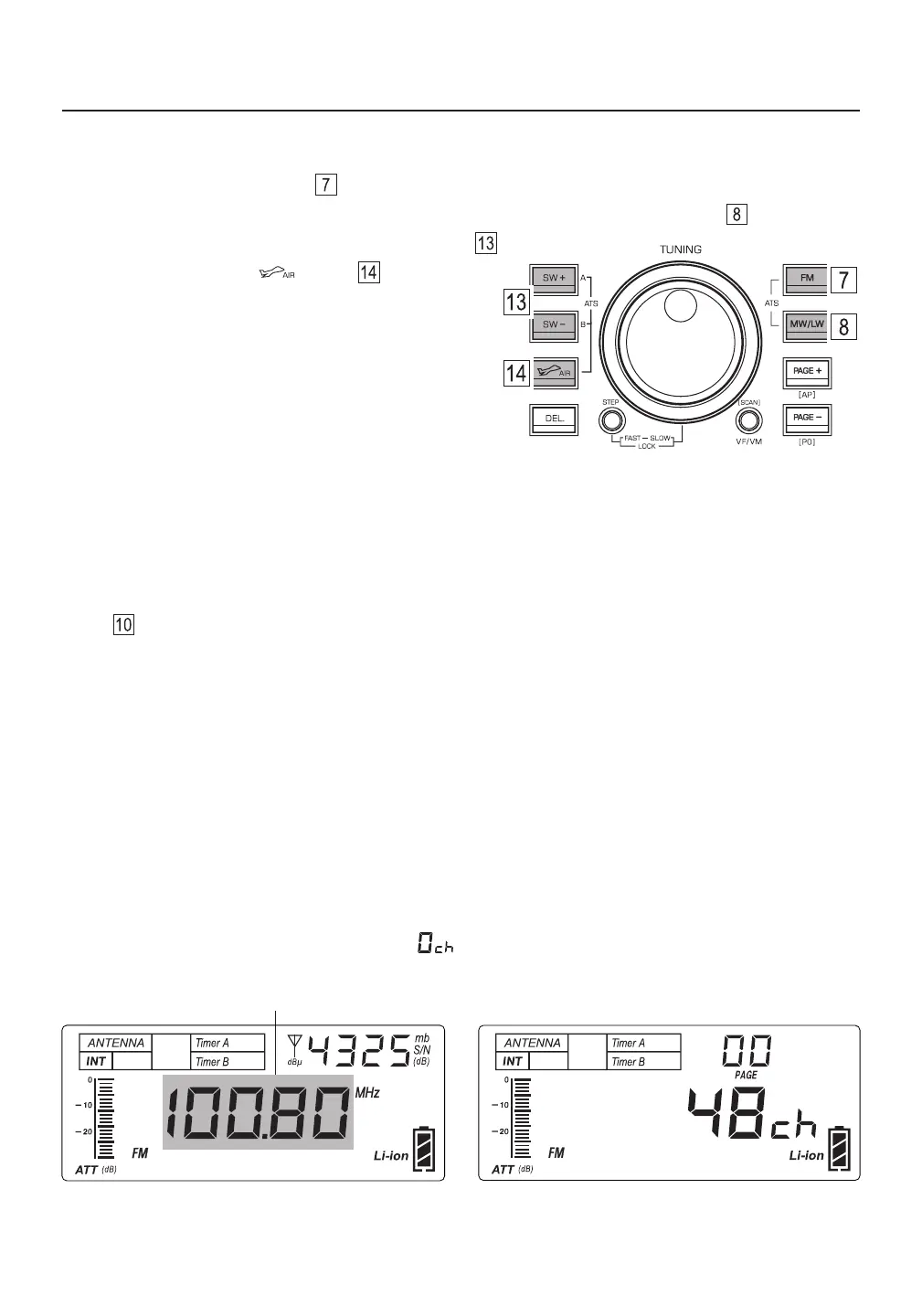
FM: Quick press the [ FM ] button .
Medium Wave / Longwave: Quick press the [ MW/LW ] button (press it twice if necessary) .
Shortwave: Quick press the [ SW ] or [ SW ] button .
Airband: Quick press the [ ] button .
Tips:
In the SW band, quick press the [ SW ] or [ SW ] ●
button repeatedly to change meter bands:
120m / 90m / 75m / 60m / 49m / 41m / 31m / 25m /
22m / 19m / 16m / 15m / 13m / 11m.
In SSB mode, quick press the [ SW ] or [ SW ] ●
button repeatedly to change meter bands:
160m / 80m / 60m / 40m / 30m / 24m / 20m / 17m / 15m / 12m / 10m.
TUNING IN STATIONS (VF MODE)
Tuning in to stations that have not been stored into memory is done in the VF mode. The [ VF/VM ] (SCAN)
button is used to switch between the frequency tuning (VF) mode and the memory (VM) mode. Once in
VF mode, you can tune in to stations by rotating the tuning and fine tuning knobs (manual tuning), using the
auto scan feature, or by entering a frequency with the keypad.
VF mode selection: Quick press the [ VF/VM ] (SCAN) button (press twice if necessary).
When the frequency indicator flashes, the VF mode is entered.
VF mode
Flashing 2 times
VM mode
● If there are no previously stored stations for the selected frequency band and memory page, switching
between the frequency tuning (VF) mode and the memory (VM) mode is not possible. After press the
[ VF/VM ] (SCAN) button, the display shows “ ” and remains in the frequency tuning (VF) mode.
Tips:
● If the display shows the number of frequencies stored into a particular memory page, VM mode is entered.
Press the [ VF/VM ] (SCAN) button again to enter VF mode.



 To Next Page