Because broadcasts in the MW (AM) and SW bands may only be available during a certain time of day, you
can use ATS in Auto Paging (AP) mode to automatically search and store in the time-specifcfrequencies
as indicated in Table 2 on page 14 frequencies,memory pages 01-24 . Subsequently, when using AP to recall
frequencies a it will only show the that are stored in the memory pages of the current time period. In way, you
can then use pages 01-24 to create a broadcast frequency schedule.
● Medium Wave (AM) frequencies stored with AP ATS between 09:00 - 12:59 are automatically stored on
pages 09, 10, 11, and 12, frequencies stored between 13:00 - 16:59 are stored on pages 13, 14, 15 and 16.
When using AP to recall frequencies at 12:30, it will only show those frequencies stored in the 09:00 -
12:59 time period. In this way, it is possible to create 6 time-specific memories for MW (AM).
For example:
● Shortwave (SW) frequencies stored with AP ATS between 11:00 - 11:59 are automatically stored on page
11, frequencies stored between 17:00 - 17:59 are automatically stored on page 17. When using AP to
recall frequencies at 17:20, it will only show those frequencies stored on page 17. In this way, it is possible
to create 24 time-specific memories for SW.
Using AP ATS to Create Time-Specific Memories for MW (AM) and SW
Please make sure that the clock of your S-2200x has been correctly set
before using this feature (see page 8).
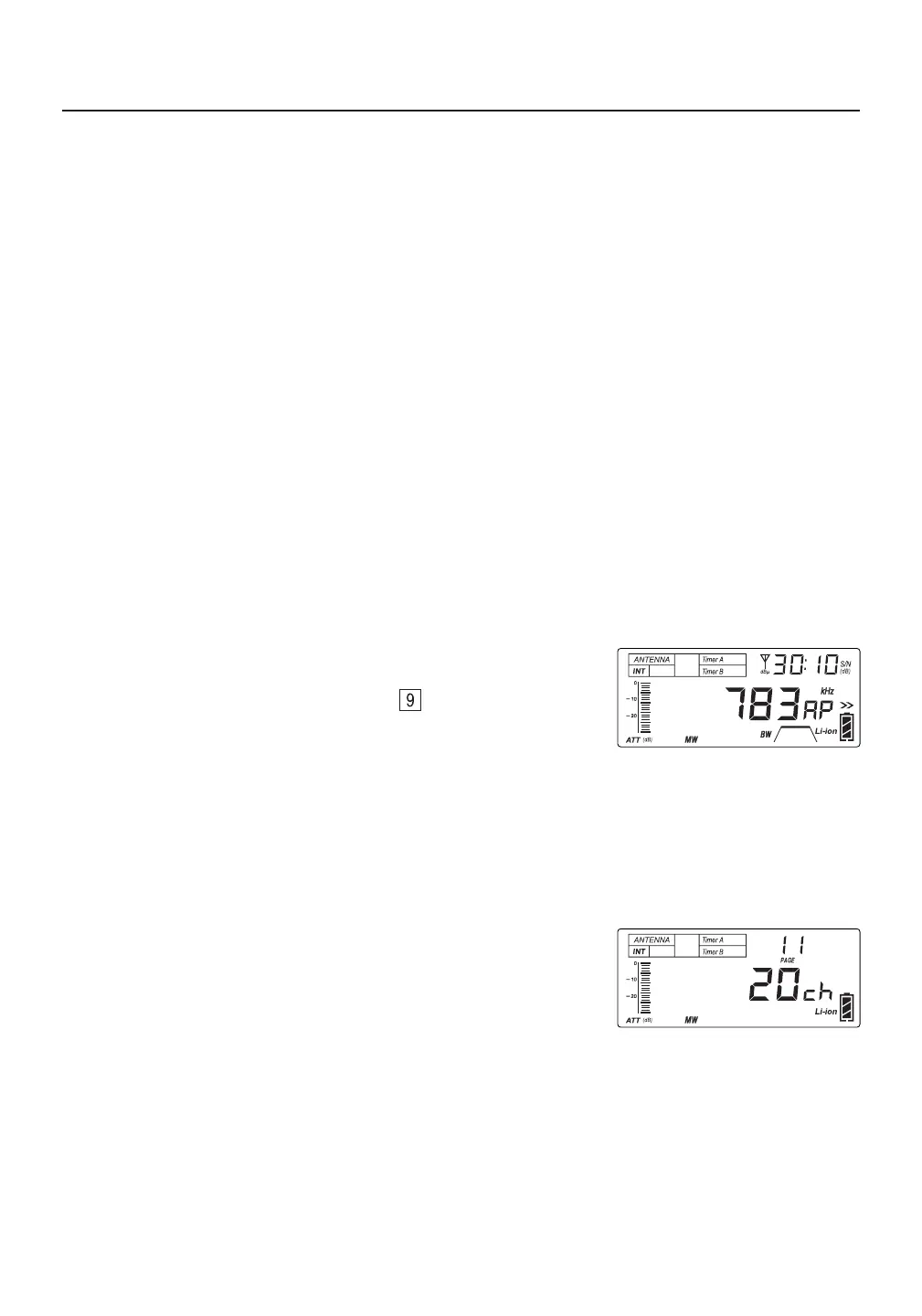
In the example on the right, "20ch", "MW" and “11” indicate that 20
medium wave broadcast frequencies were stored on page 11 during
AP ATS that took place between 11:00 - 11:59. Because 11:00 - 11:59
belongs to the 09:00 - 12:59 time interval (see Table 2 on page 14), all 20
medium wave frequencies are available on memory pages 09, 10, 11, and 12.
1) Press and hold the [ AP ] (PAGE ) button . “AP” is displayed
behind the frequency, indicating that the AP mode is entered, as
shown in the figure on the right.
2) Select the MW or SW frequency band.
3) Press and hold the related band button ([ MW/LW ], [ SW ] or [ SW ]) to initiate the AP auto tuning
and storage (ATS) feature.
4) When AP ATS is completed, the frequency band, time-specifc page number, and the number of
stored frequencies are displayed. To stop AP ATS before it has finished, rotate the main tuning knob.
Notes:
● There are two AP ATS modes for SW:
Mode A: Press and hold the [ SW ] button to scan and store broadcasts within all meter bands.
Mode B: Press and hold the [ SW ] button to scan and store broadcasts within the selected meter band.
● The ATS feature will replace any previously stored frequencies that are already available in the time-
21
AUTO PAGING (AP) MODE: TIME-SPECIFIC MEMORIES FOR MW (AM) AND SW



 To Next Page