MATRIX
®
430
GUIDANCE JOB DATACONFIGURATION CONSOLE
2
www.teejet.com
INTRODUCTION
POWER
Power On
1. Press POWER button .
Power Off
1. Press POWER button .
2. Select from:
X Accept
– to continue shut down
X Cancel
– to keep the console on.
WARNING! Wait 30 seconds before restarting the console after
powering off.
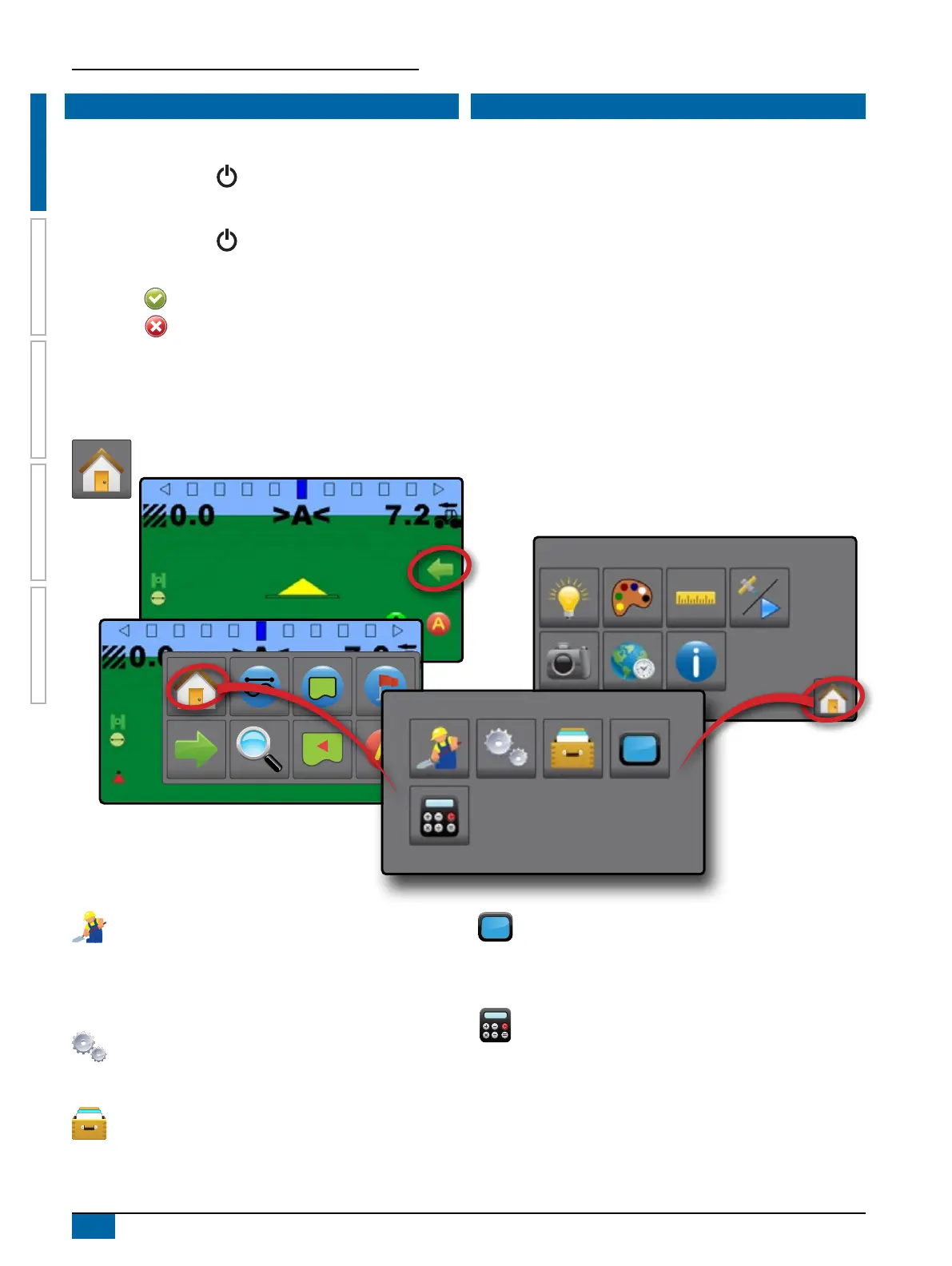
BASIC SCREEN USE
The basic screen functions are:
• Home button accesses the Home screen with setup buttons
for Guidance, Conguration, Job Data, Console settings and
a calculator
• Options tab on the Guidance screen accesses the Home
button and navigation options
• Warnings and information pop-ups inform of console activities
and details on conguration or application functions
• Conguration options can be applied using option menus or
keyboard entry screens
NOTE: When application is active, some configuration options are
unavailable.
Home Screen
The Home screen gives access to guidance, conguration, job data and a calculator.
Guidance
Used to view a computer-generated image of the vehicle
position displayed in the application area. From this screen
all setup and navigation options can be accessed via the
tab on the right side of the screen.
Conguration
Used to select and setup the machine congurations,
lightbar congurations and GNSS receiver.
Job Data
Used to select current job, view or delete job data and
export reports.
Console
Used to setup LCD brightness, colour scheme, units,
screenshot and time zone; start demonstration GNSS; and
view console information.
Calculator



 To Next Page