MATRIX
®
430
GUIDANCECONFIGURATION INTRODUCTIONCONSOLE
21
98-05332-EN R4
JOB DATA
Reports
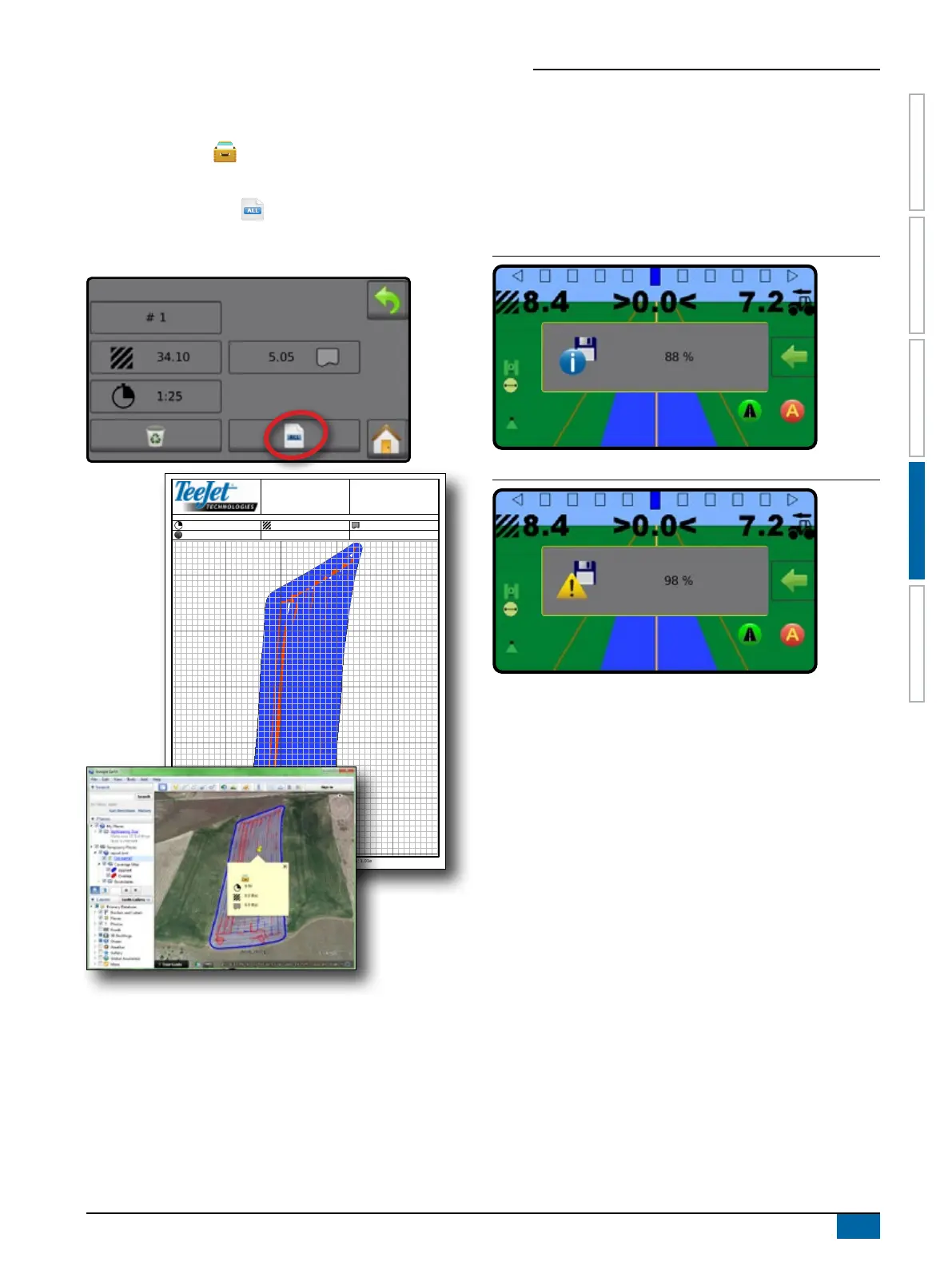
To save reports to a USB drive:
1. Press DATA button .
2. Insert USB drive.
3. Press SAVE ALL button .
NOTE: If no data has been collected, the SAVE ALL button will be
unavailable (greyed out).
2011-10-2019:30(7:30pm)
0:36 6.9(ha) 6.9(ha)
+45.6389-111.3946
www.teejet.com Matrix430©2014TeeJetTechnologies.Softwareversion:1.01e 1
Memory Notications
The console has a limited amount of storage space to retain job
information. If job data les become too large, usually due to
extremely large amounts of applied area data, a memory almost
full notication then a memory full warning will be displayed.
To clear this warning, at least one job must be deleted.
Figure 1: Memory Almost Full Notification
Figure 2: Memory Full Warning



 To Next Page