MATRIX
®
430
JOB DATACONFIGURATIONINTRODUCTION CONSOLE
6
www.teejet.com
GUIDANCE
Field View Navigation
Field view guidance creates a computer-generated image of vehicle position and application area from an aerial perspective.
Painted Coverage Area
Overlap Coverage Area
Vehicle
Navigation and Guidance Options Tab
Boundary
On Screen Guidance
• Guidelines:
W Dark grey – boundary line
• Coverage Area – illustrates applied area and overlap:
W Blue – one application
W Red – two or more applications
• Points – markers for established points:
W Red point – Return to point
W Blue point – Mark A
W Green point – Mark B
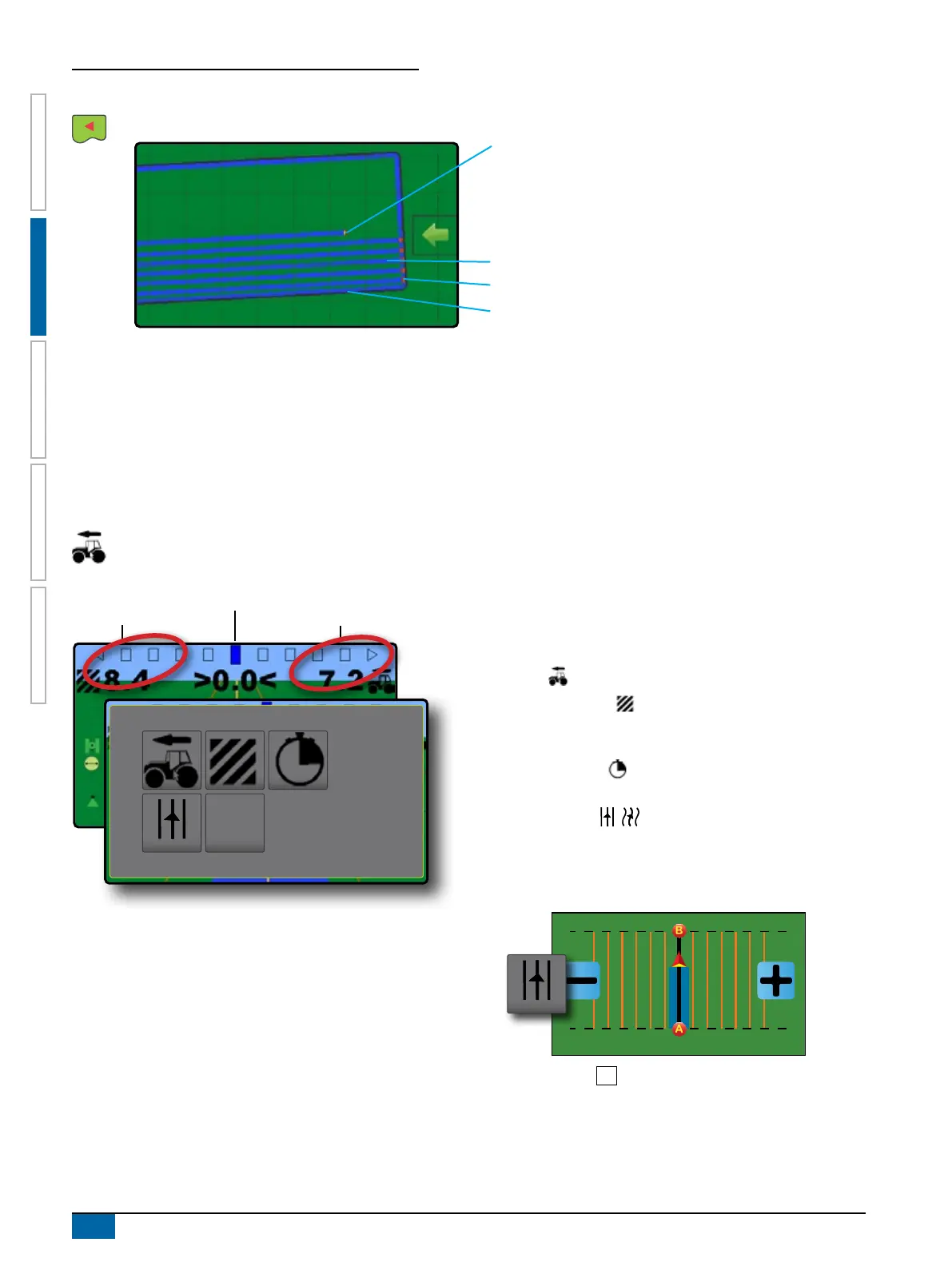
Guidance Bar
The guidance bar on the vehicle view guidance screen keeps you informed of your choice of selectable information (current
speed, total applied area, application time, swath number) and navigation activity (cross track error, current activity and GNSS
status).
Lightbar and Navigation Activity
Selectable Information
Selectable Information
Lightbar and Navigation Activity
X Lightbar spacing – used to represent the distance away from
the guideline or vehicle.
X GNSS Status – displays ashes “GPS” when GNSS is
unavailable
X Current Activity – displays activities such as mark an A or B
point, distance to return to a marked point or when to turn or
mark the end of a swath path
X Cross Track Error – displays the distance from your desired
guideline
Selectable Information
1. On vehicle view guidance screen, press current value and
select an information button:
X Speed
– displays the current speed of travel
X Total Applied Area
– displays the total accumulated area
that has had application applied including double coverage
areas
X Application Time
– displays the total time application is
active during the current job
X Swath Number – displays the current swath number
in reference to the initial guidance line. Number will be shown
as a positive number when the vehicle is to the right of the AB
baseline or a negative number when the vehicle is to the left
of the AB baseline
1 2 3 4 5 6-6 -5 -4 -3 -2 -1
X No Information – shows no information in the display area



 To Next Page