MATRIX
®
430
JOB DATA CONFIGURATION INTRODUCTIONCONSOLE
9
98-05332-EN R4
GUIDANCE
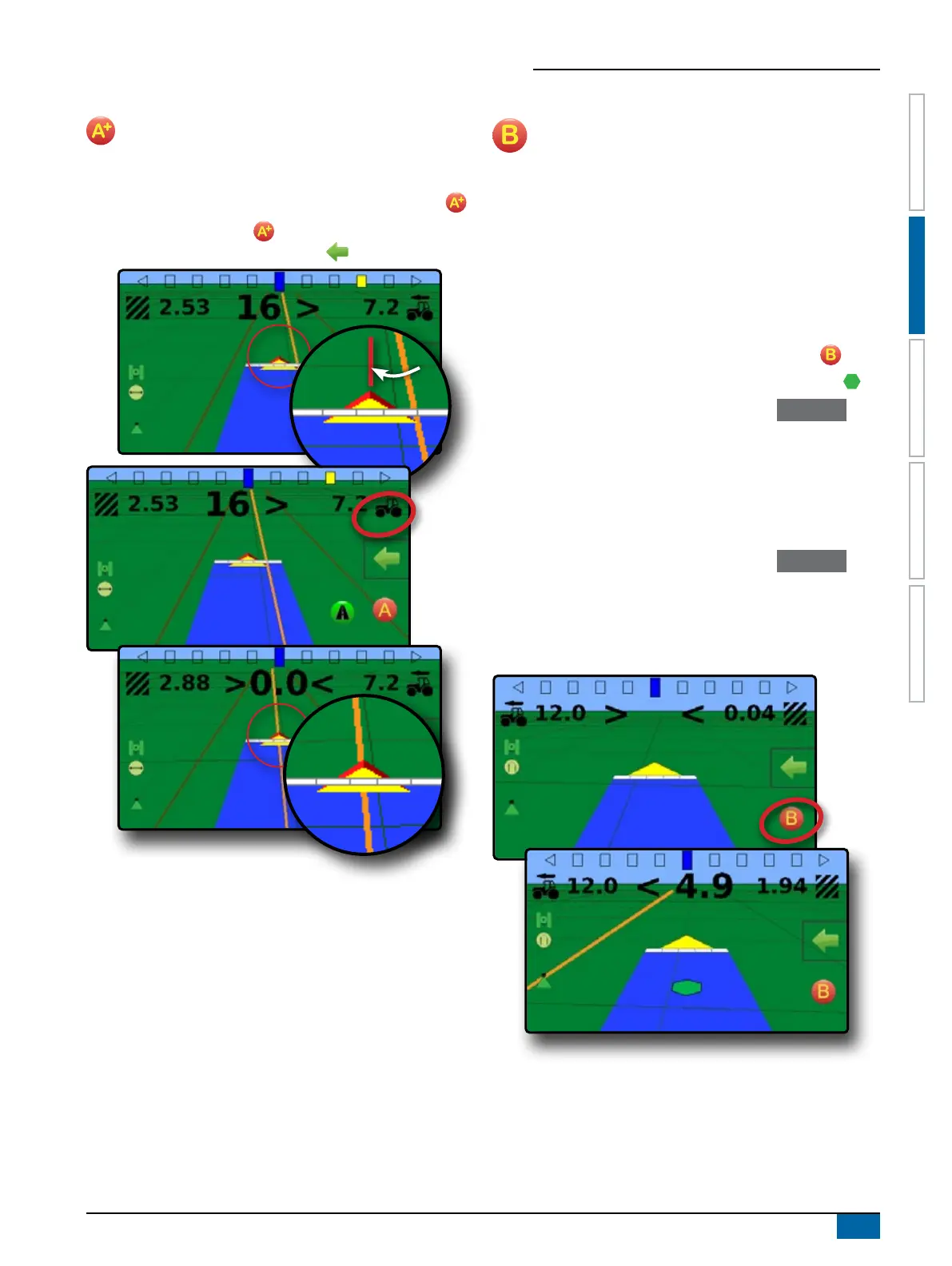
A+ Nudge Feature
The A+ nudge feature allows the current guideline to be
shifted to the vehicle’s current location.
To adjust the guideline:
1. On vehicle view guidance screen, press A+ NUDGE button .
NOTE: An A+ Nudge button is also available on the
Navigation and guidance options menu.
NextRow
NextRow guidance indicates where the NextRow is located
based on the working width (section width × number of
sections), and provides manual guidance information at user-
marked end of a row to the next adjacent row. When the operator
signals the end of the row, a Straight AB line will be established in
the current row and guidance will be provided to the next row.
Once the vehicle has entered into the next row, no guidance or
guidelines are shown.
To activate NextRow guidelines:
1. At the end of a row (while driving a straight line)
on vehicle view guidance screen, press MARK B icon .
W The end of the row will be marked with a green point .
W The navigation information will change to < < < > > > to
indicate it is time to turn.
2. Turn toward the next row.
3. Based on that direction turned, guidance will be provided for the
next adjacent row.
W When the vehicle is in the row, the guideline is removed.
W The navigation information will change to > > > < < < to
indicate it is time to again mark the end of the row.
4. Repeat at the end of the next row.
NOTE: The NextRow guidance feature does not support skipping
rows.



 To Next Page