MATRIX
®
430
JOB DATACONFIGURATIONINTRODUCTION CONSOLE
12
www.teejet.com
GUIDANCE
Circle Pivot Guidance
Circle pivot guidance provides guidance around a central location
that radiates inward or outward based on an initial AB reference
line. This initial baseline is used to calculate all other guidelines.
It is used for product application in a centre pivot eld while being
guided along a circular guideline that matches a centre pivot
irrigation system radius.
NextRow Guidance
NextRow guidance indicates where the next row is located, and
provides guidance at the end of a row to the next row. When the
operator marks the end of the row and begins turning to the next
row, a Straight AB guidance line is provided in the next row. When
the vehicle is in the next row, guidance is turned off.
Application Boundary
Application boundaries establish areas where application is
and is not to be applied. Boundaries can be established in
all guidance modes. One exterior boundary can be stored at a
time. In correspondence to your current location, the IN
BOUNDARY icon or OUT BOUNDARY icon is displayed
on the status bar once the boundary is established.
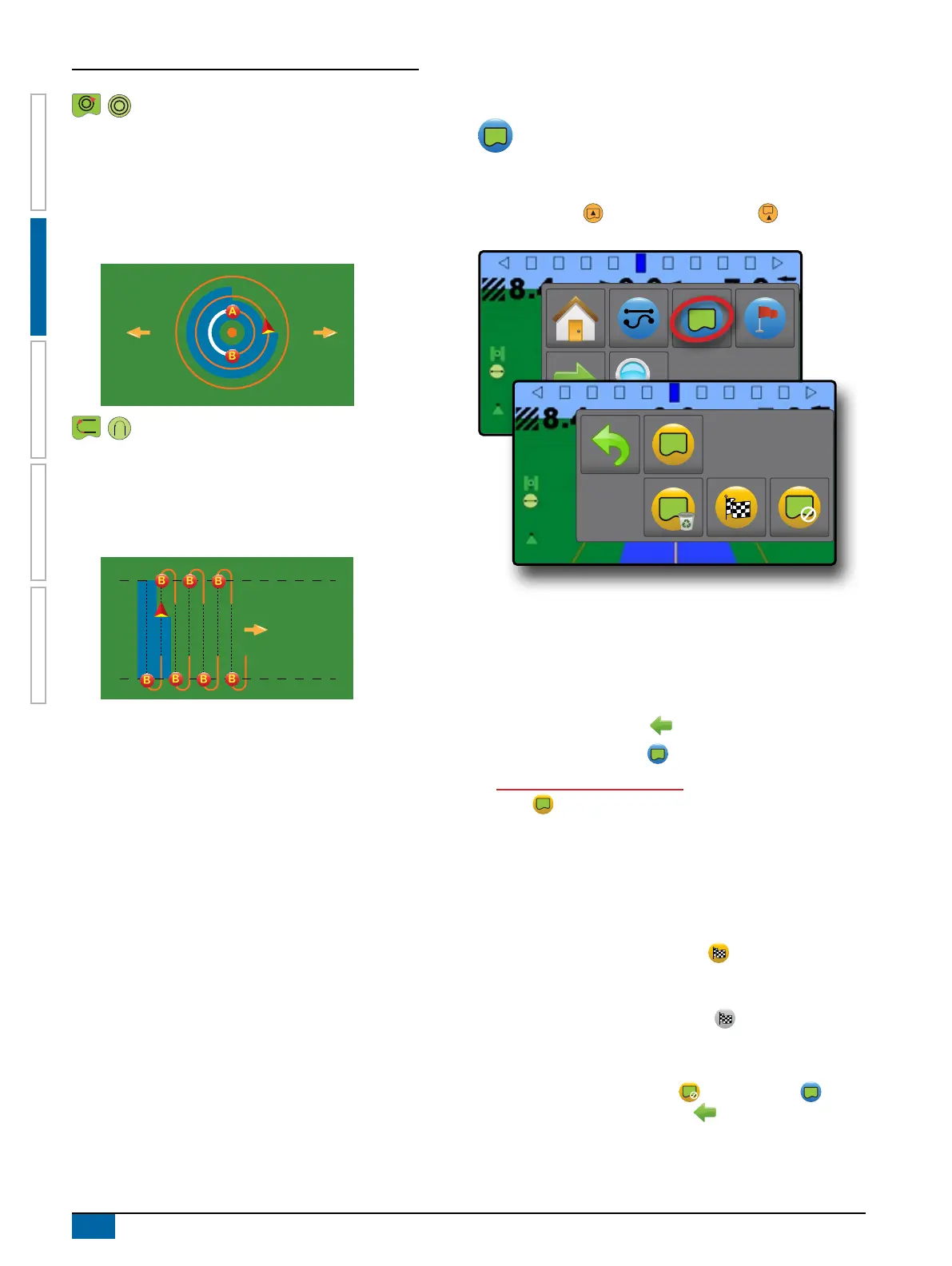
Creating a Boundary
To establish an application boundary:
1. Drive to a desired location at the perimeter of the eld/
application area.
2. On vehicle view guidance screen, press NAVIGATION AND
GUIDANCE OPTIONS tab to display navigation options.
3. Press BOUNDARY button .
4. While the vehicle is in motion, press BOUNDARY
button .
5. Travel the perimeter of the eld/area.
6. Finish boundary:
X Travel to within one working width of the starting point. The
boundary will close automatically (the white boundary line will
turn dark grey)
X Press BOUNDARY FINISH button
. A straight line will
complete the boundary between your current location and the
starting point
NOTE: The BOUNDARY FINISH button is not available
for selection (greyed out) until the minimum distance is
travelled (five-times the working width).
Use CANCEL BOUNDARY button under Boundary on
the Navigation and guidance options menu to cancel the new
eld boundary process and revert to the previous boundary (when
established).



 To Next Page