MATRIX
®
430
JOB DATACONFIGURATIONINTRODUCTION CONSOLE
10
www.teejet.com
GUIDANCE
NAVIGATION AND GUIDANCE OPTIONS TAB
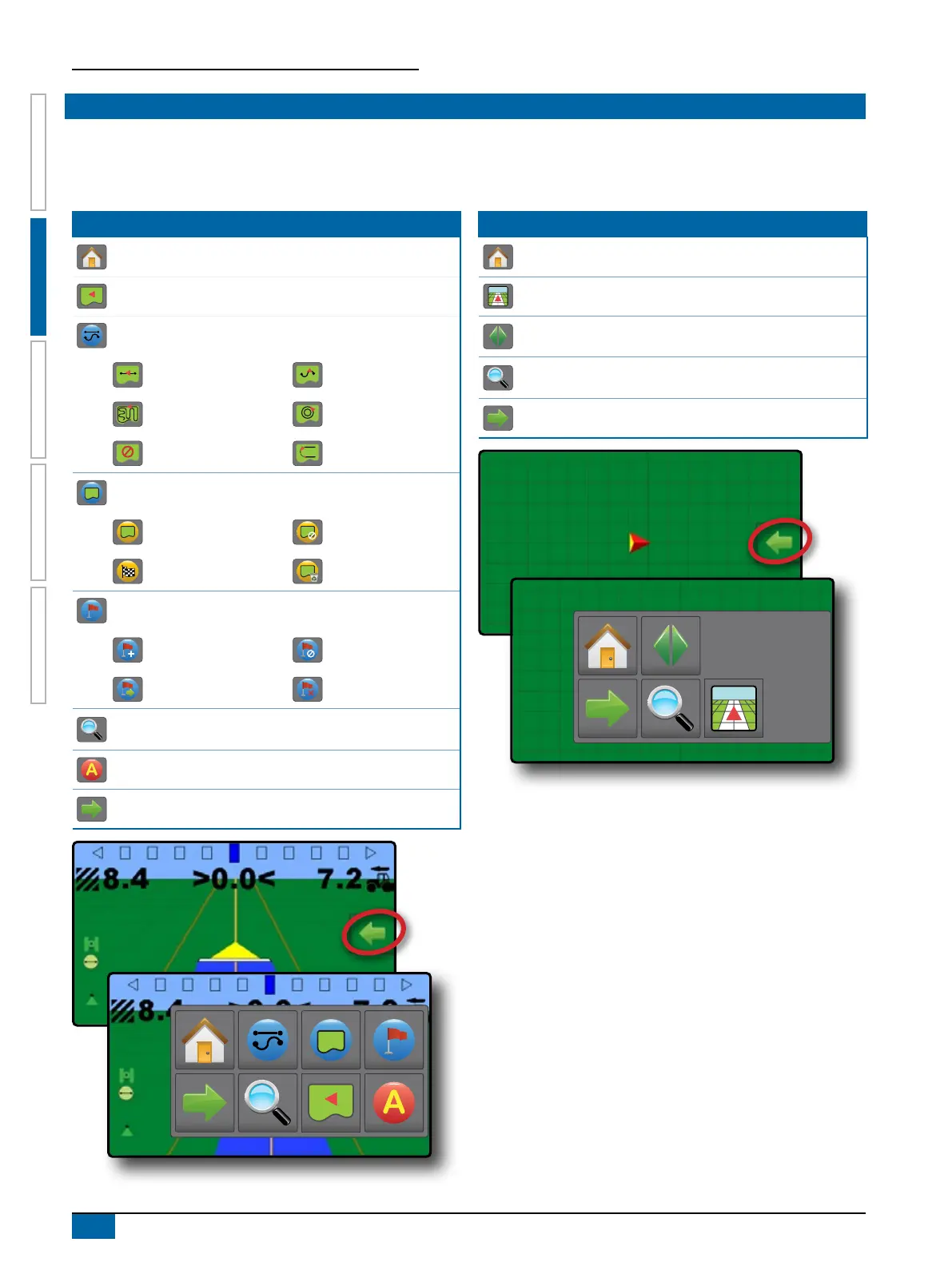
The Navigation and Guidance Options Tab is always available on the Guidance screen. This tab accesses the menu with the Home
button, guidance modes and navigation options.
Vehicle View
Navigation and Guidance Options Tab Menu Buttons
Home – used to access Home screen
Guidance Views – used to change between Vehicle View and Field View
Guidance Modes – used to change guidance mode:
Straight AB Guidance Curved AB Guidance
Last Pass Guidance Circle Pivot Guidance
No Guidance NextRow Guidance
Application Boundary – used to create or delete a boundary
Start Creating Boundary Cancel Boundary Creation
Finish Boundary Creation Delete Boundary
Return to Point – used to create, guide to or delete a point
Mark Point Cancel Navigation
Go to Point Delete Point
Zoom In/Out – slidebar icons increase/decrease the area displayed on
the screen
Mark A Point – used to establish the rst point in an AB guideline
Close Menu – used to close the Navigation and guidance options menu
Field View
Navigation and guidance options tab menu buttons
Home – used to access Home screen
Guidance Views – used to change between Vehicle view and Field view
Pan – used to move the displayed map area in the corresponding
direction without moving the vehicle
Zoom In/Out – slidebar icons increase/decrease the area displayed on
the screen
Close Menu – used to close the Navigation and guidance options menu



 To Next Page