MATRIX
®
430
JOB DATACONFIGURATIONINTRODUCTION CONSOLE
8
www.teejet.com
GUIDANCE
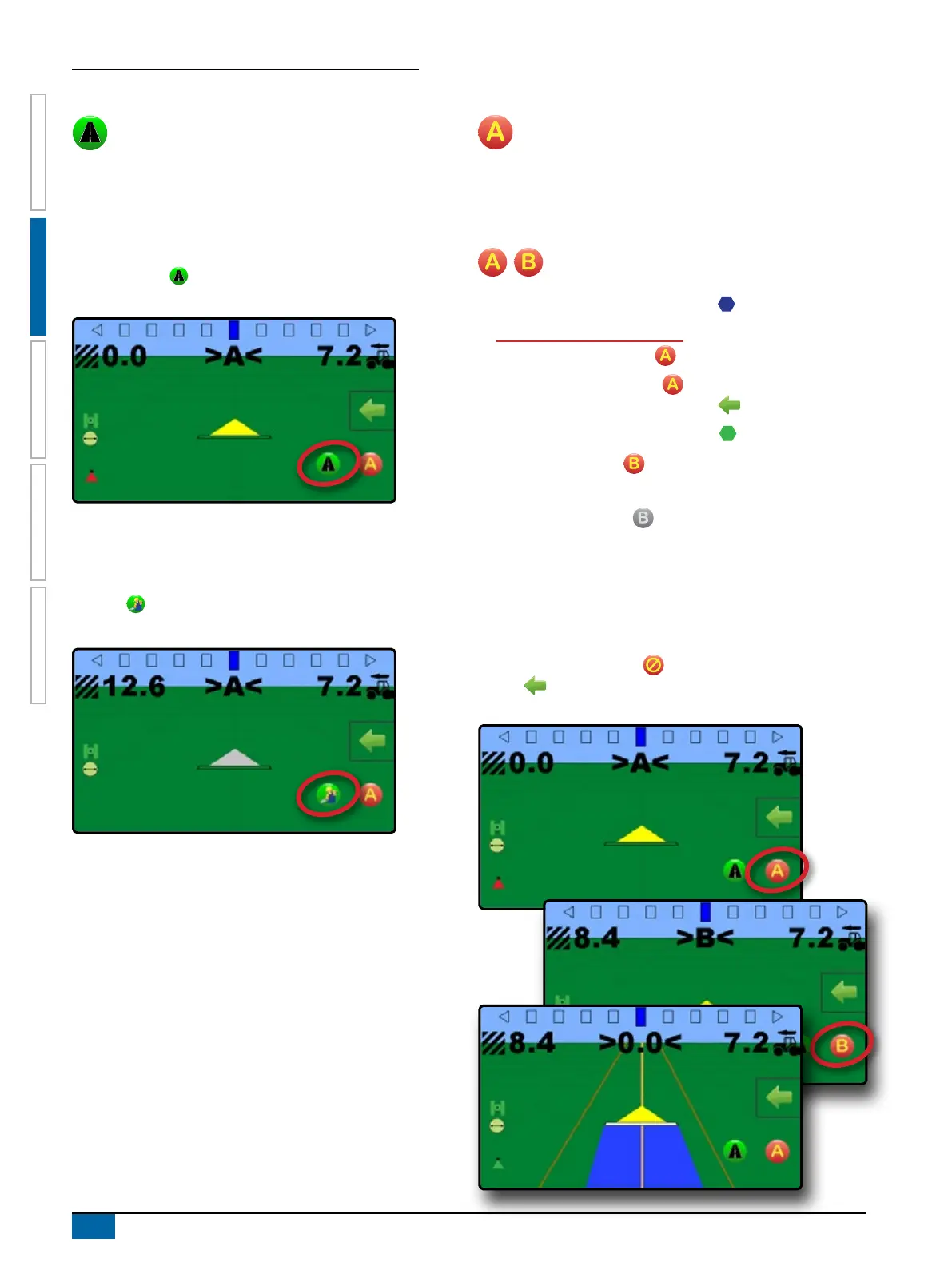
Transport Mode
Transport mode is recommended for use when traveling
between elds as this will improve accuracy in guidance
functions.
Enable Transport Mode
To enable transport mode:
1. On vehicle view guidance screen, press the TRANSPORT
MODE button .
W When enabled, all guidance functions are disabled.
Disable Transport Mode
To disable transport mode:
1. On vehicle view guidance screen, press the GUIDANCE
button .
NOTE: There will be a slight delay while exiting transport mode.
Guidelines
A guideline is established by connecting both a marked A
point and a B point. This guideline can be adjusted to the
vehicle’s current location using the A+ nudge feature. Only one
guideline per guidance mode is available per job.
Marking A and B Points
To establish an AB guideline:
1. Drive to the desired location of Point A .
2. While the vehicle is in motion, on vehicle view guidance
screen, press MARK A icon .
NOTE: a Mark A button is also available on the
Navigation and guidance options menu
3. Drive to the desired location of Point B .
4. Press MARK B button to establish the AB line.
The console will begin providing navigation information.
NOTE: The MARK B Icon is not available for selection
(greyed out) until the minimum distance is travelled (3.0
metres in Straight or Curved guidance, 50.0 metres in
Circle pivot guidance).
It is not necessary to drive the entire circumference of the
centre pivot in order to initiate Circle pivot guidance.
Use CANCEL MARK button on the Navigation and guidance
options menu to cancel the Mark A command and revert to the
previous guideline (when established).



 To Next Page