MATRIX
®
430
GUIDANCEJOB DATA INTRODUCTIONCONSOLE
17
98-05332-EN R4
CONFIGURATION
CHAPTER 3 – CONFIGURATION
Used to select, setup and manage the machine congurations, eld congurations and GNSS receiver.
Machine Conguration
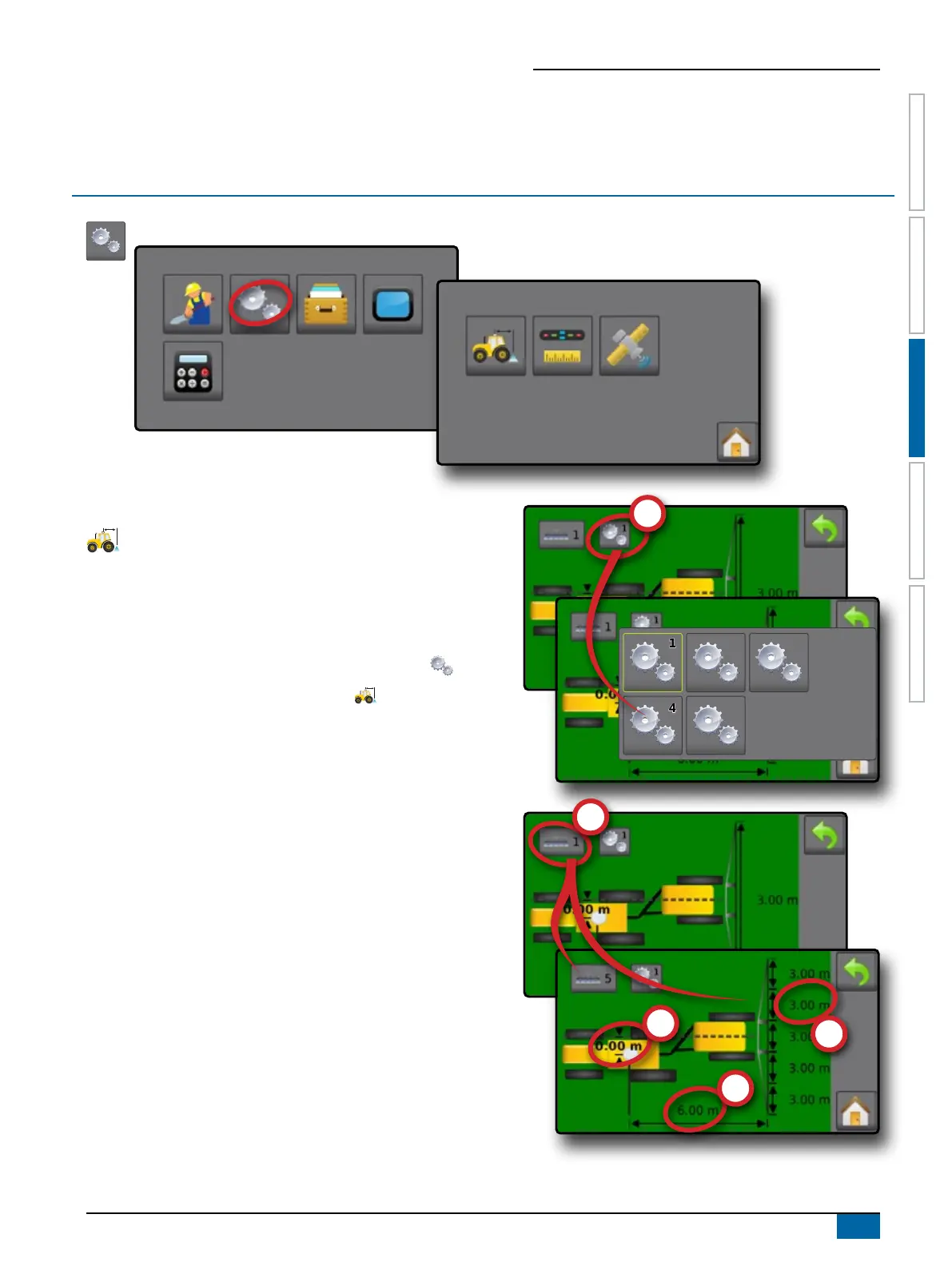
Machine conguration menu is used to create and manage
up to ve (5) individual machine proles representing the
conguration of the console on a particular vehicle/equipment
setup. Each machine prole records the settings in use at the time
the prole is generated allowing the customer to recall their exact
setup for later use.
1. From the Home screen, press CONFIGURATION button .
2. Press MACHINE CONFIGURATION button .
3. Congure each option in the following order. Press current value
then use the keyboard to enter a new value or select an option
from the list provided.
X Machine Prole Number – used to select one of ve (5)
machine proles. The prole that is “active” is displayed/
active on the operation screen.
X Number of Implement Sections – used to select the
number of implement sections. Range is 1 to 7 sections.
X Section Widths – used to enter the width of each section.
Each section can be a different width. Range for each section
is 1.0 to 246.1 feet / 0.30 to 75.0 metres. Total for all sections
must be greater than 1.0 foot / 0.3 metres.
X
3322
55
11
44



 To Next Page