MATRIX
®
430
GUIDANCE JOB DATAINTRODUCTION CONSOLE
18
www.teejet.com
CONFIGURATION
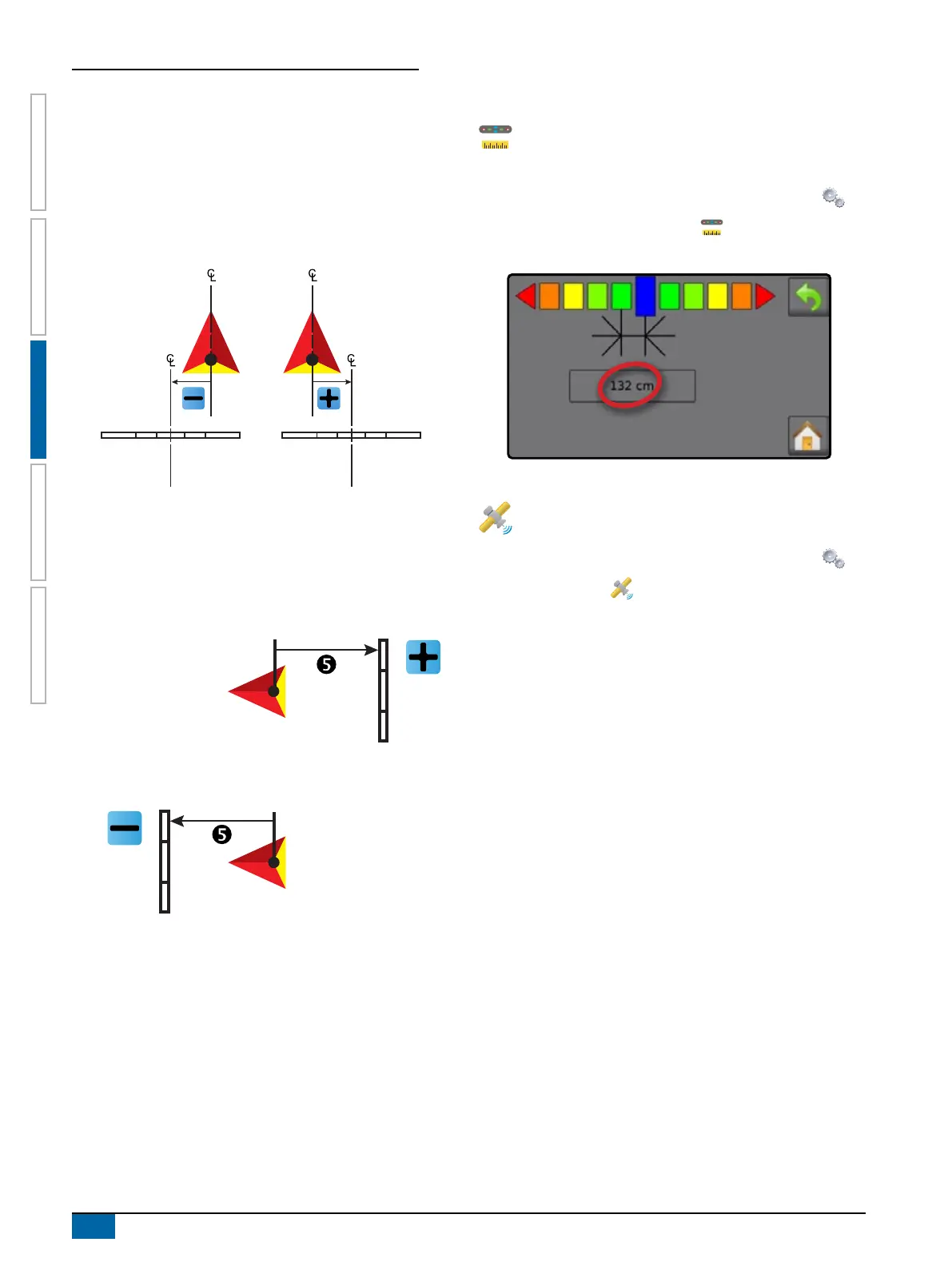
X Lateral implement offset distance – used to dene the
lateral distance from the centre line of the machine to the
centre of the implement. Range is 0.0 to +/-16.4 feet / 0.0 to
+/-5.0 metres.
W Positive Offset Value – moves the implement to the right of
centre while facing in the machine’s forward direction.
W Negative Offset Value – moves the implement to the left of
centre while facing in the machine’s forward direction.
X In-Line Implement Offset Distance – used to dene the in-
line distance from the GNSS antenna to the implement. The
GNSS antenna is always the zero (0) point. Range is -32.8 to
+65.6 feet / -10.0 to +20.0 metres.
W Positive Offset Value – moves the implement behind the
GNSS antenna.
W Negative Offset Value – moves the implement in front of
the GNSS antenna.
Working Width
The total width for all sections is used to determine the working
width. The working width is used to determine the automatic nish
point of a boundary.
Lightbar Spacing
Lightbar spacing is used to set the distance away from the
guideline or vehicle each guidance screen lightbar box
represents.
1. From the Home screen, press CONFIGURATION button .
2. Press LIGHTBAR SPACING button .
3. Press current value and use the keyboard to enter a new value.
GNSS Receiver Conguration
GNSS receiver conguration is used to select the GNSS
receiver requirements.
1. From the Home screen, press CONFIGURATION button .
2. Press GNSS button .
3. Select the required conguration:
X Use SBAS
– used to select if any satellite-based
differential correction system (SBAS) will be used.
X Select Minimum Position Quality Requirement – used to
select between using ClearPath® and SBAS, or SBAS only. If
"Use SBAS" is not selected, ClearPath is required (indicated
by a grey selection dot).
X Select Additional Constellations
– used to Indicated when
the GLONASS or QZSS uncorrected signals are available.
GPS uncorrected signals from the GPS system are always
available and cannot be disabled.



 To Next Page