MATRIX
®
430
JOB DATA CONFIGURATION INTRODUCTIONCONSOLE
11
98-05332-EN R4
GUIDANCE
Guidance Modes
The guidance modes button is used to change the
guidance mode.
To choose a guidance mode:
1. On vehicle view guidance screen, press NAVIGATION AND
GUIDANCE OPTIONS tab to display navigation options.
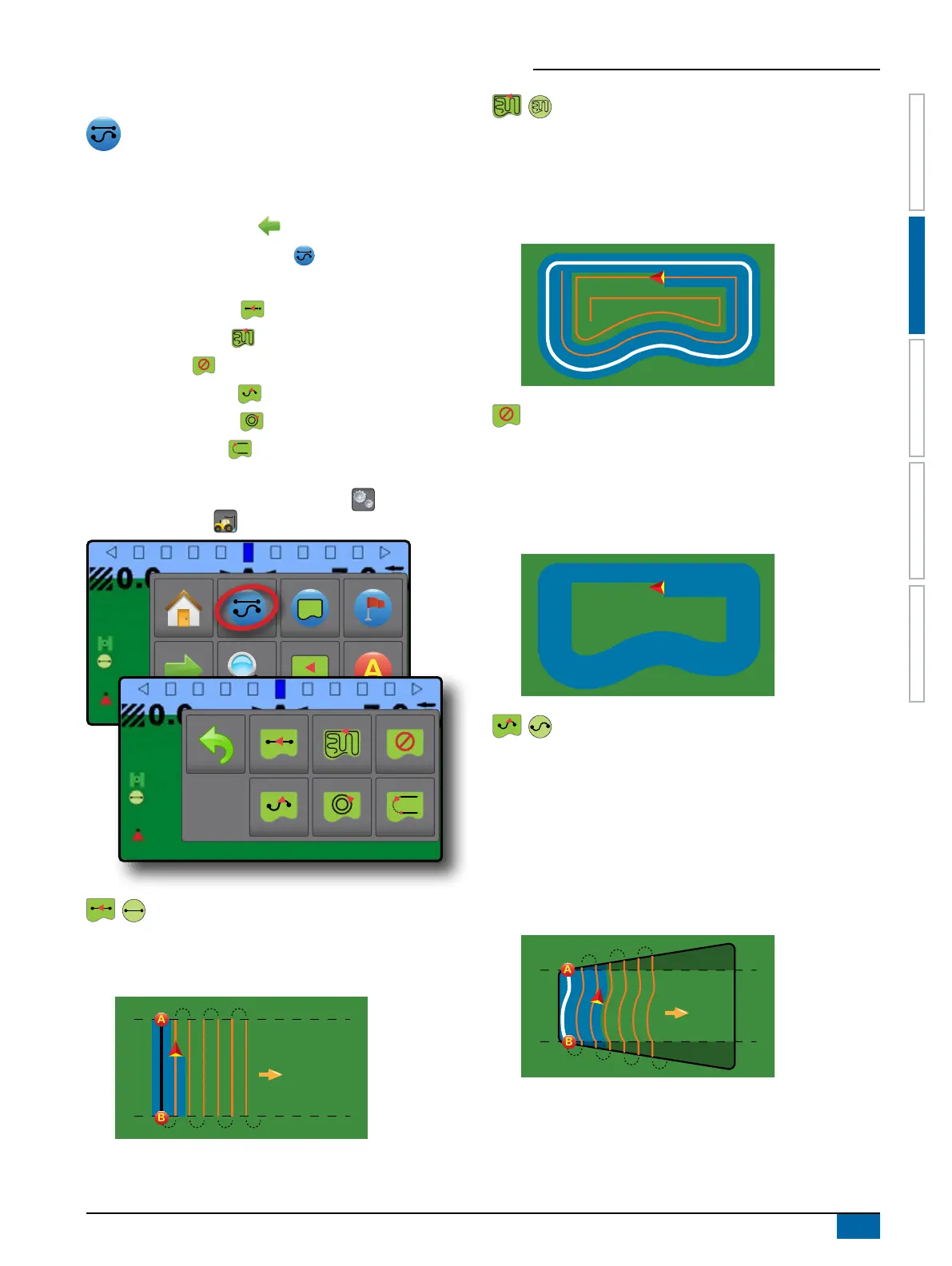
2. Press GUIDANCE MODE button .
3. Select from:
X Straight AB guidance
X Last pass guidance
X No guidance
X Curved AB guidance
X Circle pivot guidance
X NextRow guidance
NOTE: Offset to adjacent guidelines will be calculated using
the working width: see “Configuration -> Machine
Configuration ” in the Configuration chapter.
Straight AB Guidance
Straight AB guidance provides straight line guidance based on
A and B reference points. The original A and B point are used to
calculate all other parallel guidelines.
Last Pass Guidance
Last pass guidance offers true last pass navigation. The console
will automatically detect the nearest applied area and establish
parallel guideline based on that area.
NOTE: If a boundary is established but no application occurred
during the boundary process, guidance will not initiate.
No Guidance
No guidance turns off guidance.
NOTE: No guidance mode does not delete an established
guideline or point from the console. To delete established/
saved data from the console, please refer to the Job Data
chapter.
Curved AB Guidance
Curved AB guidance provides guidance along curved lines based
on an initial AB reference line. This initial baseline is used to
calculate all other guidelines.
NOTE: Curved guidance is recommended not to exceed 30°
within the AB guideline.
HINT: While working in a bounded area, the guidance pattern
extending beyond the established AB points will be straight
line guidance.



 To Next Page