98-01505-EN-LT R1 English
© TeeJet Technologies 2023
www.teejet.com
SOFTWARE UPDATE
MATRIX® 430
SOFTWARE DOWNLOAD UPDATE
As TeeJet Technologies continues to enhance its software, updates
for the console will be made available at www.teejet.com. You
must have the software update folder stored on a USB storage
device prior to beginning the update.
RECOMMENDATION: Be parked while the update is in progress.
This will help ensure that the update process is not interrupted by
the USB drive bouncing around while the vehicle is in motion.
NOTE: The file is in a compressed zip format and needs to be
unzipped/uncompressed before loading onto the USB drive.
To update the console:
1. Download the zip le directly to your computer’s Desktop or
Downloads folder.
2. Double click the zip le then select either A or B:
A) Copy and paste the “tjrun” folder to the root directory of an
empty USB drive.
B) Using the “Extract all les” function, unzip/uncompress the
downloaded le to the root directory of an empty USB drive.
Once downloaded and unzipped, you will see the folder “tjrun” on
your USB drive.
RECOMMENDATION: Use an empty USB drive. Be sure there
are no other automatically executable les on the drive.
3. Properly eject the USB drive from your computer using the
“Safely Remove Hardware” icon from the Task Bar or the “Eject
this disk” function from the My Computer window or the “Eject
Disk” option (on a MAC).
4. With the console ON, lift rubber cover and insert the USB drive
into the console.
WARNING!: Do not remove the USB drive or disconnect
power from the console at any time during the
update process.
The update will start automatically. A series of screens will cycle
informing of the progress.
5. Once instructed, remove the USB dive.
6. Reboot the console.
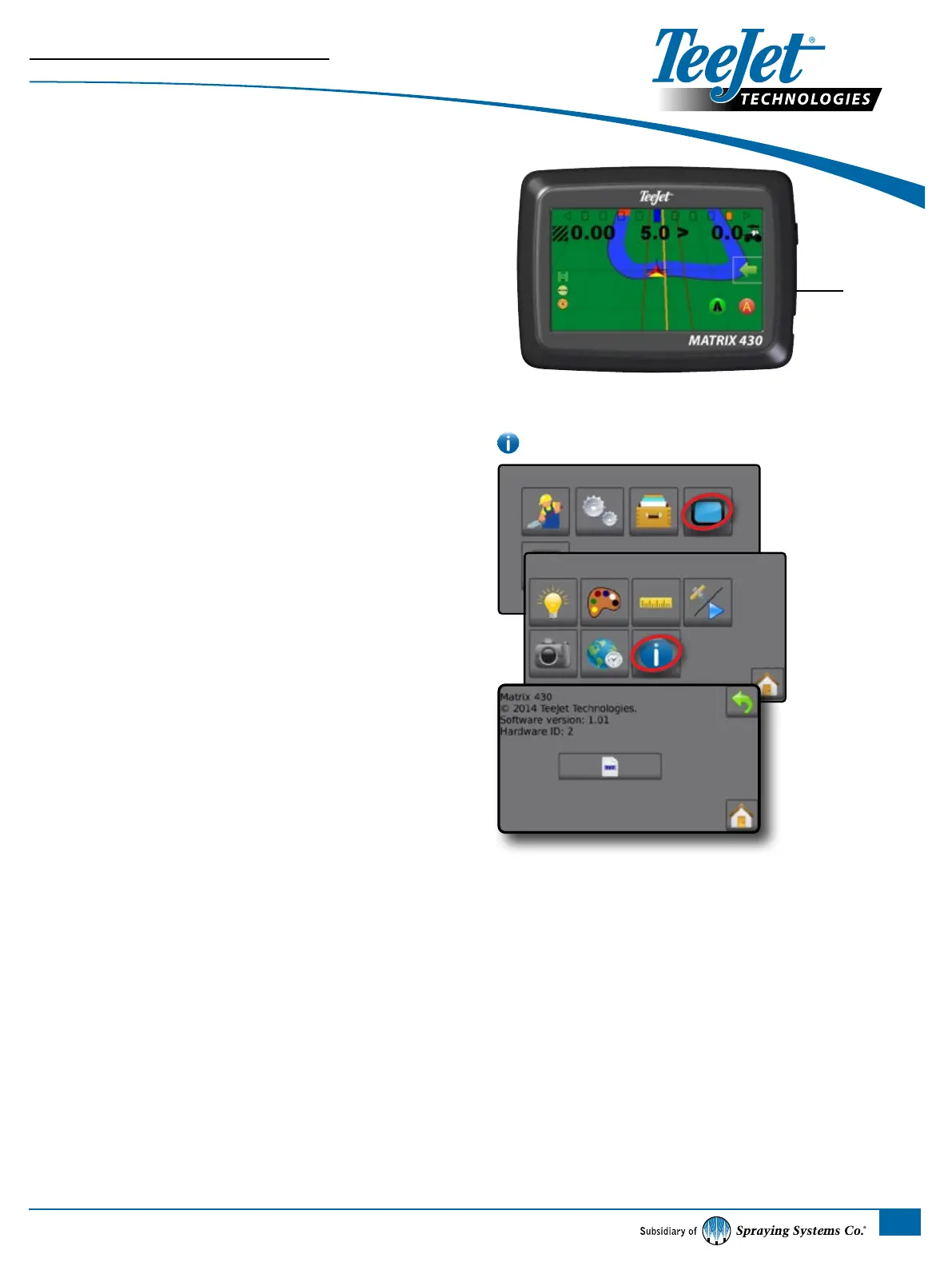
To verify your update has installed, check the version number on the
screen.
NOTES:
X The software update le can be used on multiple consoles.
X The console should retain all previous programmed settings.
X Before using the USB drive for data storage, the update folder
must be removed from the USB drive.
WARNING!: Do not use a USB storage device with U3
technology (also known as “U3 smart drives”) as U3
technology could cause downloading or job storage issues.
Please contact TeeJet Technologies with any questions or for assistance.
TEEJET TECHNOLOGIES IS NOT RESPONSIBLE FOR DAMAGE
DUE TO IMPROPER DOWNLOAD AND INSTALLATION OF AN UPDATE
USB Port
with Rubber Cover
MATRIX® 430



 To Next Page